
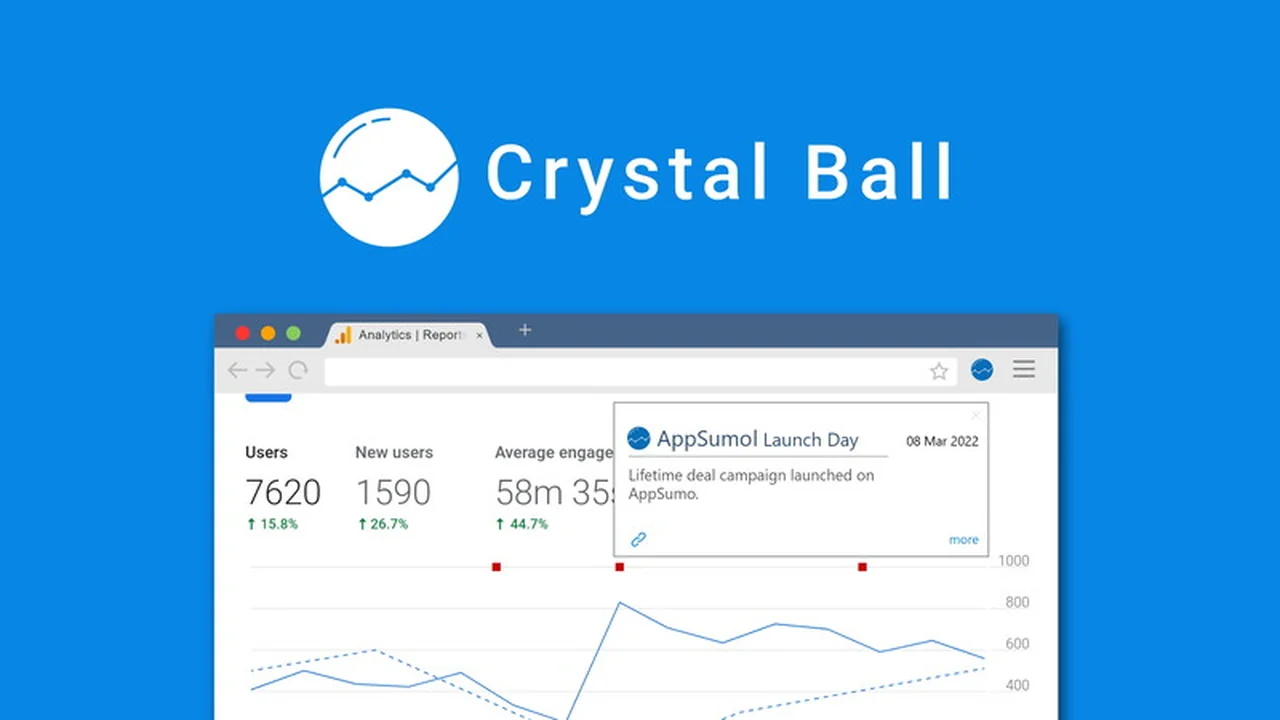
Are you tired of sifting through analytics data without understanding the ‘why’ behind the numbers? This review dives deep into a tool designed to bring clarity to your marketing efforts.
We’ll explore how this solution automates the contextualization of your data, making it easier to identify what’s truly driving your marketing success and where adjustments might be needed.
What is Crystal Ball – Get deeper insights for marketing | AppSumo
Crystal Ball is a powerful tool designed to provide your marketing data with essential context, bridging the gap between raw analytics and actionable insights. It helps you understand the impact of various events on your website and campaign performance by automating the process of adding annotations to your data reports.
This means you can move beyond simply observing traffic spikes or dips and instead understand precisely what caused them, from marketing campaigns to external factors like holidays or algorithm updates.
Key Features
Crystal Ball offers a suite of features aimed at simplifying and enhancing your data analysis process:
- Automated Annotations: Automatically log significant events that could influence your marketing ROI.
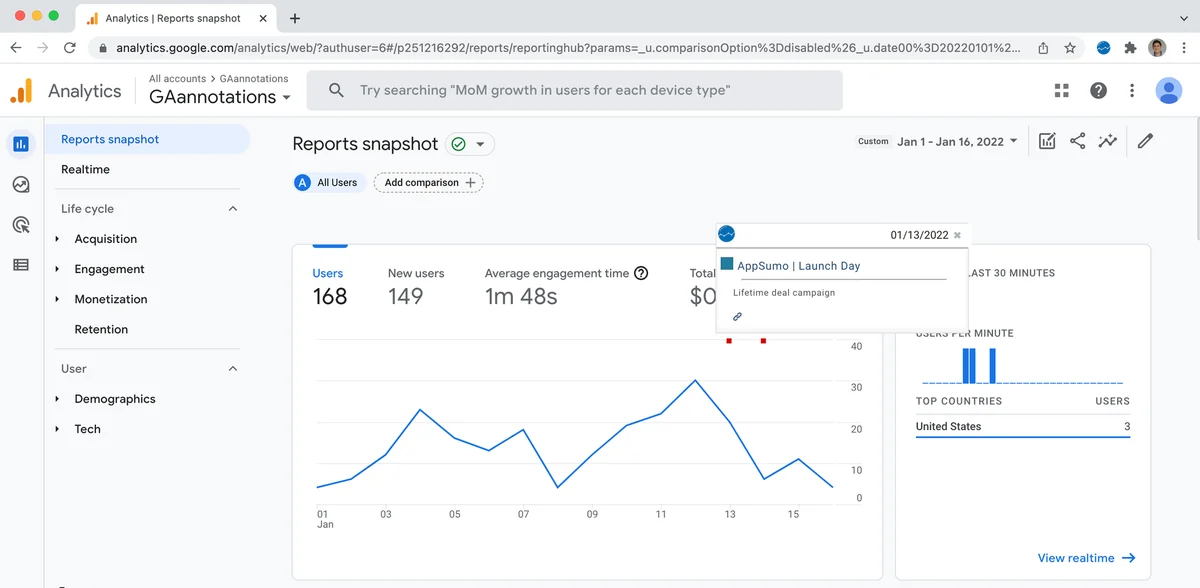
- Chrome Extension: View annotations directly within Google Analytics reports (GA4 and Universal Analytics).
- API and CSV Support: Create annotations in bulk through various methods for flexibility.
- Google Data Studio Integration: Connect and organize data from multiple sources for clearer, customized reports.
- Multi-Source Data Gathering: Pull insights from platforms like Google Ads and Google Analytics.
- Zapier Integration: Connect with over 4,000 apps to automate annotation creation based on cross-app actions.
- Real-time Notifications: Receive alerts via SMS for critical events, even if your site is down.
- Google Algorithm Update Tracking: Stay informed about changes that could impact your SEO and campaigns.
How It Works
The core functionality of Crystal Ball revolves around adding contextual annotations to your marketing data. You can achieve this in several ways:
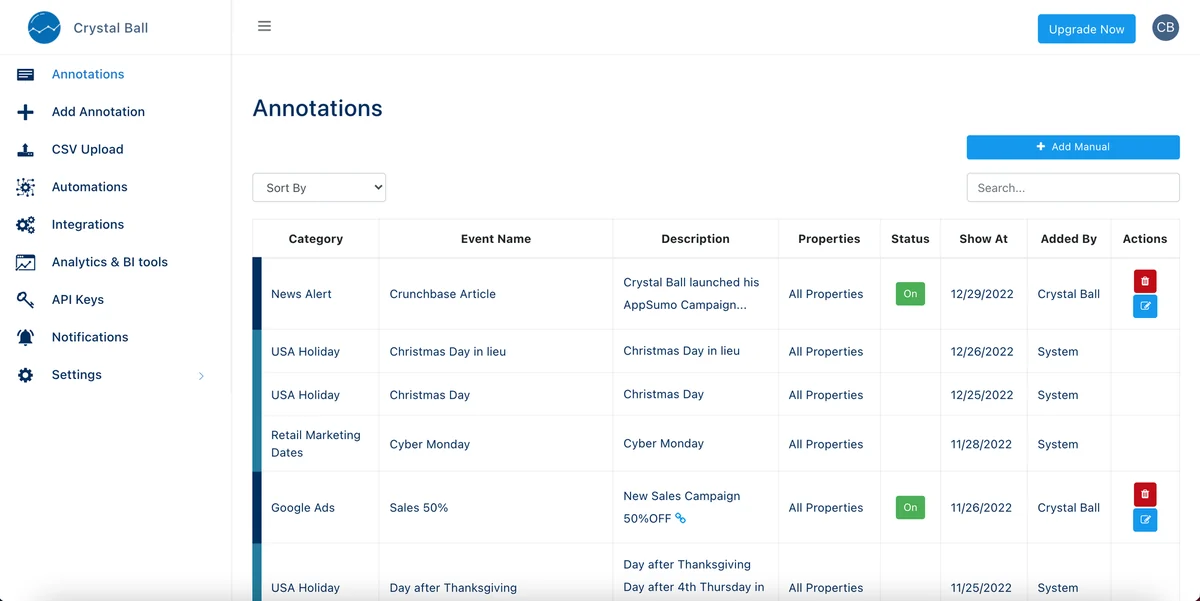
Manual Entry: For specific events, you can manually add annotations through the platform.
CSV Upload: If you have a list of events, upload them via a CSV file for efficient batch annotation.
API Integration: For seamless integration with your existing systems, use the API to push annotation data directly.
Automated Triggers: Connect Crystal Ball with other applications and services to automatically create annotations based on predefined events, such as new Google Ads campaigns, completed tasks in project management tools, or email newsletter sends.
Once set up, these annotations appear directly in your Google Analytics reports and Data Studio dashboards, providing immediate context to your performance metrics.
Use Cases
Crystal Ball is beneficial for a wide range of marketing activities and scenarios:
- Campaign Performance Analysis: Easily correlate campaign launches, ad spend changes, or creative updates with traffic and conversion fluctuations.
- SEO Strategy Monitoring: Track the impact of Google algorithm updates or website changes on your search rankings.
- Content Marketing Effectiveness: Understand how blog posts, press mentions, or new feature announcements affect user engagement.
- E-commerce Promotions: Measure the success of seasonal sales, holiday campaigns, or product launches.
- Website Development Impact: Observe how site updates, bug fixes, or new functionalities influence user behavior.
- Team Collaboration: Share clear, contextualized reports with stakeholders to demonstrate marketing ROI.
Integrations & Compatibility
- Crystal Ball is designed to work seamlessly with popular marketing and data analysis tools
- Google Analytics: Direct integration with both GA4 and Universal Analytics via a Chrome extension, allowing annotations to be viewed directly within reports
- Google Data Studio: Optimized integration for creating comprehensive, easy-to-understand reports combining data from multiple sources
- Google Ads: Automated annotations can be set up for your Google Ads campaigns
- Zapier: Connects with over 4,000 applications, enabling automated annotations based on tasks and actions across different platforms like Trello, Slack, Mailchimp, Bitbucket, and GitHub
- API: Provides a flexible way to integrate with custom workflows and systems.
Pricing & Value
The value proposition of Crystal Ball lies in its ability to save significant time and prevent misinterpretations of data. By automating the contextualization of analytics, it removes the manual effort required to remember and track past events. This leads to more informed decision-making, improved campaign optimization, and ultimately, a better return on marketing investment.
Deal Details
The AppSumo deal provides lifetime access to Crystal Ball, offering a cost-effective way to implement advanced data contextualization into your marketing workflow. This typically includes access to current and future features, along with dedicated support.
There is a 60-day money-back guarantee, allowing ample time to test the platform and ensure it meets your needs.
Quick Take
- Ideal for marketers and analysts who need to understand the ‘why’ behind data fluctuations.
- Saves hours of manual data correlation and guesswork.
- Brings essential context to Google Analytics and Data Studio reports.
FAQs
Can I automate annotations from other apps?
Yes, through Zapier, you can automate annotations from thousands of different applications.
Does it support GA4?
Yes, Crystal Ball supports both GA4 and Universal Analytics.
How can I add annotations?
Annotations can be added manually, via CSV, API, or through automated integrations.
Can I see annotations in Google Analytics?
Yes, using the Chrome extension, you can view annotations directly in Google Analytics.
What is Crystal Ball?
Crystal Ball is a tool that adds automated, contextual annotations to your marketing data.
Final Thoughts
For any marketing professional who relies on data for decision-making, Crystal Ball presents a compelling solution. The ability to automatically layer contextual information onto analytics reports addresses a long-standing pain point for many users.
By simplifying the understanding of what truly influences performance, Crystal Ball empowers users to refine strategies, identify opportunities, and drive better results with greater confidence and efficiency.
This tool offers significant value, especially through its lifetime deal offering, making deep marketing insights more accessible than ever.