
Tired of long, confusing explanations and the frustration of miscommunication with your team? Visual aids can drastically improve clarity and efficiency in professional settings.
This review explores Droplr, a tool designed to enhance visual communication and file sharing, helping you to show rather than just tell. We’ll cover its core functionalities, practical applications, and the value it offers.
What is Droplr | AppSumo
Droplr is a versatile application focused on simplifying visual communication and file sharing for individuals and teams. It aims to bridge the gap between complex ideas and clear understanding through intuitive tools like screenshots, screen recordings, and easy file transfers.
Key Features
Droplr is packed with features designed to make visual communication effortless and effective:
- Screenshot with Annotation: Capture precise areas of your screen and add notes, arrows, or highlights to convey your message clearly.
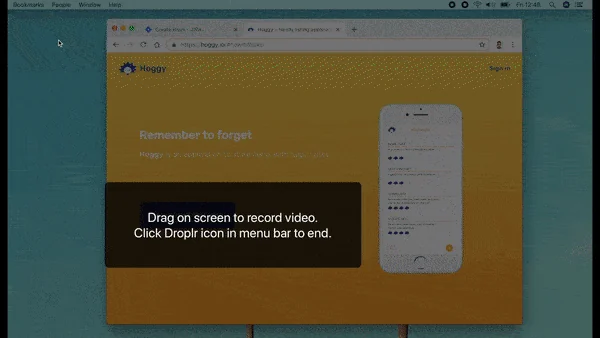
- Screencasting with Camera-in-Camera: Record your screen with or without audio, and optionally include your webcam feed in a corner of the recording for a more personal touch.
- Blur Sensitive Data: Protect confidential information by easily blurring out sensitive details in your screenshots or recordings before sharing.
- High-Speed File Transfers: Share large files, up to 10 GB, quickly and efficiently without long wait times.
- Branded Links and Files: Customize shared links with your company’s name and logo to build brand recognition and assure recipients of the source’s legitimacy.
- Personal Workspace: Organize, manage, and instantly share all your captured content and uploaded files in a centralized location.
- Work Tracking: Gain insights into how your shared content is being used and accessed.
- Team-Only Feature: Maintain control over sensitive team content, ensuring it’s only accessible to authorized members.
How It Works
Using Droplr is designed to be straightforward. You can initiate a capture directly from the desktop application or its Chrome extension. Once a screenshot or video is recorded, you can immediately annotate it, blur sensitive areas, or add descriptive text.
Sharing is as simple as copying a generated link or selecting a platform like Slack or email. The tool streamlines the entire process from creation to distribution, ensuring your message is delivered effectively and swiftly.

Use Cases
Droplr proves beneficial across a wide range of scenarios:
- Onboarding New Clients: Provide visual guides and walkthroughs to help clients understand your products or services.
- Illustrating Bugs and Errors: Quickly capture and share detailed visual evidence of software issues for development teams.
- Team Collaboration: Explain complex workflows, project updates, or feedback visually to ensure everyone is on the same page.
- Customer Support: Offer clear, visual answers to customer queries, reducing back-and-forth communication.
- Training and Tutorials: Create easy-to-follow video tutorials that demonstrate processes or features step-by-step.
Integrations & Compatibility
- Droplr supports sharing across numerous platforms, including Slack, email clients, and forums, by simply pasting the generated URL
- Its Chrome extension ensures seamless capture integration directly within your browser workflow.
Pricing & Value
Droplr offers tiered plans to accommodate different user needs. The value proposition lies in its ability to significantly reduce the time and effort spent on communication, leading to increased productivity and fewer misunderstandings.
Deal Details
The AppSumo deal provides lifetime access to Droplr, offering a cost-effective solution for individuals and businesses looking to enhance their visual communication strategies. This typically involves a one-time payment for ongoing access to the platform’s features.
Quick Take
- Ideal for teams and professionals seeking to reduce miscommunication.
- Excellent for creating quick visual explanations and sharing files.
- Offers a user-friendly interface for efficient workflow integration.
FAQs
Is the branding fully whitelabel on all plans?
Whitelabeling options may be more extensive on higher-tier or specific promotional plans.
Does Droplr support 1080p recording?
Currently, 1080p recording capabilities may not be a standard feature.
Can I paste Droplr captures directly into other applications?
Direct pasting often results in a URL link rather than an embedded preview.
Are file previews available for all file types?
Previews are typically limited to image files unless on a higher-tier plan.
How do I add users to my team?
Contact support as team member addition might be handled manually.
Final Thoughts
Droplr presents a robust solution for anyone looking to improve clarity and speed in their daily communications. Its focus on visual aids, combined with efficient file sharing and organizational tools, makes it a valuable asset for boosting team productivity and reducing the friction of complex explanations.
The AppSumo deal offers a compelling opportunity to integrate this powerful tool into your workflow at a significant value. For those prioritizing clear, visual communication, Droplr is certainly worth considering.