
Losing important files can be a stressful experience. Whether it’s a critical work document, cherished family photos, or a vital presentation, the feeling of data loss is universal.
This review dives deep into how iBeesoft Data Recovery, available through a special AppSumo deal, can help you retrieve those lost files with a straightforward and efficient process, minimizing downtime and frustration.
What is iBeesoft Data Recovery | AppSumo
iBeesoft Data Recovery is a software solution designed to help users recover deleted or lost files from a wide range of storage devices. It aims to simplify the often complex process of data retrieval, making it accessible even for those without extensive technical knowledge.
Key Features
The software boasts a suite of features aimed at efficient and comprehensive data recovery:
- Recover Deleted/Lost Files: Effectively restores files lost due to accidental deletion, formatting, system crashes, or drive corruption.
- Broad Device Support: Works with various storage media including PCs, laptops, SSDs, HDDs, USB drives, digital cameras, and memory cards.
- Extensive File Type Scanning: Capable of scanning and recovering over 1000 different file types, encompassing photos, videos, documents, audio, and more.
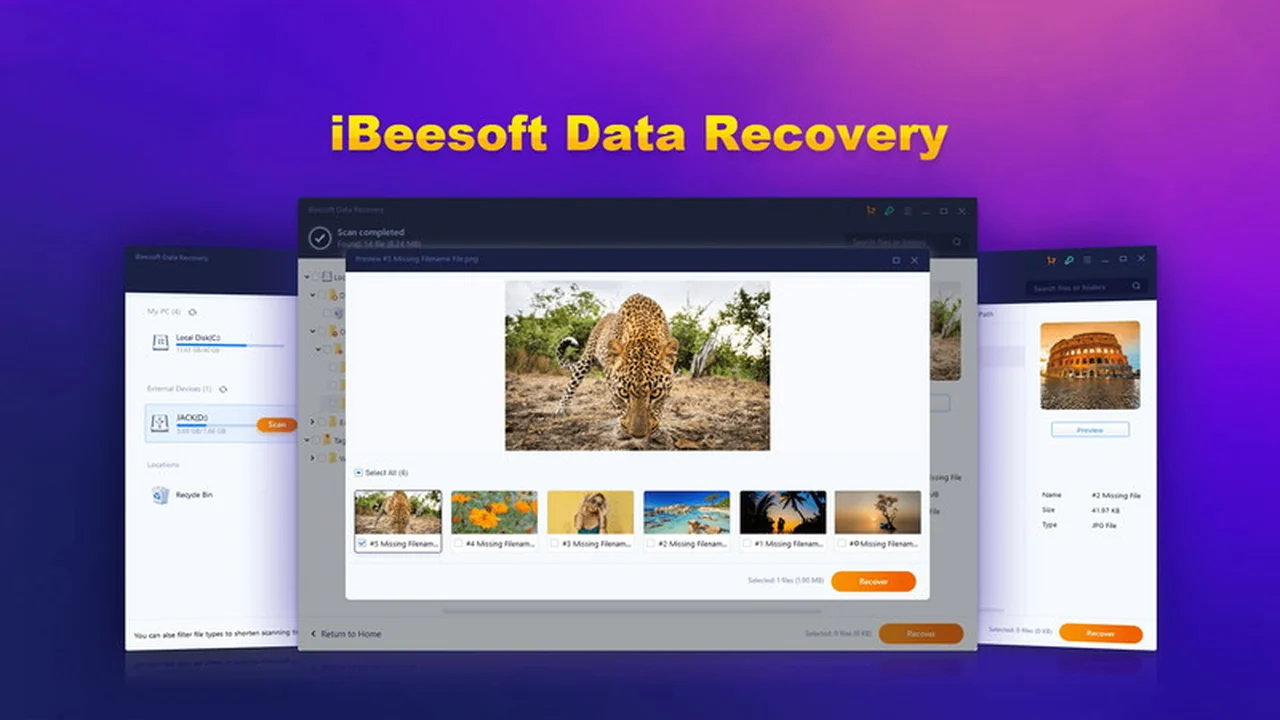
- Preview Before Recovery: Allows users to preview recoverable files, ensuring that only the desired data is restored and saving valuable time.
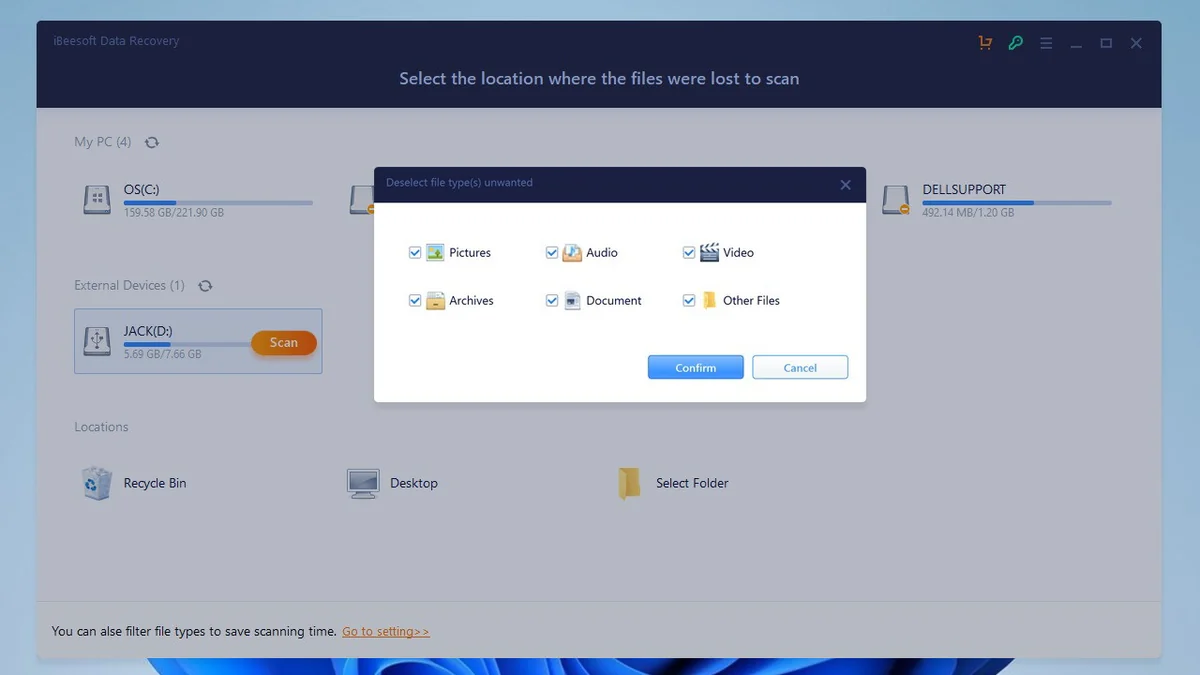
- Targeted Scanning: Offers the option to select specific file types for scanning, speeding up the process when you know what you’re looking for.
- Quick and Detailed Results: Presents a clear and detailed list of found files, making it easy to identify and select what needs to be recovered.
How It Works
The process for recovering data with iBeesoft Data Recovery is designed to be intuitive:
- Select a Location: Choose the drive or partition where your files were lost.
- Scan for Lost Files: Initiate a scan to allow the software to search for deleted or lost data. You can select specific file types to optimize the scan.
- Preview and Recover: Once the scan is complete, preview the found files. Select the ones you wish to restore and click the recover button.
Use Cases
iBeesoft Data Recovery is well-suited for numerous scenarios:
- Recovering accidentally deleted important documents for work.
- Restoring precious vacation photos or videos from a camera’s memory card.
- Retrieving data from a formatted hard drive or partition.
- Getting back files after a computer system crash or operating system failure.
- Salvaging data from a USB drive that has become inaccessible.
Integrations & Compatibility
- iBeesoft Data Recovery is designed to operate as a standalone application on your computer
- It is compatible with Windows operating systems
- The software functions directly with the storage devices it’s connected to, rather than through cloud integrations.
Pricing & Value
The standard pricing for iBeesoft Data Recovery can vary, but the AppSumo deal offers a significantly reduced price for a lifetime license, making it a cost-effective solution for ongoing data recovery needs. The value proposition lies in having a reliable tool readily available without recurring subscription fees.
Deal Details
The AppSumo deal for iBeesoft Data Recovery provides a lifetime license for one PC at a highly competitive price. This offer is time-sensitive, and it’s advisable to check the AppSumo page for the most current terms and conditions. A 60-day money-back guarantee is typically included, allowing for risk-free evaluation.
Quick Take
- Ideal for individuals and small businesses needing a one-time or occasional data recovery solution.
- A practical choice for users who prioritize ease of use and quick retrieval of lost files.
- Excellent value for money due to the lifetime license offered on AppSumo.
FAQs
What if recovered files are not working?
This can happen if the data was severely overwritten or if the drive type (like SSD) has specific recovery limitations.
What happens if I continue using the drive after losing data?
Continued use can overwrite data, potentially making recovery more difficult or impossible.
Can I use iBeesoft Data Recovery in any country?
Yes, the software can be used globally without geographical restrictions.
Is the license transferable to a new laptop?
Yes, you can transfer the license by contacting their support for a reset.
Can iBeesoft Data Recovery recover data from a damaged SSD?
Yes, if the SSD is still detectable in Disk Management, data recovery is often possible.
Final Thoughts
iBeesoft Data Recovery presents a user-friendly and effective method for retrieving lost files. The AppSumo deal offers exceptional value, providing a robust data recovery tool at a fraction of its usual cost. For anyone concerned about accidental data loss, this software is a worthwhile investment.