
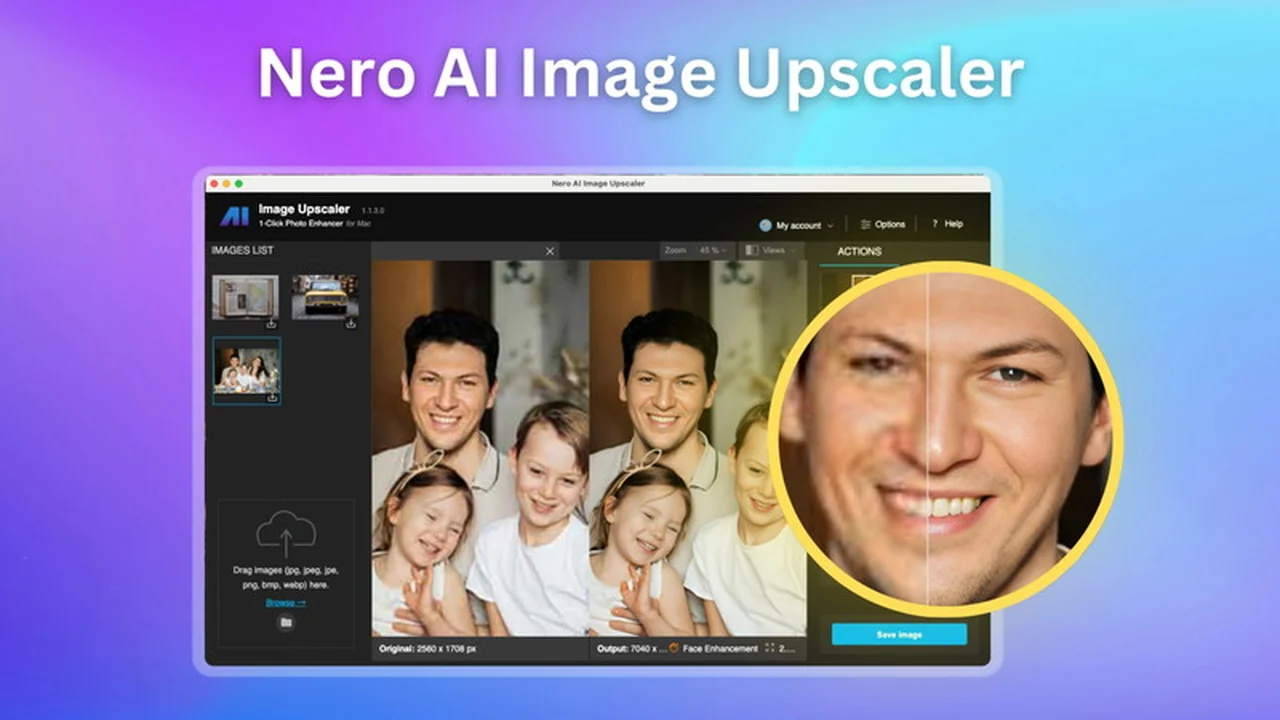
Low-resolution images can be a significant roadblock for creatives and businesses alike. The frustration of zooming in only to find a blurry mess is a common pain point.
This review explores Nero AI Image Upscaler, a tool designed to breathe new life into your visuals. We’ll delve into its capabilities, how it operates, and who stands to benefit the most from this AppSumo offering.
What is Nero AI Image Upscaler | AppSumo
Nero AI Image Upscaler is a software solution aimed at enhancing image quality through artificial intelligence. It focuses on increasing resolution, removing imperfections like noise and artifacts, and sharpening details to achieve a clearer, more professional-looking final image.
Key Features
- AI Upscaling to 4K: Elevates images to high resolutions, making them suitable for various applications.
- Noise and Artifact Reduction: Cleans up digital imperfections, resulting in smoother visuals.
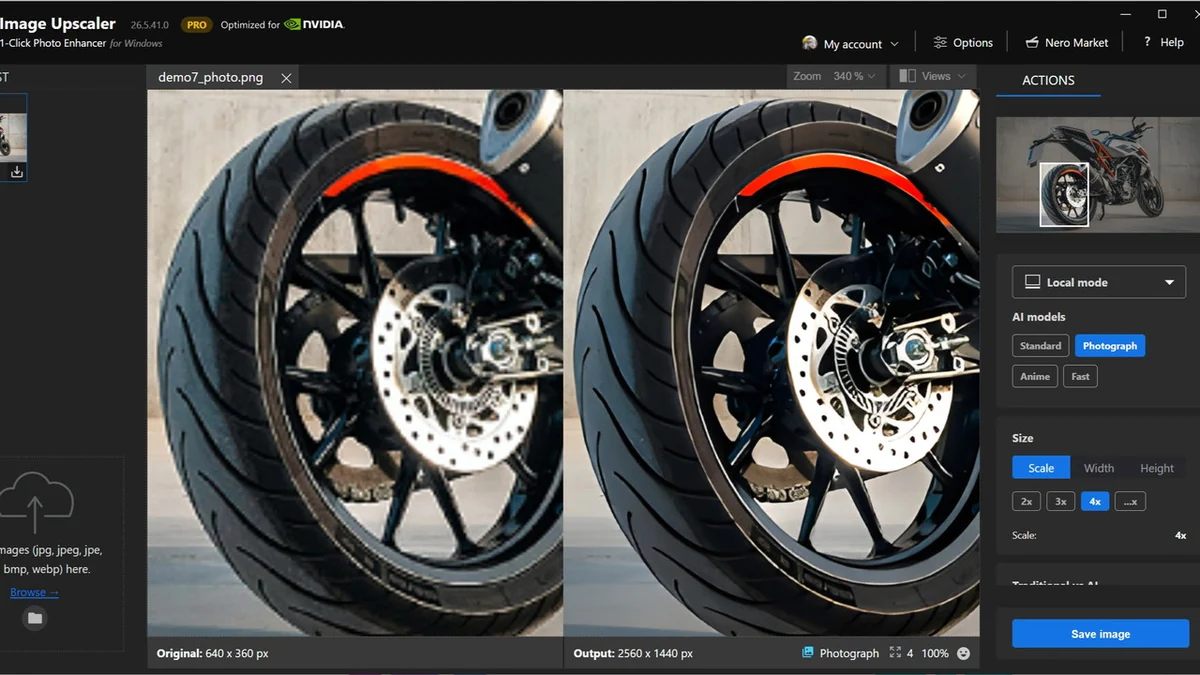
- Detail Enhancement: Sharpens edges and clarifies textures, bringing out the best in every pixel.
- Restoration Capabilities: Revives old, damaged, or blurry photos by sharpening and filling in missing elements.
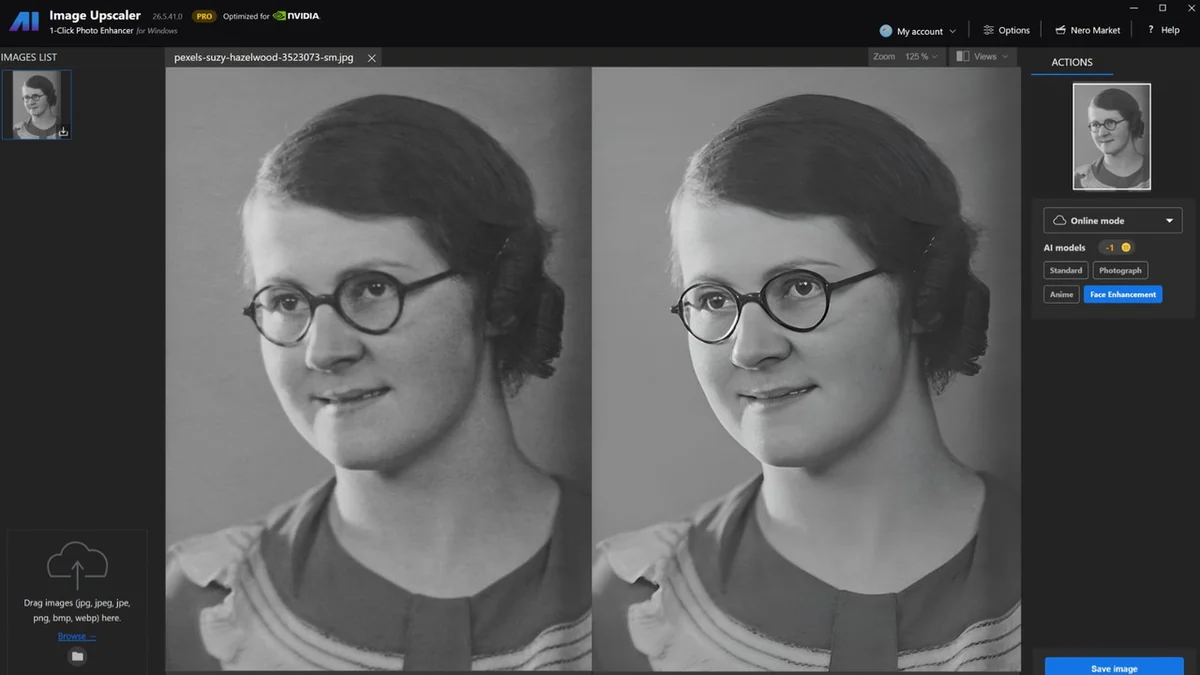
- Face Model: Specifically designed to improve portraits by correcting blur and enhancing facial features.
- Multiple Upscaling Factors: Offers 2x, 3x, and 4x enlargement options to meet different needs.
- Windows Compatibility: A desktop application designed for the Windows operating system.
How It Works
Nero AI Image Upscaler leverages advanced AI algorithms to analyze and reconstruct image data. When you upload an image and select your desired enhancement options (such as upscale factor or model type), the software processes the file, intelligently adding pixels and refining details.
The process is designed to be straightforward:
- Select an image for enhancement.
- Choose the desired upscaling multiplier (2x, 3x, or 4x).
- Optionally, select a specific AI model (like the Face model for portraits).
- Initiate the upscaling process.
The software then works to deliver a significantly improved version of your original image in a matter of seconds, eliminating the need for complex manual editing.
Use Cases
This tool is versatile and can be beneficial in several scenarios:
- Photography: Enhance product photos for e-commerce, improve old family portraits, or sharpen event pictures.
- Graphic Design: Upscale low-resolution assets for larger displays or print materials without sacrificing quality.
- Archiving: Restore and preserve the quality of historical or damaged photographs.
- Content Creation: Ensure social media images or website visuals are sharp and appealing.
- Print-on-Demand: Increase the resolution of images to meet the DPI requirements for high-quality printing.
Integrations & Compatibility
- The Nero AI Image Upscaler is primarily a Windows desktop application
- While there is a web version available, the core desktop software is built for the Windows environment
- The 150 monthly credits provided with the AppSumo deal are valid for both the desktop and web versions
- However, the Mac version, while functional, does not yet support the local processing engine, which is a feature still under development.
Pricing & Value
The AppSumo deal for Nero AI Image Upscaler presents a compelling value proposition. Users gain access to the software, which is typically offered on a subscription basis, through a one-time purchase. This provides a cost-effective way to acquire powerful AI image enhancement capabilities.
The core value lies in the ability to achieve professional-level results without the steep learning curve or recurring costs associated with traditional editing software.
Deal Details
The AppSumo deal for Nero AI Image Upscaler includes a lifetime access to the software. A significant bonus for AppSumo buyers is the provision of 150 bonus credits each month for 12 months after activation. These credits are free and exclusive to AppSumo purchasers. It’s important to note that these credits do not roll over and will expire at the end of each month if not used.
Additionally, the deal comes with a 60-day money-back guarantee, allowing users ample time to test the software and ensure it meets their needs.
Quick Take
- Ideal for individuals and businesses needing to improve image quality quickly.
- Excellent for restoring old photos or enhancing product visuals without design expertise.
- The AppSumo deal offers substantial value with lifetime access and monthly bonus credits.
FAQs
How many credits does one image cost to upscale and denoise for example?
Credit consumption varies by usage, with the business model using around 10 credits per use.
What is the difference between “Unlimited image upscaling” and “150 monthly credits”?
Unlimited upscaling applies to the desktop app; credits are for specific services or web usage.
When using your service to enhance and upscale images, does the process also improve the DPI (dots per inch) of the image?
The tool increases pixel resolution, which allows printing at larger sizes with 300 DPI quality.
Is this image upscaler a creative upscaler where it adds skin details or is this a regular upscaler?
This AI Upscaler is focused on realistic enhancement, aiming for faithful restoration and improvement of image quality.
As a Mac user, I have seen Nero for Mac app. This states Windows version. Can you explain what I lose by having a Mac?
The 150 credits are valid for Mac, but the Mac version lacks the local processing engine feature.
Final Thoughts
Nero AI Image Upscaler | AppSumo presents a practical and accessible solution for anyone looking to enhance their image quality. Its intuitive interface and powerful AI capabilities make it a valuable asset for photographers, designers, and business owners. The AppSumo deal, with its lifetime access and bonus credits, offers exceptional value, making it an easy recommendation for those seeking to elevate their visual content.