
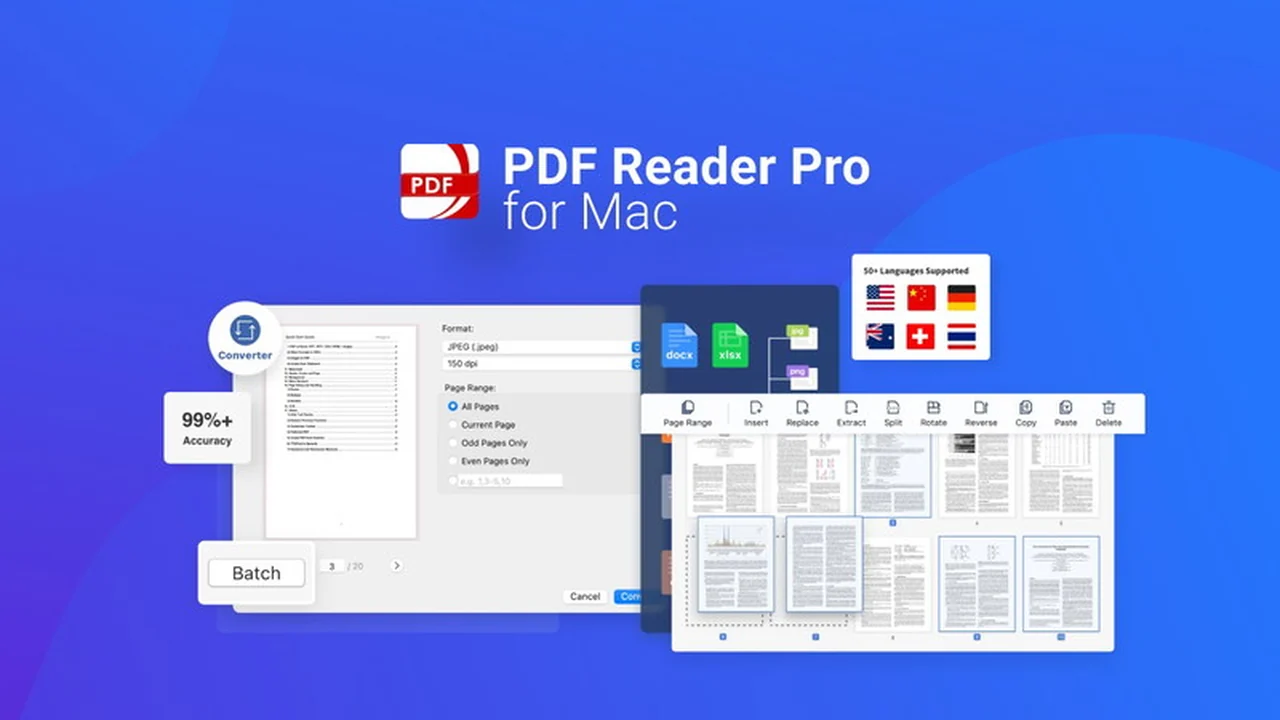
If you’re considering PDF Reader Pro for Mac, this review breaks down what it does, how it works, and who it’s best for.
You’ll also get a clear feature rundown, practical use-cases, and a quick decision guide before you commit.
What is PDF Reader Pro for Mac | AppSumo
PDF Reader Pro for Mac, available through AppSumo, is an extensive PDF utility designed exclusively for macOS users. It aims to be a complete solution for all your PDF-related tasks, offering a wide array of tools to manipulate and manage your documents efficiently.
This software is built to handle everything from basic viewing and annotation to more complex operations like editing, converting, securing, and performing optical character recognition on PDF files.
Key Features
PDF Reader Pro for Mac boasts a robust set of features designed to cover the full spectrum of PDF management:
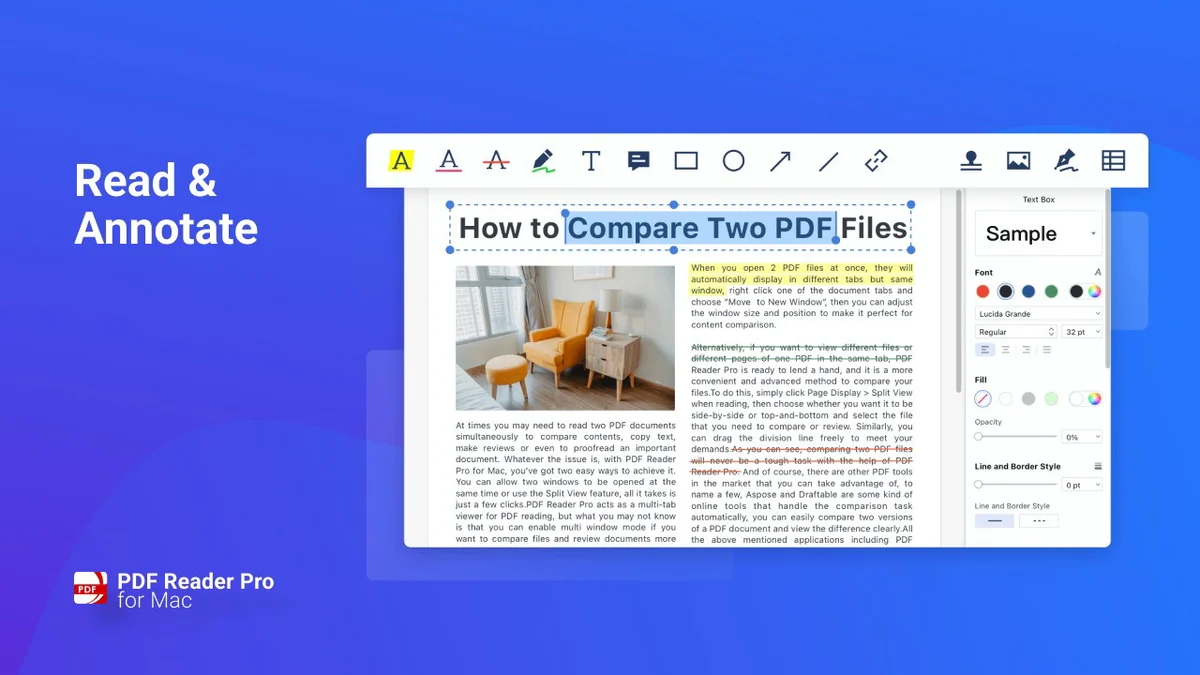
- Annotation Tools: Enhance your documents with highlights, underlines, strikethroughs, text boxes, anchored notes, shapes, and freehand drawing. You can also add continuous comments as you work.
- Editing Capabilities: Modify existing PDF content, including adding, deleting, moving, or altering text. Adjust font attributes like size and style for seamless integration.
- Form Filling and Signing: Create and fill out PDF forms with ease. Generate multiple digital signatures using your trackpad, keyboard, or image uploads.
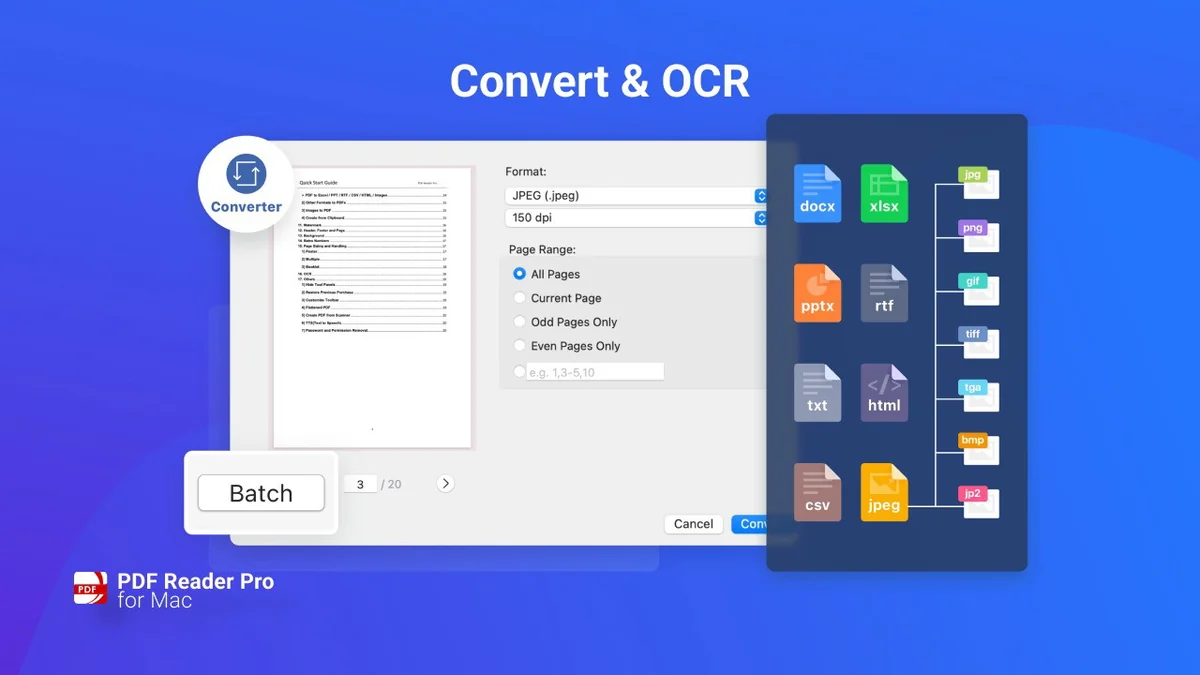
- OCR (Optical Character Recognition): Convert scanned PDFs, files, or images into editable and searchable text files (PDF or TXT). It supports over 90 languages with high accuracy.
- PDF Conversion: Transform your PDFs into various formats. (Note: The AppSumo deal may not include the full Conversion Pack, requiring potential contact with support for access.)
- Security and Protection: Password-protect sensitive documents and control authorization levels for editing, copying, or printing. Apply watermarks to maintain professionalism and security.
- Document Organization: Merge multiple PDFs into a single searchable document, split PDFs into separate files, extract pages, or append existing files. Rotate, delete, replace, and crop pages as needed.
- Stamps and Links: Customize PDFs with custom, image, and dynamic stamps. Add and edit hyperlinks to redirect to other destinations within or outside your documents.
- Page Numbering and Headers/Footers: Label pages with customized numbering, headers, and footers. Add unique prefixes or suffixes, useful for legal or case documents.
- Redaction: Permanently remove sensitive or private information from documents.
How It Works
PDF Reader Pro for Mac presents a user-friendly interface, making its extensive features accessible. The application allows for direct manipulation of PDF content. You can open a PDF, select the desired tool from the intuitive toolbar, and apply changes directly to the document.
For features like OCR, you would select the document, choose the OCR function, and the software processes the scanned text. Similarly, form filling involves selecting form fields and entering data, while editing allows for direct text modification.
Use Cases
This software is versatile and can be adopted by a wide range of users for various purposes:
- Students: Annotating study materials, highlighting key points, and organizing research papers.
- Professionals: Editing reports, filling out forms, signing contracts digitally, and securing sensitive business documents.
- Legal Professionals: Redacting confidential information, adding case numbers to documents, and managing legal files.
- Designers and Creatives: Adding annotations, watermarks, and organizing visual assets in PDF format.
- Anyone dealing with scanned documents: Making legacy documents searchable and editable with the OCR functionality.
Integrations & Compatibility
- PDF Reader Pro for Mac is designed to function seamlessly within the macOS ecosystem
- It operates as a standalone application on Mac devices.
Pricing & Value
The value of PDF Reader Pro for Mac, especially through an AppSumo deal, lies in its comprehensive feature set offered at a one-time cost. This contrasts with subscription-based models for similar software, potentially offering significant long-term savings for frequent users.
Deal Details
The AppSumo deal typically provides lifetime access to PDF Reader Pro for Mac. This means a single purchase unlocks all the included features for as long as you use the software. A 60-day money-back guarantee is also usually included, allowing users to test the software thoroughly before committing.
Quick Take
- An all-encompassing PDF solution for Mac users seeking extensive editing and management tools.
- Offers significant value through a lifetime access model, ideal for long-term cost savings.
- Suitable for students, professionals, and anyone needing advanced PDF manipulation capabilities on their Mac.
FAQs
What happens if I need to transfer the software to a new Mac computer in the future?
Users can typically transfer their license to a new computer by deactivating on the old one and activating on the new.
Is the OCR feature accurate for scanned documents in multiple languages?
Yes, OCR supports over 90 languages with a high accuracy rate of over 99%.
Can I export PDFs to other office formats like Word or Excel with this AppSumo deal?
The AppSumo version may not include all conversion features; contact support for upgrade details.
Does PDF Reader Pro for Mac support creating fillable PDF forms with multi-line text fields that grow?
The software supports creating fillable forms, with options to manage text input for printing.
Is the activation code valid for only one computer, or can I use it on multiple Macs?
Activation codes are generally for a single computer, but transfer is possible if you switch devices.
Final Thoughts
PDF Reader Pro for Mac presents a compelling package for macOS users looking for an all-in-one PDF solution. Its extensive features, from basic annotation to advanced OCR and form capabilities, cover a broad range of user needs. The value proposition, particularly with lifetime access through AppSumo, makes it a cost-effective choice compared to ongoing subscription services. If you regularly work with PDF documents on your Mac and desire a tool that can handle diverse tasks efficiently, PDF Reader Pro for Mac is certainly worth considering.