
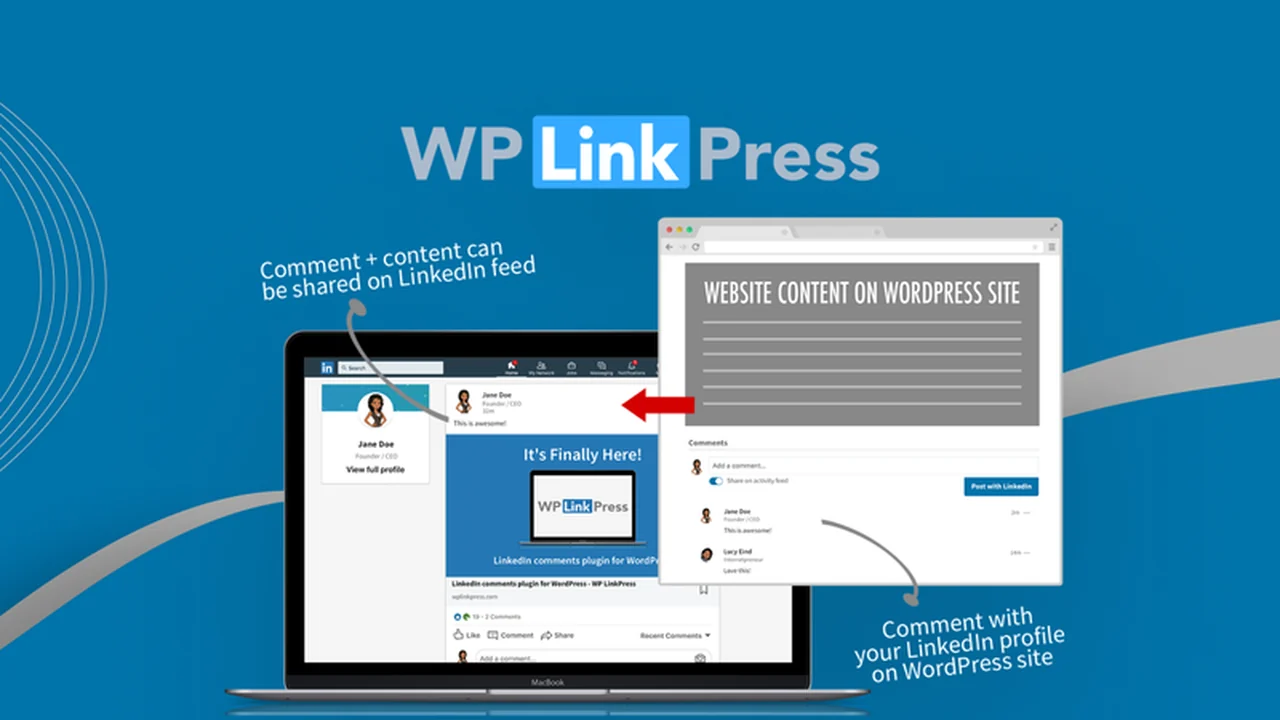
For WordPress users seeking to enhance their comment sections with professional credibility, WP LinkPress presents a unique solution. This plugin aims to integrate LinkedIn profiles with your website’s commenting system.
This review will explore what WP LinkPress is, its core functionalities, how to implement it, and its potential benefits for various website owners.
What is WP LinkPress | AppSumo
WP LinkPress is a WordPress plugin designed to bring LinkedIn commenting capabilities to your website. It allows users to comment on your posts using their LinkedIn profiles, offering a more professional and verified alternative to standard WordPress comments.
Key Features
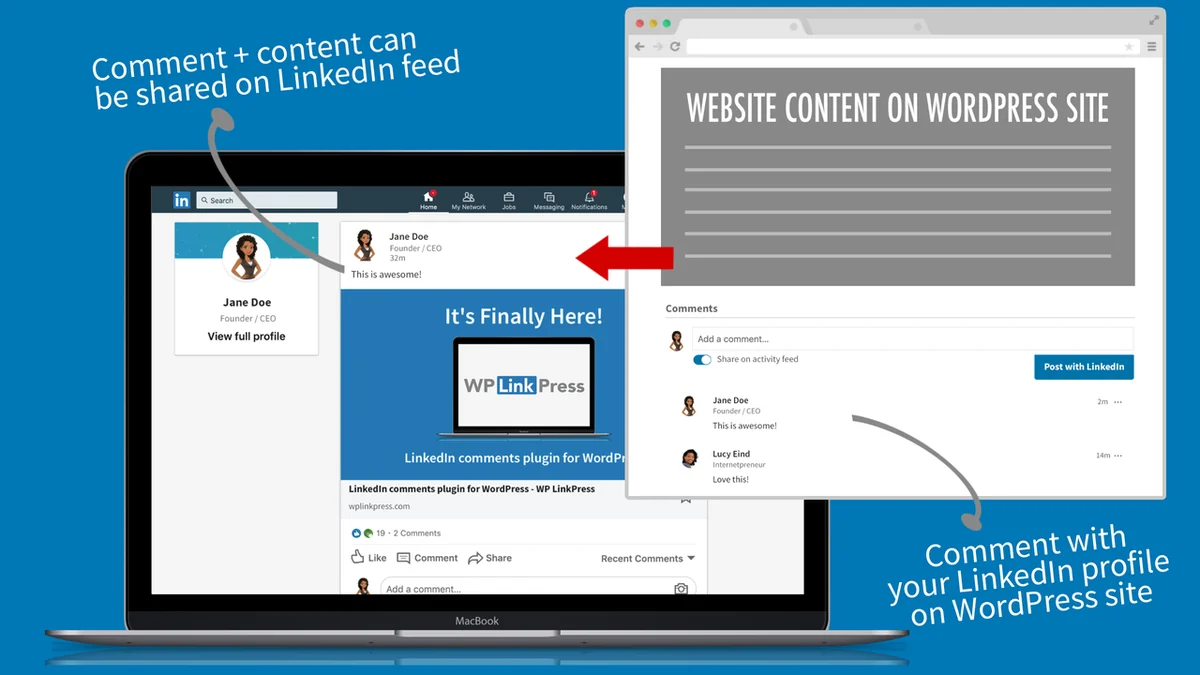
- LinkedIn Profile Integration: Enables users to comment using their LinkedIn identity, displaying full names and job titles for enhanced credibility.
- Enhanced Comment Quality: By leveraging LinkedIn profiles, the plugin aims to improve the quality and professionalism of comments on your WordPress site.
- Professional Platform Alignment: Ideal for business-related websites or those targeting a professional audience active on LinkedIn.
How It Works
WP LinkPress integrates with your WordPress website to replace or supplement the default comment system. When a user chooses to comment, they are prompted to connect with their LinkedIn account. This connection allows their LinkedIn profile details to be displayed alongside their comment, adding a layer of authenticity.
Use Cases
- Business Blogs: For companies and professionals who want to foster discussions with a credible audience.
- Coaching Websites: To build trust and authority by showcasing comments from professionals in the coaching industry.
- Lead Generation: Encouraging engagement from LinkedIn users can potentially drive traffic back to LinkedIn profiles or posts.
- Content Repurposing: Bridge the gap between your WordPress content and your LinkedIn activity by integrating comments.
Integrations & Compatibility
- WP LinkPress is built as a WordPress plugin
- While specific details on third-party integrations beyond LinkedIn are limited, its primary function is to work within the WordPress ecosystem
- Users are advised to check the latest compatibility information regarding WordPress versions.
Pricing & Value
WP LinkPress is available through AppSumo, offering a potentially cost-effective way to access its functionalities. The value proposition lies in its unique ability to leverage LinkedIn for comment authentication, a feature not commonly found in other WordPress plugins.
Deal Details
The WP LinkPress deal on AppSumo typically includes lifetime access to the plugin. It often comes with a 60-day money-back guarantee, allowing users ample time to test its suitability for their website. It’s important to review the specific terms of the deal on the AppSumo page for the most accurate information.
Quick Take
- For WordPress site owners wanting to add professional credibility to their comments.
- Ideal for businesses and professionals targeting a LinkedIn-savvy audience.
- Offers a unique way to enhance user engagement and discussion quality.
FAQs
What is the update status of WP LinkPress?
Users should verify the latest update status for compatibility with current WordPress versions.
Where can I see a demo of WP LinkPress?
A demo page is available on the WP LinkPress website for live testing.
Can users comment without a LinkedIn account?
The primary function requires users to connect with their LinkedIn profile to comment.
Is WP LinkPress compliant with LinkedIn user policies?
Yes, it adheres to LinkedIn’s API guidelines and user consent requirements.
What is WP LinkPress?
WP LinkPress is a WordPress plugin that integrates LinkedIn comments into your website.
Final Thoughts
WP LinkPress offers a distinctive approach to comment management on WordPress sites. By harnessing the professional network of LinkedIn, it provides a pathway to encourage more credible and verified user interactions. For those whose audience overlaps significantly with LinkedIn users, this plugin could be a valuable addition to their website’s engagement toolkit.