
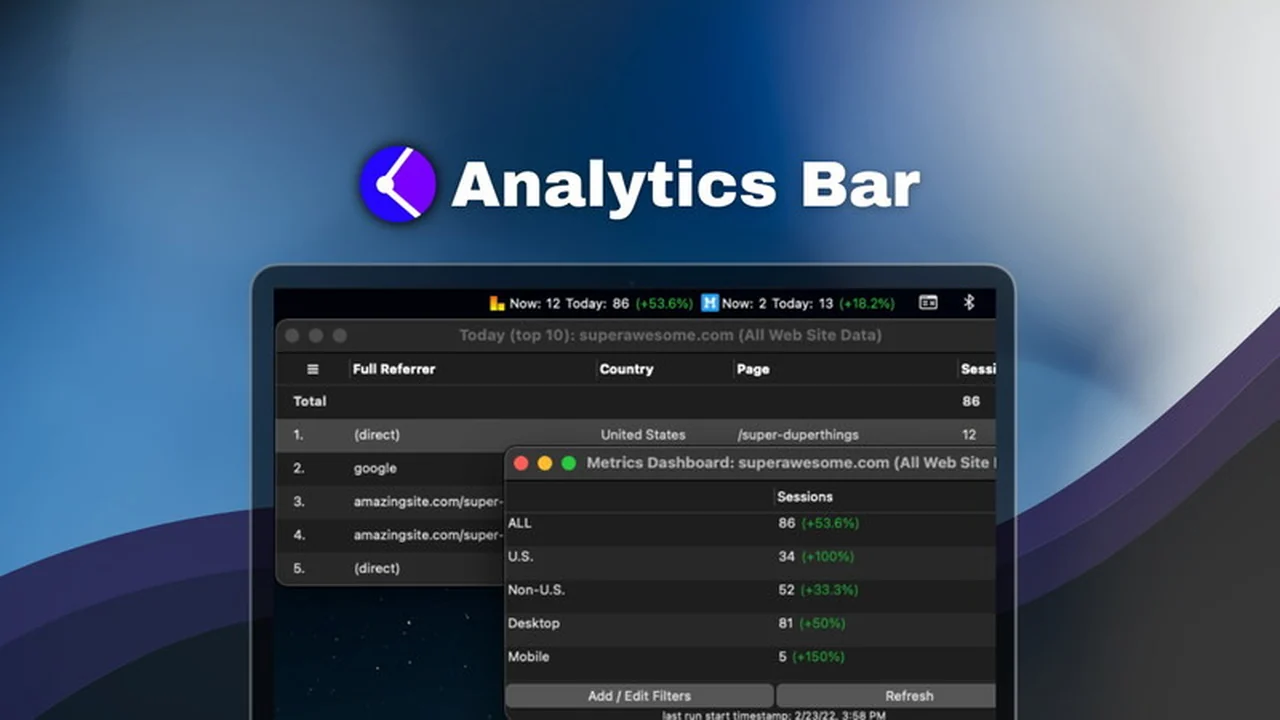
Gaining instant access to your website’s performance data is crucial for making informed decisions. This review focuses on a powerful tool designed to bring your essential Google Analytics metrics directly to your Mac’s menu bar.
We’ll explore how Analytics Bar simplifies tracking, offering a convenient way to monitor key statistics without the need to constantly open your browser and navigate the full Google Analytics interface.
What is Analytics Bar | AppSumo
Analytics Bar is a dedicated Mac application that integrates directly into your menu bar. Its primary function is to provide real-time updates of your Google Analytics data for all your tracked websites and applications. This offers a streamlined approach to monitoring crucial performance indicators throughout your workday.
Key Features
Analytics Bar is packed with features designed for efficiency and ease of use:
- Real-time Active Users: Instantly see the number of live users currently on your site.
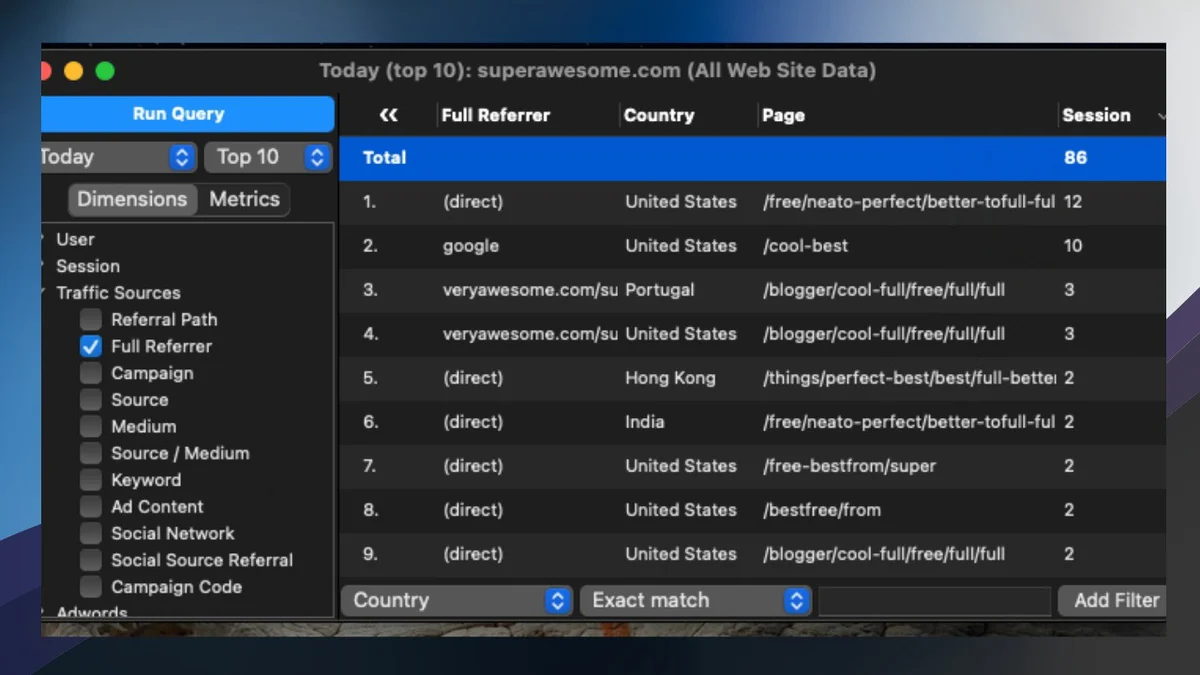
- Detailed User Insights: Click on the active user count to view a table with detailed information such as source, referral path, and country.
- Advanced Query Builder: Go beyond standard Google Analytics views by creating custom combinations of dimensions and metrics to track specific events and data points.
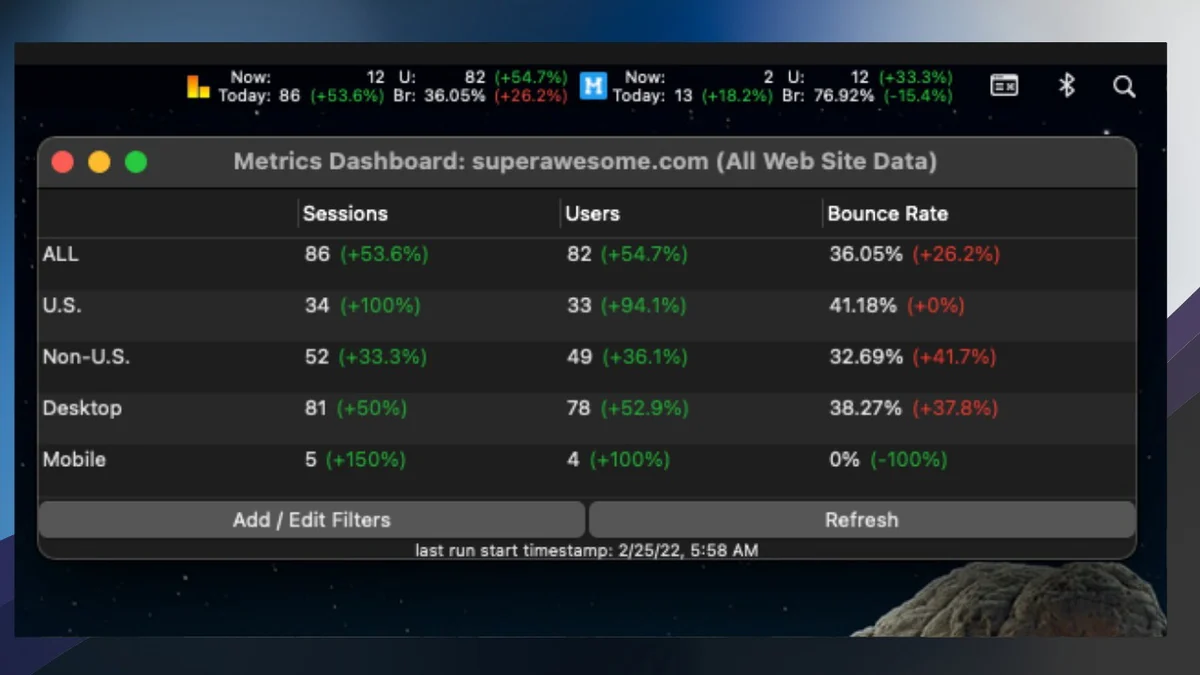
- Customizable Metrics: Display any Google Analytics metric in your menu bar, including bounce rates, total users, revenue, and more.
- Historical Comparisons: Easily compare current performance with previous periods, including hourly breakdowns.
- Time Buffer Adjustment: Compensate for data delays on high-traffic sites by setting a time buffer to ensure accurate statistics.
- Metrics Dashboard: Access a dedicated dashboard for further filtering of your statistics, such as by geographic location or device type.
- Site Logo Display: See your website’s logo in the menu bar alongside your stats for quick visual identification.
- Secure and Private: Analytics Bar functions as a direct interface between your machine and Google Analytics APIs, with no data shared with third-party servers.
How It Works
Setting up Analytics Bar is designed to be a straightforward process. Once installed on your Mac, you link your Google Analytics accounts. The application then pulls the specified metrics and displays them directly in your menu bar. Clicking on a metric or the site’s logo reveals more detailed information and filtering options, providing a comprehensive yet easily accessible overview of your website’s performance.
Use Cases
Analytics Bar is beneficial for a variety of users:
- Website owners and administrators who need to keep a constant pulse on traffic.
- Content creators managing multiple sites and wanting quick access to individual site performance.
- Marketers tracking campaign effectiveness in real-time.
- E-commerce store owners monitoring sales and user activity.
- Anyone who wants to reduce the time spent logging into Google Analytics for routine checks.
Integrations & Compatibility
- Analytics Bar primarily leverages Google Analytics
- It’s important to note that for optimal performance, Universal Analytics (UA) is currently required
- If your primary setup is GA4, you will need to ensure that Universal Analytics is also enabled for your properties.
Pricing & Value
The value proposition of Analytics Bar lies in its ability to save significant time and mental overhead. By bringing critical data to the forefront, it allows for quicker reactions to trends and issues. The AppSumo deal offers lifetime access, which represents a substantial long-term saving compared to recurring subscription models for similar functionality.
Deal Details
The current AppSumo deal provides lifetime access to the Analytics Bar Plan. This includes all future updates to the plan. It is essential to redeem your purchased code(s) within 60 days of acquisition. Please be aware that this particular deal is not stackable, meaning one purchase is for one user license.
Quick Take
- Ideal for Mac users who frequently monitor Google Analytics data.
- Offers a convenient, real-time dashboard directly in your menu bar.
- Streamlines performance checks, saving time and effort.
FAQs
What is the refund policy?
Analytics Bar comes with a 60-day money-back guarantee for your peace of mind.
What kind of metrics can I display?
You can display any Google Analytics metric like active users, revenue, or bounce rates.
Can I track multiple websites?
Yes, you can monitor any and all sites with metrics on your menu bar at once.
How is my data handled?
Your data is secure, with no information shared with third-party servers.
Is Analytics Bar compatible with GA4?
Universal Analytics is currently required, though adding it alongside GA4 is simple.
Final Thoughts
Analytics Bar | AppSumo presents a compelling solution for Mac users seeking a more efficient way to stay on top of their website analytics. Its ability to deliver real-time data directly to the menu bar, combined with advanced customization options and a focus on user privacy, makes it a valuable tool for anyone who relies on Google Analytics for their online presence. The lifetime deal further enhances its appeal, offering a cost-effective way to integrate this convenience into your daily workflow.