
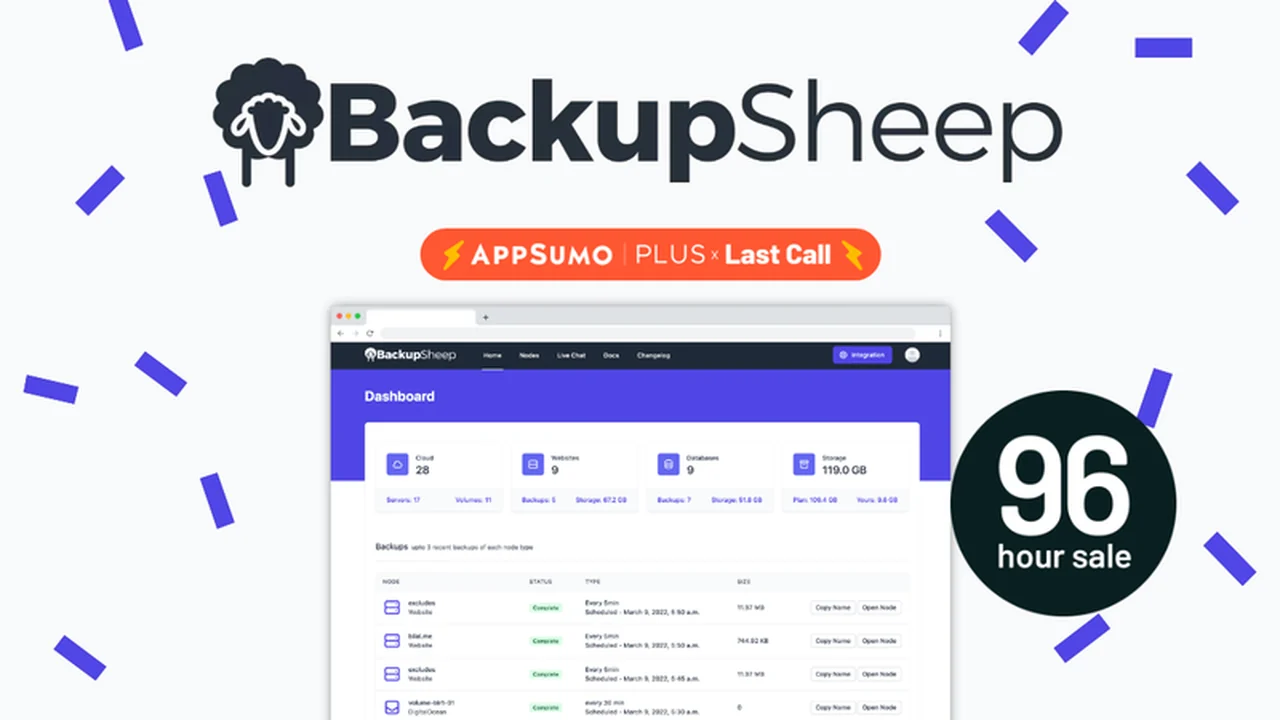
Migrating to the cloud offers significant advantages, but the risk of data loss due to server issues or accidental deletions remains a concern. Automating your backup process shouldn’t be an expensive or complicated endeavor.
This review explores BackupSheep, a tool designed to simplify the automation of backups for cloud servers, databases, and websites, offering a user-friendly approach to data protection.
What is BackupSheep – Schedule backups for cloud servers | AppSumo
BackupSheep is a platform designed to automate the backup process for various cloud-based assets, including servers, databases, and websites. It aims to remove the need for manual intervention or complex coding, providing a centralized dashboard for managing backup schedules and policies.
Key Features
BackupSheep offers a suite of features to facilitate automated data protection:
- Automated Cloud Backups: Connect cloud hosting accounts and configure snapshot schedules or retention policies for servers and volumes.
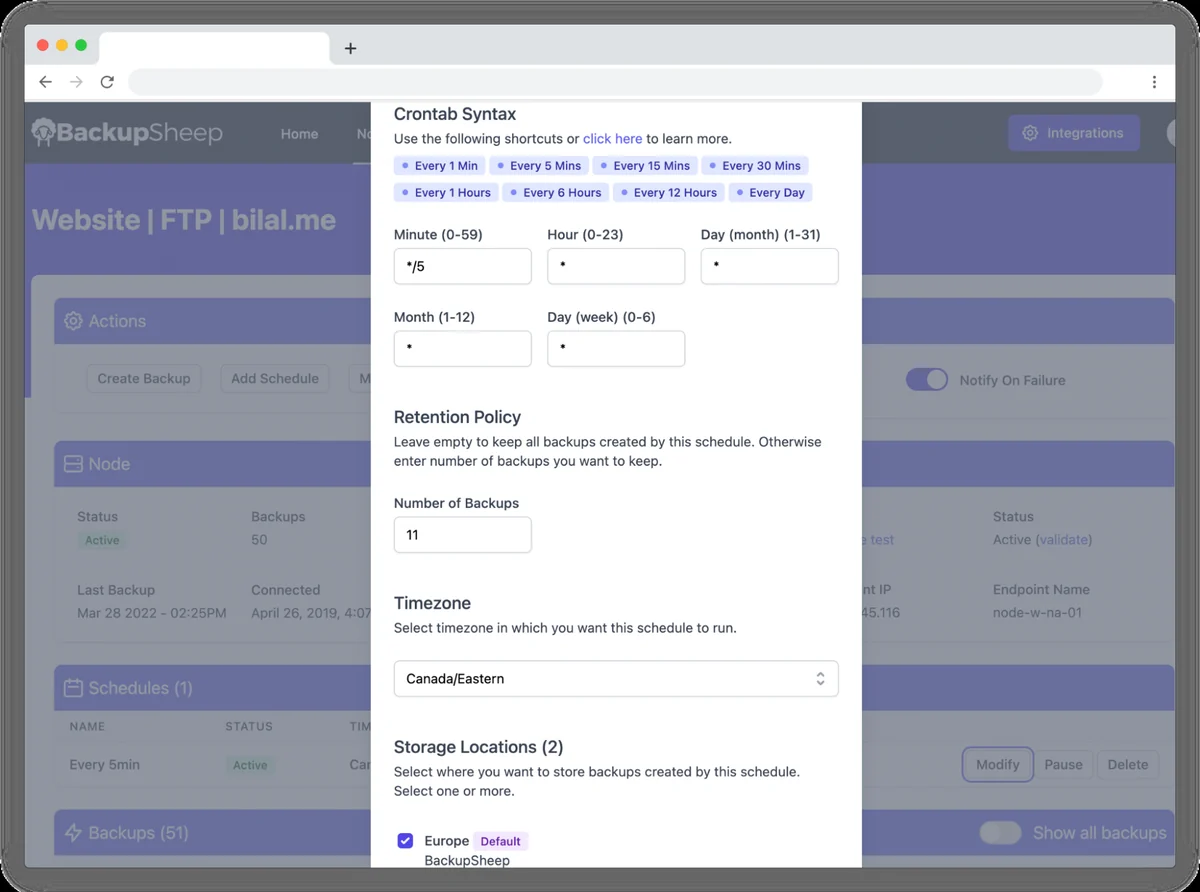
- No-Code Automation: Set backup schedules by defining parameters like frequency, retention, and timezone without writing any code.
- Global Server Network: With servers in North America, Europe, Asia, and Oceania, backups can be performed faster globally while respecting regional privacy regulations.
- Multi-Storage Support: Seamlessly connect and download backups from multiple storage providers, supporting popular options.
- Website & Database Integration: Connect cPanel, SFTP, or WordPress accounts for website data security, and integrate with SQL and NoSQL databases for efficient backups.
- Centralized Dashboard: Manage all your backup processes from a single, intuitive interface.
- Team Collaboration: Share configurable access with team members to ensure everyone is aligned on backup procedures.
- Storage Limit Exemption: Cloud server and volume backup storage usage does not impact your allocated storage limits.
How It Works
Getting started with BackupSheep involves connecting your desired cloud services, databases, or websites to the platform. You then define your backup preferences through the dashboard, specifying details such as the desired backup schedule using crontab syntax, the retention policy for your backups, the number of backups to keep, and your timezone.
The tool allows for flexibility, enabling you to pause schedules when needed or run multiple schedules concurrently, provided they do not overlap. This straightforward setup process is designed to be accessible even for users without extensive technical expertise.
Use Cases
BackupSheep is beneficial for a range of scenarios:
- Automating routine backups for cloud servers to prevent data loss.
- Securing critical website data from platforms like WordPress or through SFTP connections.
- Ensuring regular backups of databases, including MySQL, MariaDB, and PostgreSQL.
- Teams needing a centralized system to manage and monitor backups across different services.
- Users looking for a cost-effective and user-friendly backup solution without coding knowledge.
Integrations & Compatibility
BackupSheep supports a variety of integrations to accommodate diverse user needs:
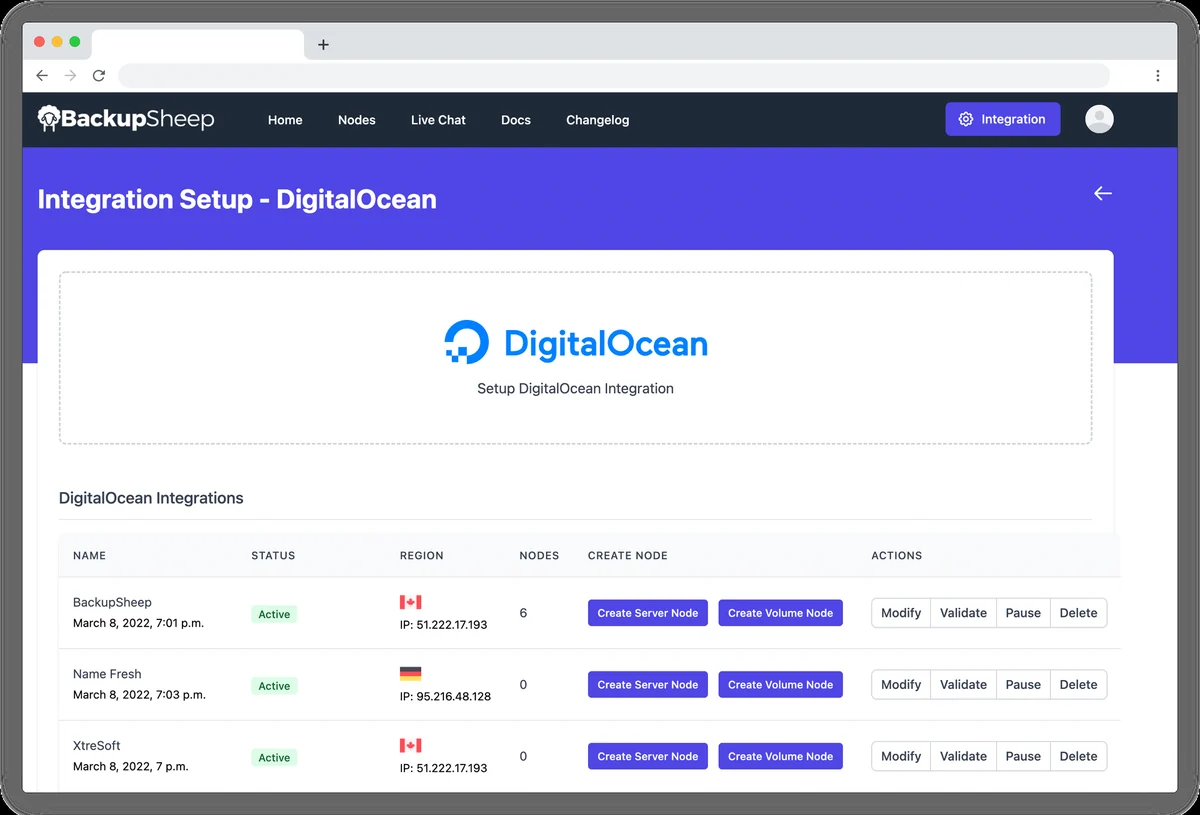
- Cloud Providers: Integrates with major cloud providers via public APIs for snapshot automation.
- Storage Providers: Connects with numerous storage accounts, including Amazon Web Services, Digital Ocean, Dropbox, and Google Drive.
- Website Platforms: Compatible with cPanel, SFTP, and WordPress accounts.
- Databases: Supports both SQL and NoSQL databases like MySQL, MariaDB, and PostgreSQL.
Pricing & Value
The value proposition of BackupSheep, particularly through its AppSumo deal, centers on providing lifetime access to its automated backup features. This offers a potentially cost-effective solution for ongoing data protection needs, eliminating recurring subscription fees for the core service.
Deal Details
Historically, BackupSheep was available on AppSumo, offering lifetime access. However, it’s important to note the announced closure of BackupSheep. The source code has been made available on GitHub for continued usage, and AppSumo’s Purchase Protection Program is in place for those who acquired the deal.
Quick Take
- Ideal for individuals and small to medium-sized businesses seeking automated cloud server, website, and database backups.
- Offers a simplified, no-code approach to data protection, reducing technical barriers.
- Provides flexibility in scheduling and storage integration for tailored backup strategies.
FAQs
What is the current status of BackupSheep?
BackupSheep has announced its closure and made its source code available on GitHub.
Does BackupSheep require coding for setup?
No, BackupSheep allows backup automation without any coding required.
What storage providers does BackupSheep support?
BackupSheep supports numerous storage providers including AWS, Digital Ocean, Dropbox, and Google Drive.
Can I pause a backup schedule with BackupSheep?
Yes, you can pause a schedule to temporarily disable it.
What does BackupSheep automate?
BackupSheep automates backups for cloud servers, databases, and websites without requiring coding.
Final Thoughts
BackupSheep presented a compelling solution for simplifying and automating cloud backups. While the service has ceased operations, its transition to an open-source model on GitHub ensures that its functionalities can still be leveraged by those who understand its technical implementation. For users who previously acquired the AppSumo deal, the Purchase Protection Program is available, and for those exploring its open-source nature, it offers a foundation for continued data protection efforts.