
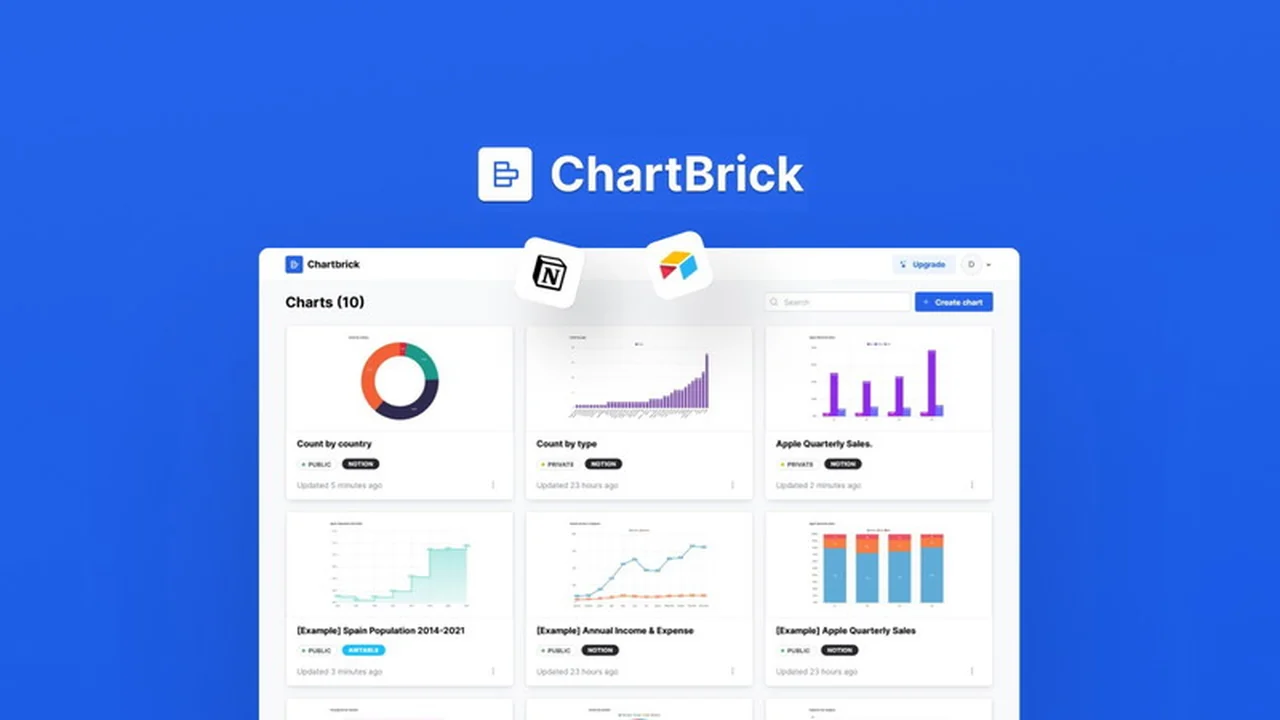
Are you looking for a straightforward way to transform your scattered data into engaging visual representations? This review explores how ChartBrick, available through AppSumo, can simplify the process of creating and embedding charts from various sources.
We’ll dive into its core functionalities, how it operates, and the potential applications for different users, helping you decide if this tool fits your data visualization needs.
What is ChartBrick | AppSumo
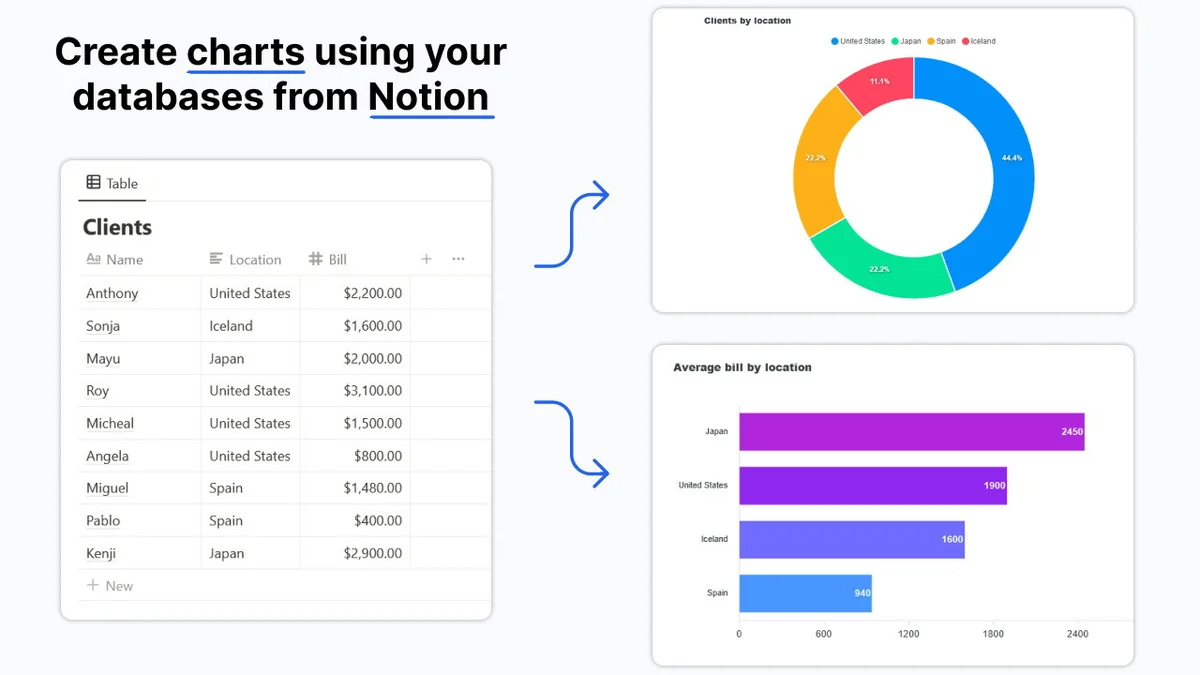
ChartBrick is a no-code tool designed to help you visualize your data from multiple sources like Notion, Airtable, Stackby, MySQL, CSV, and JSON. It allows you to create insightful charts that make your data more understandable and easily embeddable.
The platform prioritizes user-friendliness, enabling quick chart generation without extensive technical knowledge. It also offers the flexibility to download charts as images for broader use cases.
Key Features
ChartBrick offers a range of features to enhance your data visualization experience:
- No-Code Chart Creation: Build charts in seconds with an intuitive, user-friendly interface.
- Diverse Chart Types: Access 8 different chart types including Column, Bar, Line, Area, Pie, Donut, Funnel, and Radar charts.
- Privacy First: Your data is not stored by ChartBrick, ensuring enhanced privacy.
- Real-time Updates: Charts automatically generate with the latest available data.
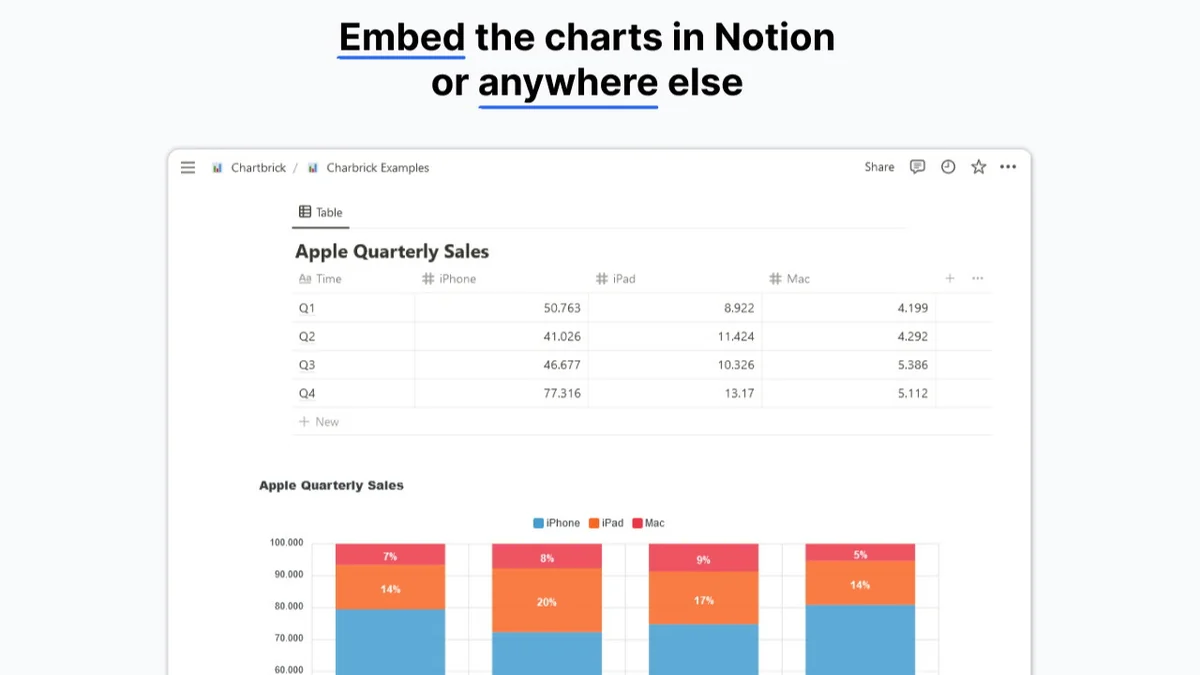
- Flexible Embedding: Embed charts directly into Notion pages, websites, or other platforms.
- Image Downloads: Option to download your created charts as image files.
How It Works
Getting started with ChartBrick is designed to be a simple process. You connect your data source, select the type of chart you wish to create, configure its appearance, and then ChartBrick generates the visualization.
Once your chart is ready, you can choose to embed it directly where you need it or download it as an image file. The real-time data integration means your charts stay up-to-date without manual intervention.
Use Cases
ChartBrick can be beneficial across various scenarios:
- Visualizing project progress and task completion in Notion.
- Tracking sales figures and performance metrics from Airtable.
- Monitoring habit formation and personal goals.
- Presenting financial data and trends clearly.
- Enhancing blog posts and articles with dynamic data visualizations.
Integrations & Compatibility
ChartBrick supports direct data integration with popular platforms such as:
- Notion
- Airtable
- Stackby
- CSV files
- JSON files
- MySQL
The generated charts are embeddable on virtually any website or platform that supports image embedding or iframe integration.
Pricing & Value
The value proposition of ChartBrick, especially through the AppSumo deal, lies in its lifetime access to unlimited charts and embeds. This offers significant cost savings compared to subscription models, particularly for users with extensive data visualization needs.
Considering the range of data sources supported and the ease of use, the lifetime deal provides a robust solution for ongoing data visualization requirements.
Deal Details
The ChartBrick | AppSumo deal typically offers lifetime access, granting unlimited charts and all future plan updates. This ensures you receive ongoing improvements and new features as the product evolves. The offer includes a 60-day money-back guarantee, allowing ample time to evaluate its fit for your workflow.
It’s important to note that this deal is usually non-stackable, meaning a single purchase provides full lifetime access. Codes must be redeemed within 60 days of purchase.
Quick Take
- Ideal for individuals and businesses using Notion, Airtable, or Stackby for data management.
- Perfect for those needing to quickly generate and embed charts without coding.
- A cost-effective lifetime solution for ongoing data visualization needs.
FAQs
What types of charts can I create?
You can create column, bar, line, area, pie, donut, funnel, and radar charts.
How often do the charts update?
Charts generated by ChartBrick update in real-time with your latest data.
Does ChartBrick store my data?
No, ChartBrick operates on a privacy-first principle and does not store your data.
Can I download my charts as image files?
Yes, you can download your created charts as image files for wider use.
What data sources can I connect to ChartBrick?
ChartBrick connects to Notion, Airtable, Stackby, MySQL, CSV, and JSON data sources.
Final Thoughts
ChartBrick | AppSumo presents a compelling option for anyone seeking an accessible and efficient way to visualize data. Its broad integration capabilities and simple, no-code interface make it a valuable tool for a wide array of users, from students to professionals managing complex datasets.
The lifetime deal structure further enhances its appeal, offering a long-term, cost-effective solution for consistent data representation needs. For those looking to elevate their data storytelling, ChartBrick is certainly worth considering.