
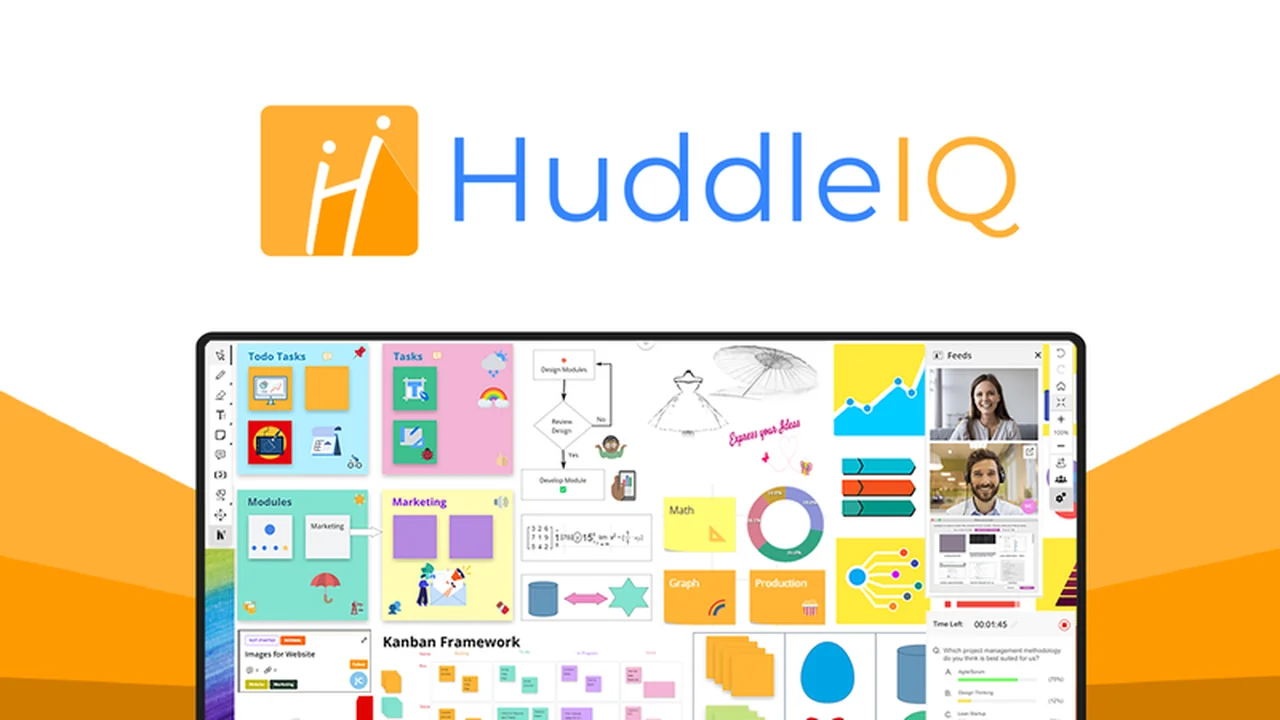
Struggling to keep remote teams engaged during meetings and presentations? Traditional screen sharing often limits interaction, making it difficult for participants to truly connect with the material.
This review explores HuddleIQ, a digital whiteboard designed to enhance online collaboration, brainstorming, and presentations. Discover how it can transform your virtual interactions and improve team productivity.
What is HuddleIQ – Collaborate on a Virtual Whiteboard | AppSumo
HuddleIQ is a versatile web-based digital whiteboard that allows teams to share, present, and collaborate effectively in an online environment. It aims to bridge the gap between in-person and remote collaboration, making virtual meetings and educational sessions more engaging and productive.
Key Features
HuddleIQ offers a robust set of features designed to facilitate seamless online collaboration:
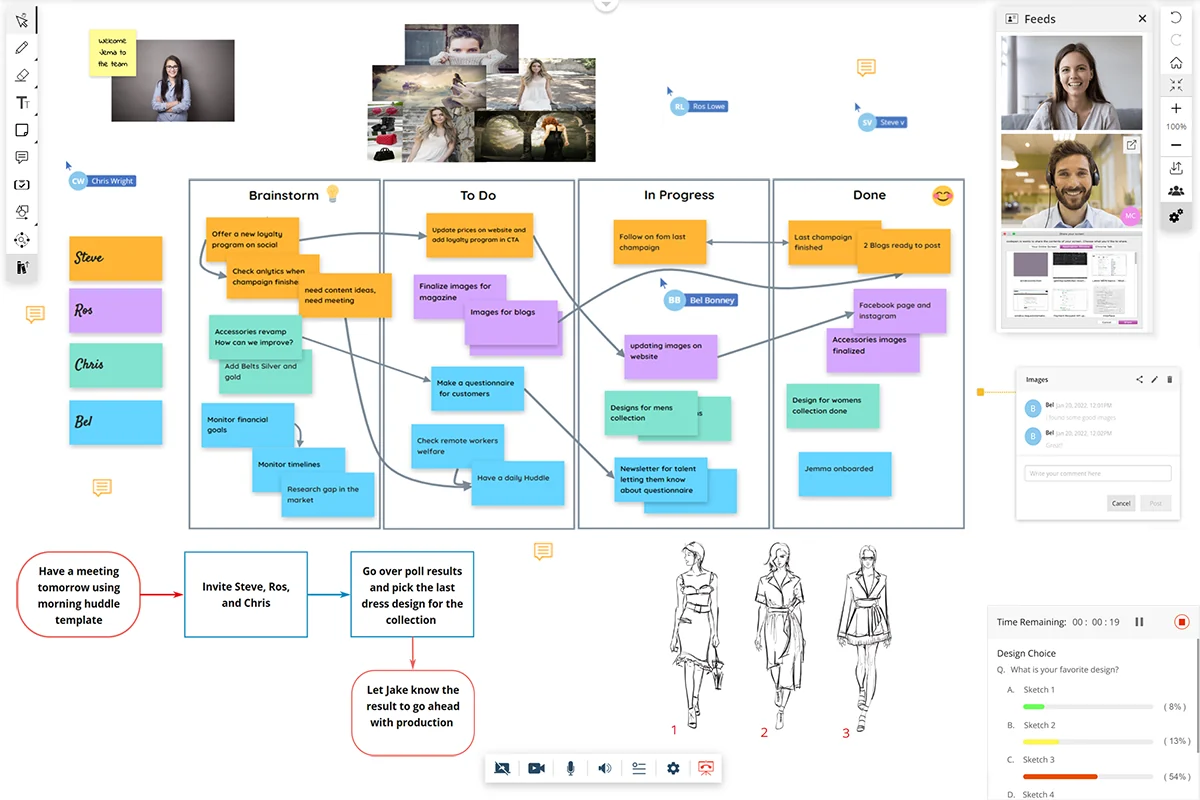
- Infinitely Scalable Workspace: An online canvas that grows with your ideas, providing ample space for brainstorming and planning.
- Rich Content Integration: Incorporate templates, images, videos, and emojis to make your sessions dynamic and creative. You can use the resource library or upload your own assets.
- Real-time Feedback Tools: Utilize comments, polls, and chat functions to gather instant feedback from your audience, ensuring your message resonates.
- Built-in Video Conferencing: Integrated video conferencing capabilities enhance the interactivity of your online sessions.
- Presentation Mode: Upgrade static slideshows into high-quality visual demonstrations. Present your digital whiteboard in real-time, even during video conferencing.
- Live Annotations and Sharing: Share documents and slides, and make live annotations. Team members can also access presentation notes.
- Customizable Templates: Access hundreds of pre-built templates for brainstorming, education, planning, and more, all customizable to your needs.
- Automated Task Management: Optimize workflows by assigning tasks, tracking progress, adding comments and attachments, and categorizing items with labels.
- Project Management: Create private or shared projects, customize permissions for access and editing, and invite team members to collaborate.
- Intuitive Interface: Designed for ease of use with minimal training required.
How It Works
Getting started with HuddleIQ is straightforward. Users can access the platform via their web browser or download dedicated Windows and Mac applications. The core functionality revolves around creating and sharing digital whiteboards.
You can start with a blank canvas or select from a wide array of templates to suit your specific needs. The platform allows for the addition of various content types, real-time annotation, and collaborative editing by invited team members.
HuddleIQ also distinguishes itself with its presentation mode, which allows for smooth, real-time delivery of content directly from the whiteboard, enhancing the presentation experience for both presenter and audience.
Use Cases
HuddleIQ is suitable for a variety of scenarios:
- Remote Team Meetings: Facilitate more engaging and productive discussions.
- Brainstorming Sessions: Visually capture and develop ideas with your team.
- Online Presentations: Deliver dynamic and interactive visual demonstrations.
- Educational Workshops: Create engaging learning experiences for remote students.
- Project Planning: Visualize project timelines, tasks, and dependencies.
- Mind Mapping: Organize thoughts and explore complex topics visually.
Integrations & Compatibility
- HuddleIQ is a browser-based application, ensuring broad compatibility across different operating systems
- Dedicated applications are available for Windows and Mac users.
Pricing & Value
The value proposition of HuddleIQ, particularly through its AppSumo deal, lies in providing lifetime access to a comprehensive collaboration tool. This offers significant cost savings compared to ongoing subscription models.
The platform’s features, from advanced collaboration tools to built-in task management and presentation capabilities, aim to provide a comprehensive solution for teams looking to enhance their online productivity.
Deal Details
The HuddleIQ AppSumo deal typically provides lifetime access to the platform’s features. This includes ongoing updates and support, offering long-term value for users.
It’s important to review the specific terms of the deal on AppSumo for the most up-to-date information on what is included.
Quick Take
- Ideal for remote teams and educators seeking to improve online engagement.
- Offers a rich feature set for brainstorming, presentations, and project management.
- Provides a cost-effective lifetime access solution through its AppSumo deal.

FAQs
What makes HuddleIQ different from other whiteboards?
HuddleIQ stands out with its intuitive interface, advanced presentation mode, and integrated task management features.
Is HuddleIQ suitable for task management?
Yes, HuddleIQ includes features for automated task management, assignments, and progress tracking.
Does HuddleIQ offer templates?
Yes, HuddleIQ provides hundreds of customizable templates for various use cases.
Can I use HuddleIQ on different devices?
Yes, HuddleIQ is browser-based and offers dedicated applications for Windows and Mac.
What is HuddleIQ?
HuddleIQ is a versatile digital whiteboard application designed for online collaboration, brainstorming, and presentations.
Final Thoughts
HuddleIQ presents a compelling solution for anyone looking to enhance virtual collaboration and presentations. Its extensive feature set, from rich content integration and real-time feedback tools to robust task management and a polished presentation mode, addresses many of the challenges faced in remote work environments.
The lifetime access offered through AppSumo makes it an exceptionally attractive proposition for individuals and teams seeking a powerful, all-in-one digital workspace without ongoing subscription costs. If you’re aiming to make your online meetings more dynamic and your team more productive, HuddleIQ is certainly worth exploring.