
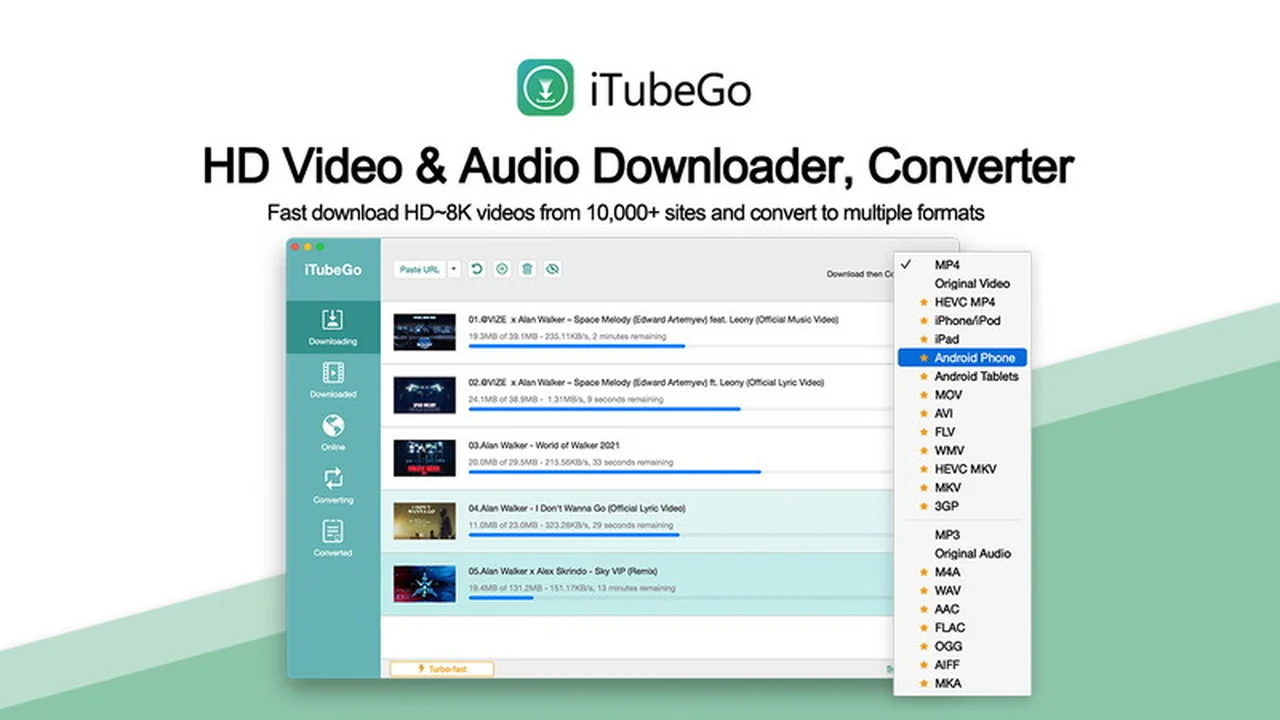
This review dives into iTubeGo for Mac, a tool designed to streamline downloading and converting video content. We’ll explore its capabilities, user experience, and overall value proposition, especially through its current AppSumo offering.
If you’re looking for a straightforward solution to manage online videos on your Mac, this comprehensive look at iTubeGo should provide the insights you need to make an informed decision about this software.
What is iTubeGo for Mac | AppSumo
iTubeGo for Mac is a software application engineered to facilitate the downloading and conversion of online video content, particularly from platforms like YouTube, directly to your macOS device. It aims to provide users with a fast and efficient way to save videos in various formats and resolutions, including high definition.
Key Features
- High-Speed Downloads: Designed for rapid downloading of video files.
- HD Content Support: Capable of downloading and converting videos in High Definition quality.
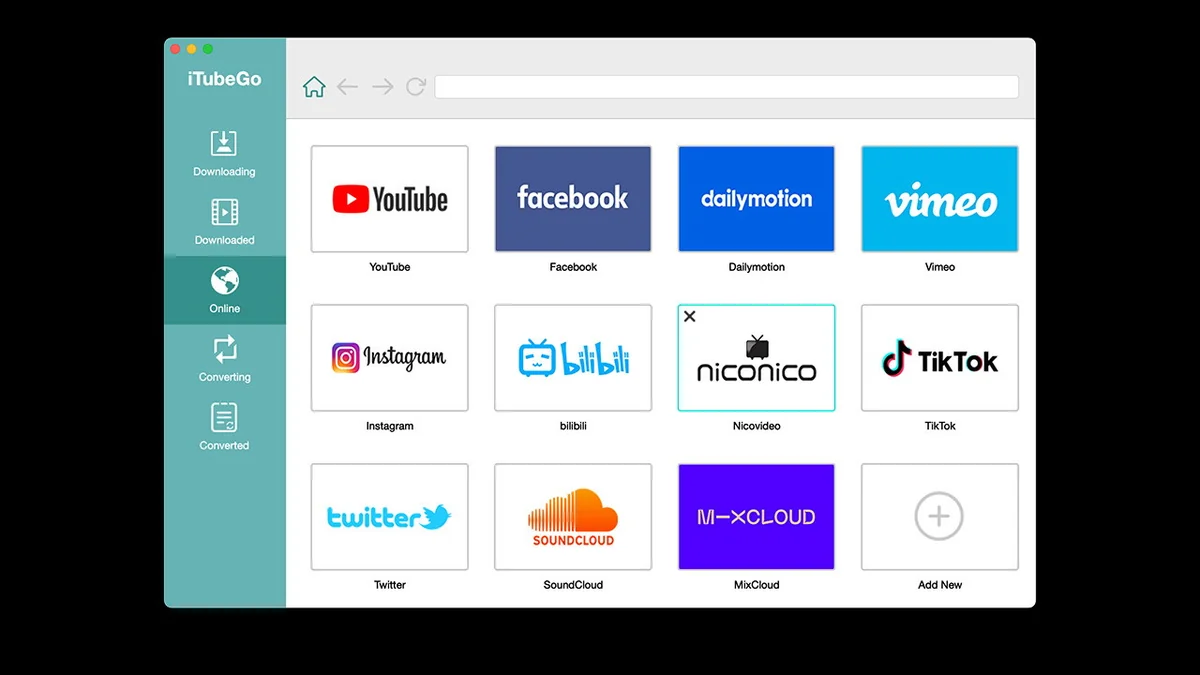
- Extensive Website Compatibility: Supports downloading from over 1000 different websites, offering broad utility.
- Multiple Format Conversion: Allows users to convert downloaded videos into various popular file formats.
- User-Friendly Interface: Built with simplicity in mind for easy navigation and operation.
- Lifetime Access: The AppSumo deal typically offers a one-time purchase for perpetual use and all future updates.
How It Works
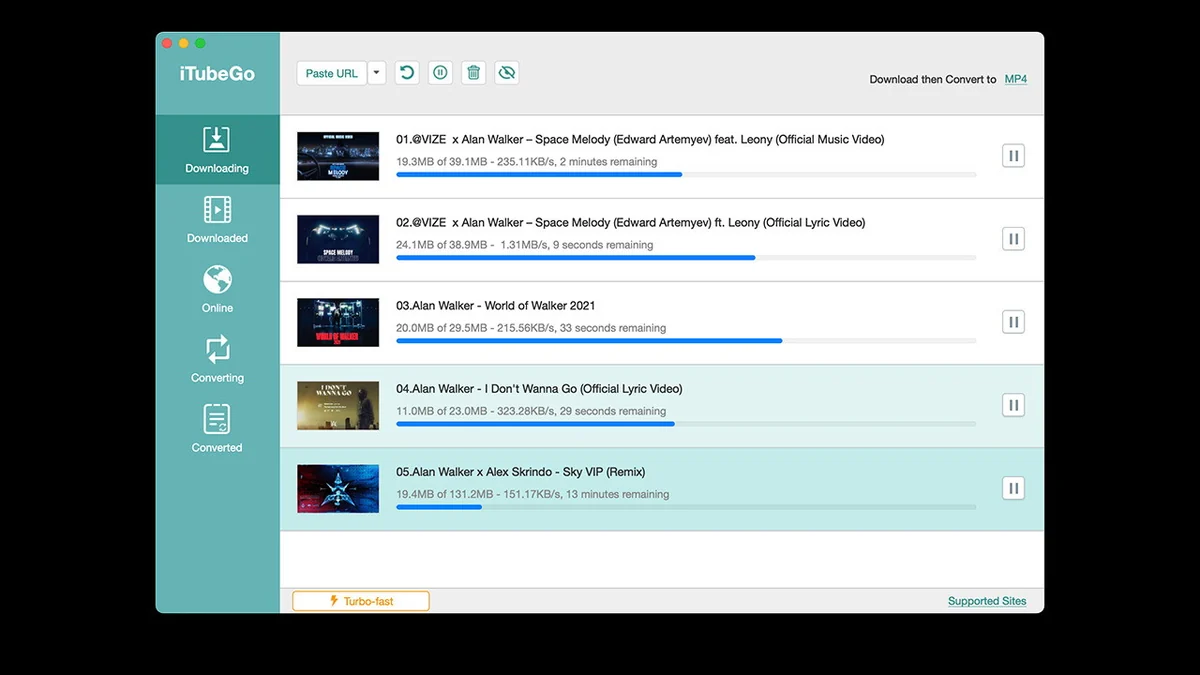
The process is generally straightforward. Users typically copy the URL of the video they wish to download and paste it into the iTubeGo application. The software then analyzes the link, presenting options for download quality and format. After selection, the download begins, often with a focus on speed, and once completed, the file is available on your Mac, ready for viewing or further conversion.
Use Cases
- Saving tutorials for offline viewing and reference.
- Archiving important video lectures or presentations.
- Creating personal video libraries from online sources.
- Downloading music videos for audio extraction.
- Preparing video content for editing or repurposing projects.
Integrations & Compatibility
- While iTubeGo for Mac is designed to work independently for its core functions, its compatibility extends to a vast array of websites that host video content
- It is specifically built for the macOS operating system, ensuring it runs smoothly on Apple computers.
Pricing & Value
The value of iTubeGo for Mac is significantly enhanced when considering the AppSumo deal, which often provides lifetime access. This means a single payment grants unlimited use and access to all future updates, offering substantial long-term savings compared to subscription models.
Deal Details
The AppSumo deal for iTubeGo for Mac typically includes lifetime access to the current plan, ensuring you receive all future updates without additional cost. You are required to redeem your code within 60 days of purchase. This offer provides unlimited use without restrictions and comes with lifetime free technical support and upgrades.
Quick Take
- Ideal for Mac users needing to download and convert online videos efficiently.
- Offers significant value through a lifetime license on AppSumo.
- Praised for speed and ease of use, with broad website support.
FAQs
Is iTubeGo for Mac a subscription service?
The AppSumo deal provides a lifetime license, meaning it’s a one-time purchase, not a subscription.
What is the refund policy for the AppSumo deal?
The AppSumo deal typically comes with a 60-day money-back guarantee for you to try the software.
How many websites can iTubeGo for Mac download from?
It supports downloading videos from over 1000 different websites.
Does iTubeGo for Mac support downloading in HD?
Yes, it is designed to download and convert video content in High Definition.
What is the primary function of iTubeGo for Mac?
Its main purpose is to download and convert online videos, especially from YouTube, for offline use on your Mac.
Final Thoughts
iTubeGo for Mac, particularly when acquired through the AppSumo deal, presents itself as a robust and cost-effective solution for managing online video content on macOS. Its strengths lie in its impressive download speeds, extensive website compatibility, and the enduring value of a lifetime license. While minor occasional glitches are part of software, the overall user feedback points towards a reliable tool that fulfills its promise of making video downloading and conversion a straightforward process.