
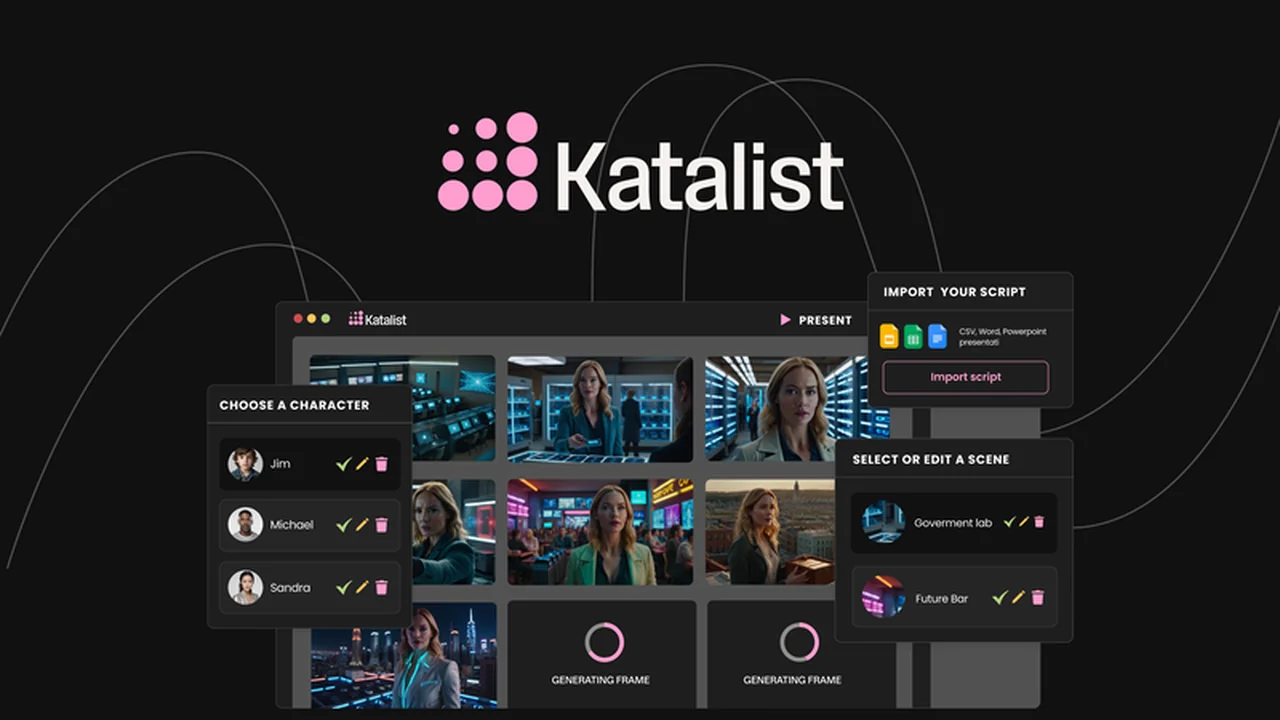
Many creatives struggle to translate their script ideas into compelling visual narratives. Traditional methods often involve time-consuming manual processes or reliance on costly external resources.
This review explores how Katalist Storytelling Studio – Plus Exclusive aims to streamline this process, leveraging AI to convert written scripts into dynamic visual stories with ease.
What is Katalist Storytelling Studio – Plus Exclusive – Turn scripts into visual stories w/ AI | AppSumo
Katalist Storytelling Studio – Plus Exclusive is an AI-powered platform designed to automate the creation of visual stories from scripts. It aims to bridge the gap between concept and visual execution, making it accessible for individuals and teams without extensive artistic or technical skills.
Key Features
This platform offers several features to facilitate the visual storytelling process:
- AI Script-to-Visual Generation: Upload your script, and the AI generates consistent characters, scenes, and actions.
- Dual Visual Styles: Choose between “sketch” for simpler visuals or “cinematic” for more realistic, movie-like aesthetics.
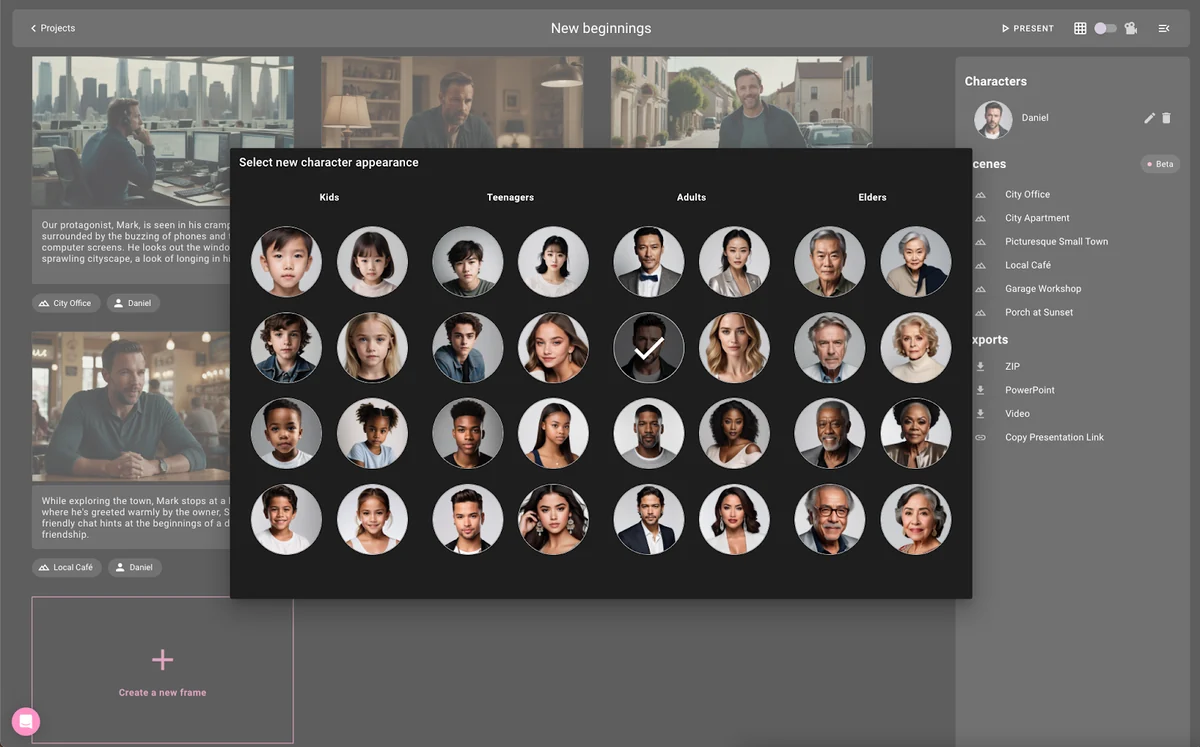
- Consistent Character Generation: The AI identifies main characters and assigns them from a library, ensuring uniformity across frames without manual adjustments.
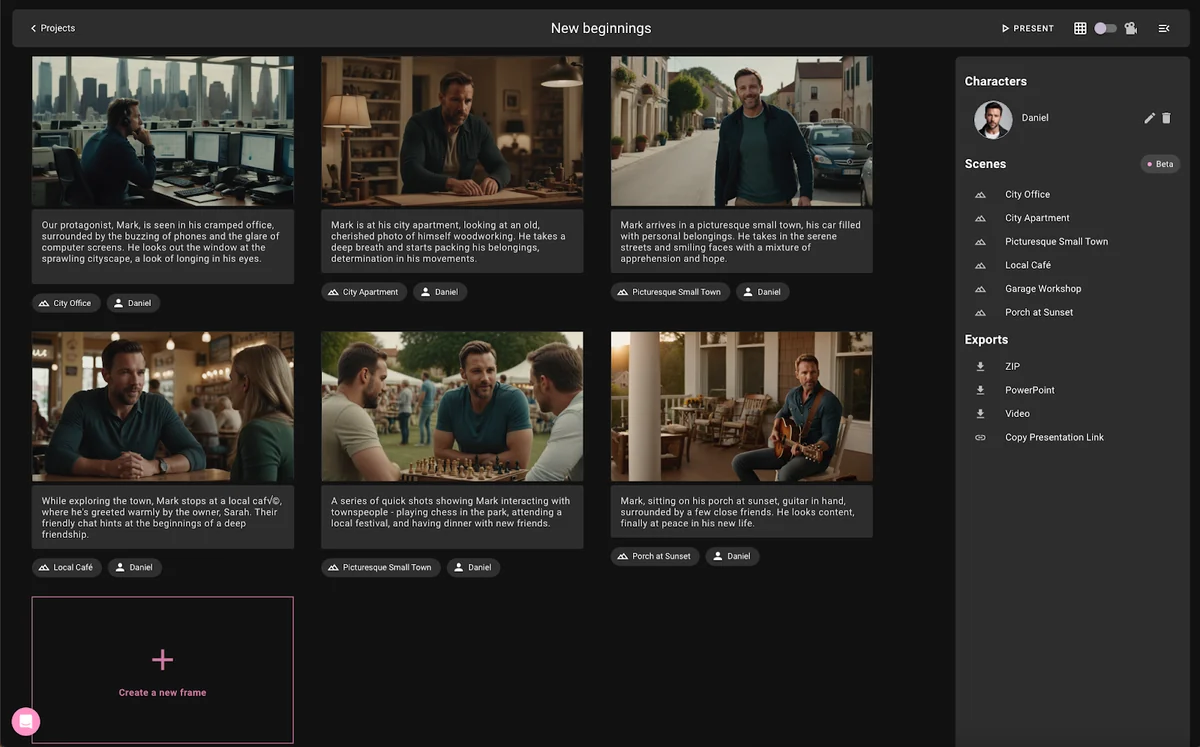
- Direct Editing Capabilities: Edit characters and scenes directly within frames, allowing for fine-tuning of your visual narrative.
- Scene Customization: Modify scene settings with various environments like offices, cafes, or cityscapes.
- Prop and Object Integration: Use generative fill to add props and objects to any frame for the perfect composition.
- Interactive Presentation Sharing: Convert your visual story into a shareable link via Slack and email, which updates automatically with any changes.
- Multiple Export Options: Export your visual stories as PowerPoint presentations, ZIP files, or MP4 videos.
How It Works
The process is designed to be straightforward. Begin by selecting one of the two available visual styles: sketch or cinematic. Next, upload your script directly into the platform. Katalist’s AI then analyzes the script to generate a series of frames, automatically creating characters, scenes, and actions based on the text. You can then refine these elements by editing characters, adjusting scenes, and adding props directly within the interface. Once satisfied, you can export the visual story in various formats or share it as an interactive presentation.
Use Cases
Katalist Storytelling Studio can be beneficial for a wide range of creative professionals:
- Content Marketers: Quickly visualize marketing campaigns and social media content.
- Video Producers: Create storyboards and pre-visualizations for video projects.
- Authors and Writers: Bring book chapters or narrative concepts to life visually.
- Educators: Develop engaging visual aids for educational materials.
- Small Businesses: Generate visual explanations for products or services without hiring external agencies.
Integrations & Compatibility
- Katalist Storytelling Studio offers options for sharing and exporting your work
- Visual stories can be turned into interactive presentations shareable via links through platforms like Slack and email
- For offline use or further integration into other projects, the platform supports exports as PowerPoint files, ZIP archives, or MP4 video formats.
Pricing & Value
The Katalist Storytelling Studio – Plus Exclusive is available as a lifetime deal. This type of offering typically provides access to the software’s features and future updates for a one-time payment, representing significant long-term value for frequent users.
Deal Details
The Katalist Storytelling Studio – Plus Exclusive deal, as found on AppSumo, offers lifetime access to the platform. It comes with a 60-day money-back guarantee, allowing users to test its capabilities thoroughly before committing.
Quick Take
- Ideal for content creators needing to visualize scripts without artistic skills.
- Streamlines the storyboarding and pre-production process significantly.
- Provides a cost-effective alternative to traditional visual creation methods.
FAQs
Is there a trial period for the platform?
Yes, there is a 60-day money-back guarantee.
How can I share my visual stories?
You can share them as interactive presentations via links or export them.
What visual styles does Katalist offer?
Katalist offers “sketch” and “cinematic” visual styles.
Can I edit the AI-generated visuals?
Yes, you can edit characters and scenes directly within the frame.
What is the main benefit of using Katalist Storytelling Studio?
It uses AI to turn scripts into visual stories with customizable scenes, characters, and props.
Final Thoughts
Katalist Storytelling Studio – Plus Exclusive presents a compelling solution for anyone needing to visualize scripts. Its AI-driven approach automates much of the often-laborious process, making visual story creation more accessible and efficient. The ability to customize scenes, characters, and props, combined with flexible sharing and export options, adds considerable value for creators across various industries.