
Are you tired of sifting through lengthy Zoom recordings to find crucial information? This review dives into Perfect Recall, a tool designed to streamline your meeting follow-up process.
We’ll explore its capabilities in recording, transcribing, and sharing key moments from your calls, offering a practical solution to common productivity challenges in remote work.
What is Perfect Recall | AppSumo
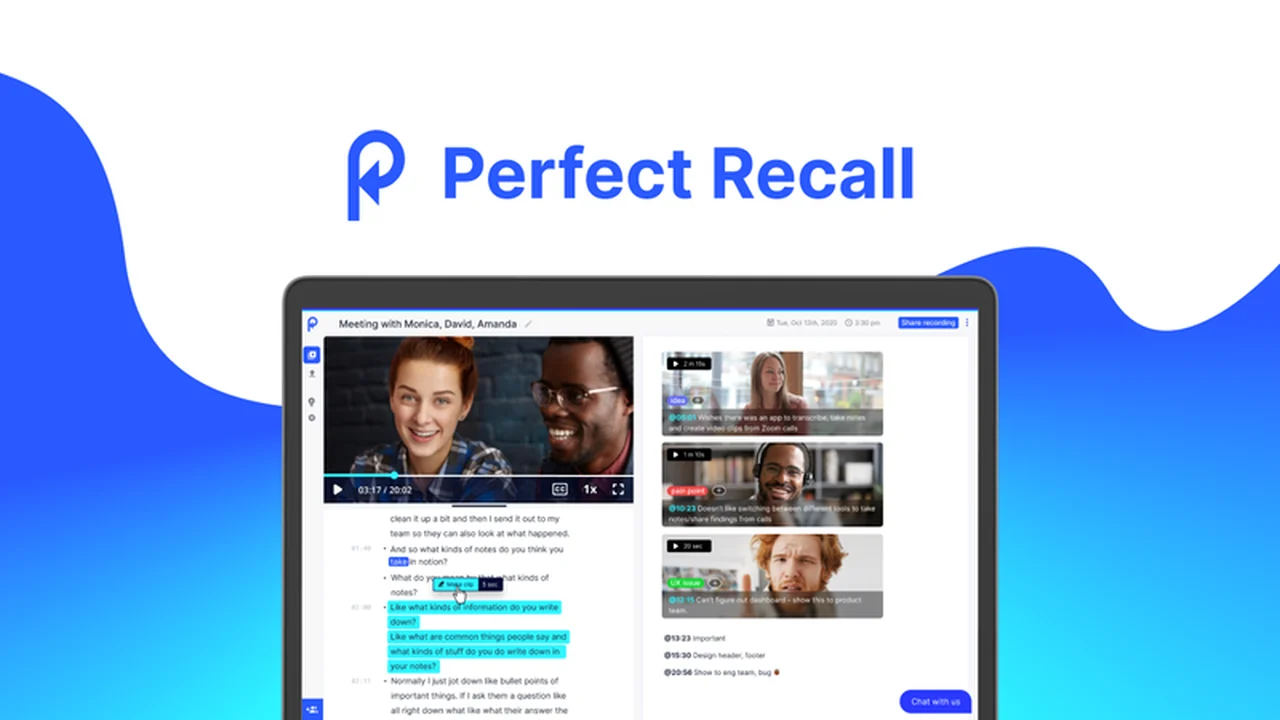
Perfect Recall is a solution built to address the common challenges of managing information from Zoom calls. It acts as an intelligent assistant, capturing the essence of your conversations so you don’t have to. Instead of manually taking notes or re-watching entire meetings, Perfect Recall automates the process of recording and transcribing your Zoom sessions.
Key Features
- Automated Recording: Captures your Zoom calls for later review.
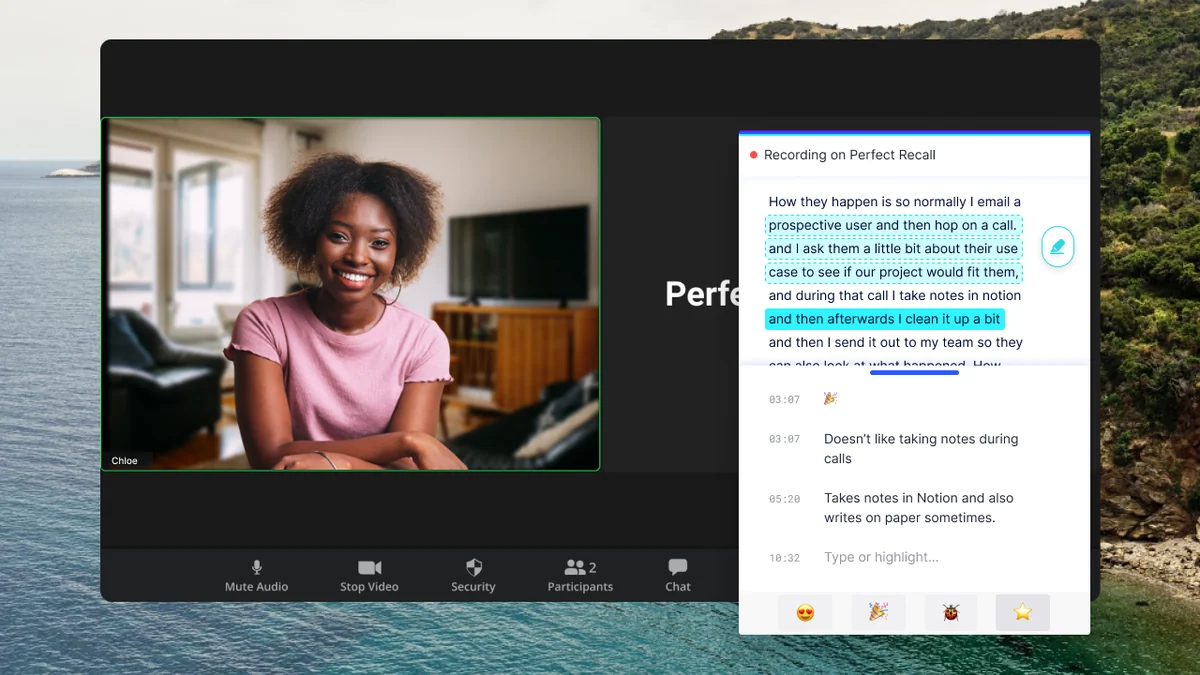
- Live Transcription: Converts spoken words into text in real-time during your meetings.
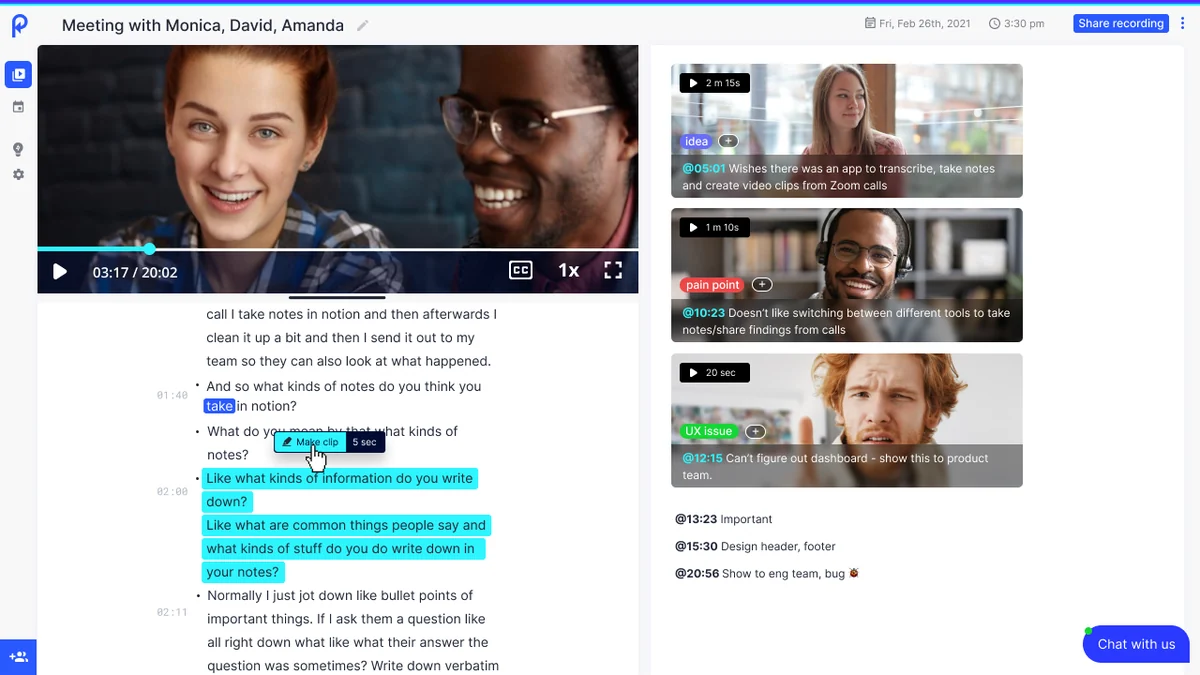
- Highlight Reel Creation: Easily mark and share specific segments of your calls by highlighting the transcript.
- Searchable Transcripts: Quickly find information within your recorded meetings.
- Shareable Content: Export entire calls with transcripts or focused highlight clips.
How It Works
Using Perfect Recall is designed to be straightforward. The tool integrates with your Zoom calls to automatically record and transcribe them. During the call, you can focus on the discussion, knowing that the conversation is being captured. After the meeting concludes, the transcript becomes available, allowing you to pinpoint important moments. By highlighting text within the transcript, you can create shareable highlight reels, effectively summarizing the most critical parts of the conversation.
Use Cases
- Consultants: Record and share key takeaways from client strategy sessions.
- Sales Teams: Review and extract valuable insights from sales calls for training or follow-up.
- User Researchers: Document and share critical feedback from user interviews.
- Project Managers: Keep track of decisions and action items from team meetings.
- Students & Professionals: Revisit important lecture points or business discussions.
Integrations & Compatibility
- Perfect Recall is primarily designed for Zoom, with plans to expand support to other platforms like Google Meet in the future
- This focus ensures a deep and reliable integration with the Zoom ecosystem.
Pricing & Value
The value of Perfect Recall lies in its ability to save significant time and improve information retention. By automating transcription and facilitating the sharing of key moments, it reduces the manual effort typically associated with meeting follow-ups. The ability to quickly access and share specific insights enhances team collaboration and decision-making.
Deal Details
This offer provides a specific allocation of monthly video recordings and transcriptions, with no set limit on the duration of individual recordings. It also includes access to all future updates, broadening the tool’s capabilities over time.
Quick Take
- Ideal for professionals who frequently use Zoom for client calls, interviews, or team meetings.
- Offers a time-saving solution for recording, transcribing, and sharing meeting highlights.
- Simplifies the process of extracting actionable insights from your conversations.
FAQs
Will there be future platform integrations?
Future updates are planned to include support for other popular meeting platforms.
Can highlight clips be kept private?
Options for private highlighting may require a different licensing tier.
What is the time limit for a recording?
There is no time limit on how long a single recording can be.
Do you support languages other than English?
Support for additional languages is planned and expected to be available soon.
Can you record/transcribe meetings that aren’t your own?
Yes, with the appropriate permissions, you can record and transcribe meetings you are invited to.
Final Thoughts
Perfect Recall offers a practical approach to managing the information generated from Zoom meetings. By automating key tasks like recording and transcription, and simplifying the sharing of important moments, it empowers users to be more efficient and informed. Its focus on core functionality makes it a valuable tool for anyone looking to maximize their meeting productivity.