
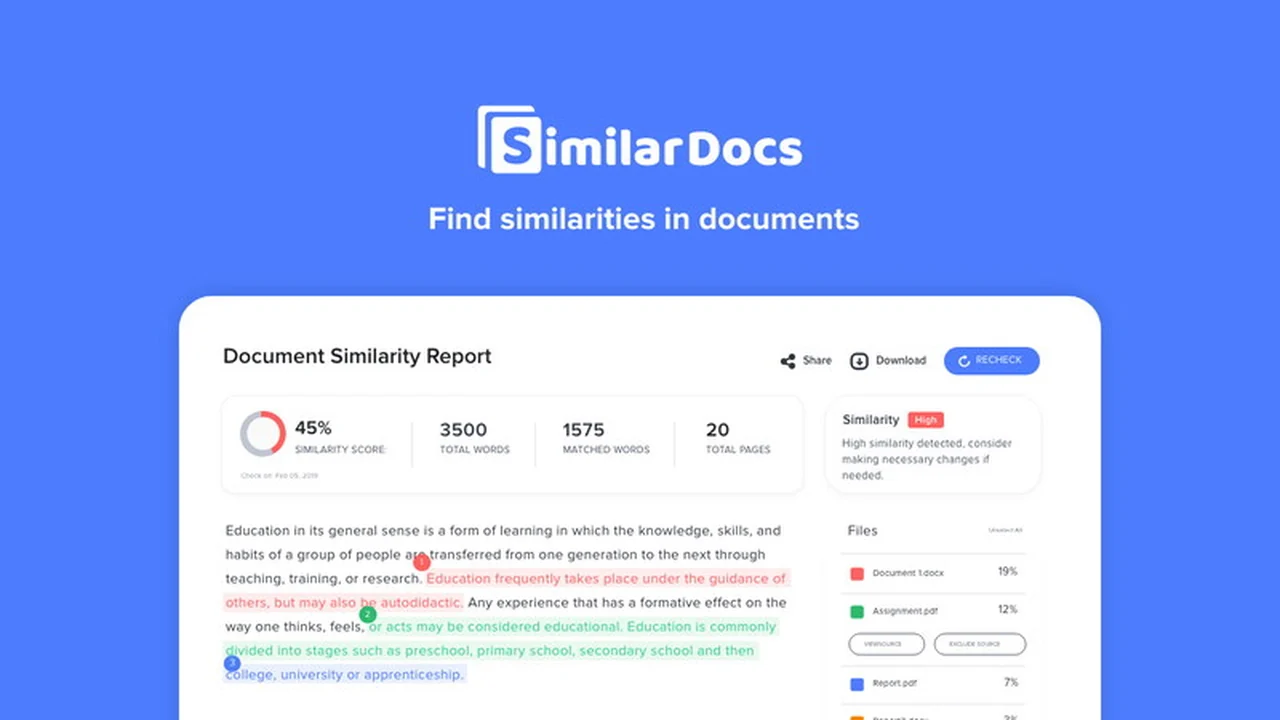
Discover SimilarDocs, a robust application designed to meticulously analyze document repositories and pinpoint areas of textual similarity. This review will guide you through its capabilities, helping you understand how it can enhance your workflow.
We will delve into its core features, explain its operational mechanics, and explore practical use cases. This comprehensive overview aims to equip you with the knowledge to assess if SimilarDocs is the right solution for your document comparison needs.
What is SimilarDocs | AppSumo
SimilarDocs is a powerful application that excels at analyzing document repositories to identify and highlight similar text. It streamlines the process of comparing multiple documents, saving users significant time and effort compared to manual methods.
Key Features
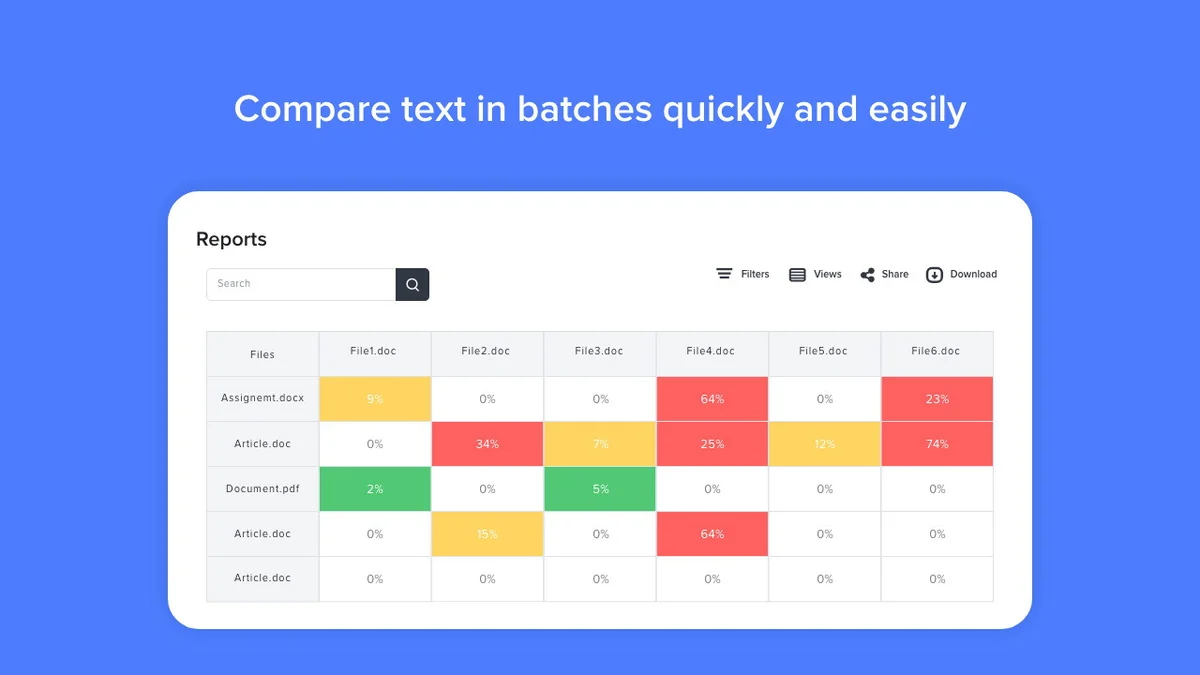
- Instant Comparison Reports: Upload batches of documents and receive immediate comparison reports, which can be easily shared with colleagues.
- Plagiarism Detection: Assists writers and educators in spotting instances of plagiarism within documents.
- Research Assistance: Enables researchers to uncover similarities between papers, aiding in theme identification and cross-referencing.
- Multi-Language and Format Support: Compatible with various languages and supports common file formats like Word, PDF, and TXT.
- Library Feature: Rescan previously uploaded documents without the need for re-uploading.
- Tagging Option: Allows users to easily label and organize important documents.
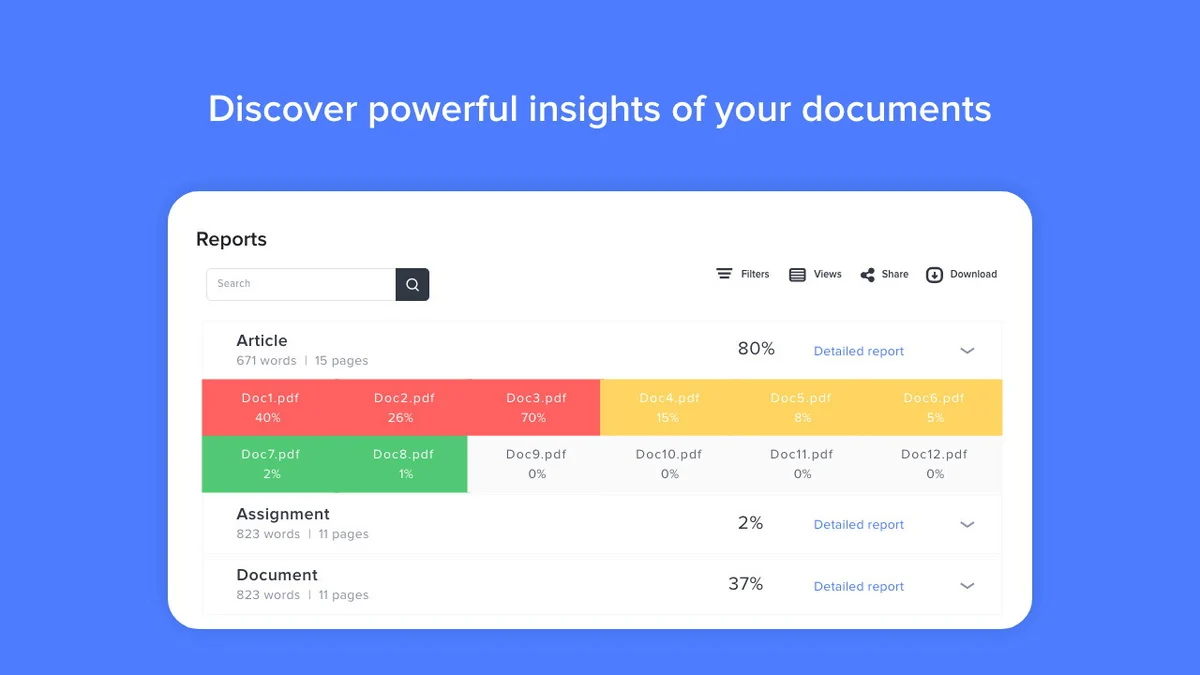
- Heatmap View: Provides a visual summary of similar documents on a single screen within reports.
How It Works
The process with SimilarDocs is straightforward. Users upload their document batches directly into the application. SimilarDocs then swiftly analyzes these documents, comparing them to identify any overlapping or similar text sections. The results are presented in detailed comparison reports, making it easy to review and act upon the findings.
Use Cases
- Educators: Detect plagiarism in student assignments, develop original curriculum content, and assist in research by identifying paper similarities.
- Writers & Content Creators: Ensure content originality for articles and blog posts, optimize keyword usage, and aid in content expansion through source identification.
- Researchers: Uncover thematic connections and potential overlaps across multiple research papers.
- Publishers: Maintain content originality, verify copyright compliance, and streamline editorial processes by identifying repetitive content.
- Editors: Enhance editing efficiency by spotting repeated sentences or phrases and ensuring adherence to style guides.
Integrations & Compatibility
- SimilarDocs is built to handle a variety of document types
- It supports multiple languages and is compatible with popular file formats, including Microsoft Word (.doc, .docx), PDF, and plain text (.txt) files
- This broad compatibility ensures that you can work with most of your existing documents without conversion.
Pricing & Value
SimilarDocs is available through a lifetime access deal, which represents significant value for ongoing document analysis needs. This model eliminates recurring subscription costs, making it a cost-effective solution for individuals and organizations requiring frequent document comparisons.
Deal Details
The current deal offers lifetime access to SimilarDocs. All future updates to the Professional Plan are included. Codes must be redeemed within 60 days of purchase to ensure access to the service.
Quick Take
- Ideal for educators, writers, and researchers needing to verify content originality.
- Streamlines the process of comparing multiple documents for textual similarities.
- Offers a cost-effective lifetime access model for long-term use.
FAQs
How long does it take to get comparison reports?
Comparison reports are generated instantly after document uploads.
Is SimilarDocs suitable for multilingual documents?
Yes, SimilarDocs is compatible with multiple languages.
What file formats does SimilarDocs support?
It supports common formats including Word, PDF, and TXT files.
Can SimilarDocs detect plagiarism?
Yes, SimilarDocs is effective in helping writers and educators detect plagiarism.
What is the primary function of SimilarDocs?
SimilarDocs analyzes document repositories to find and highlight similar text content.
Final Thoughts
SimilarDocs presents a compelling solution for anyone needing to efficiently compare documents and identify textual similarities. Its user-friendly interface, comprehensive features, and broad compatibility make it a valuable asset for a range of professionals. The lifetime access deal further enhances its appeal, offering long-term cost savings and continuous access to improvements.