
Are you tired of navigating a chaotic web browser filled with countless open tabs? This review explores TabsFolders, a tool designed to bring order to your online research and browsing habits.
We’ll delve into its core functionalities, practical applications, and how it can streamline your workflow, making it easier than ever to manage your digital information.
What is TabsFolders | AppSumo
TabsFolders is a browser extension and tab management system built to help users organize and store an extensive number of browser tabs and bookmarks. It aims to provide a structured approach to handling the vast amount of information encountered online, transforming a cluttered browser into an efficient workspace.
Key Features
TabsFolders offers a suite of features designed for intuitive tab and bookmark management:
- Drag-and-Drop Interface: Easily store and organize tabs by dragging them into designated folders.
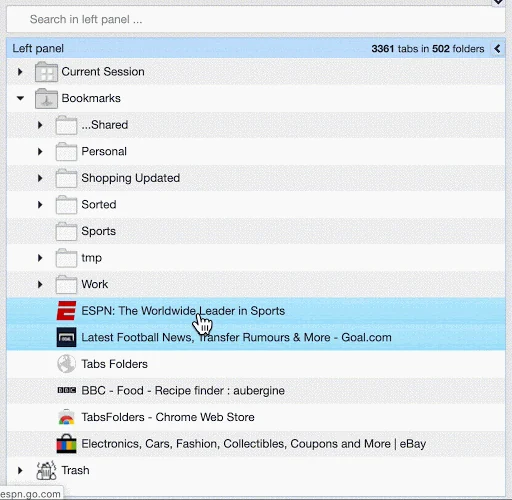
- Folder and Subfolder Organization: Create a hierarchical structure for your links, similar to file management on your computer.
- Quick Tab Opening: Open all tabs within a specific folder in a new browser window with a simple double-click.
- In-Browser Tab Management: Add or remove tabs from open folders directly within your browser.
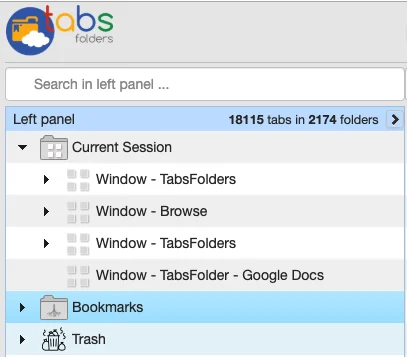
- Move, Rename, and Duplicate: Manage your organized folders and their contents just like any other digital file.
- Bookmark Sharing: Share collections of bookmarks with team members or across your own browsers.
- Cross-Browser Synchronization: Bookmarks are synced across different browsers, ensuring accessibility wherever you work.
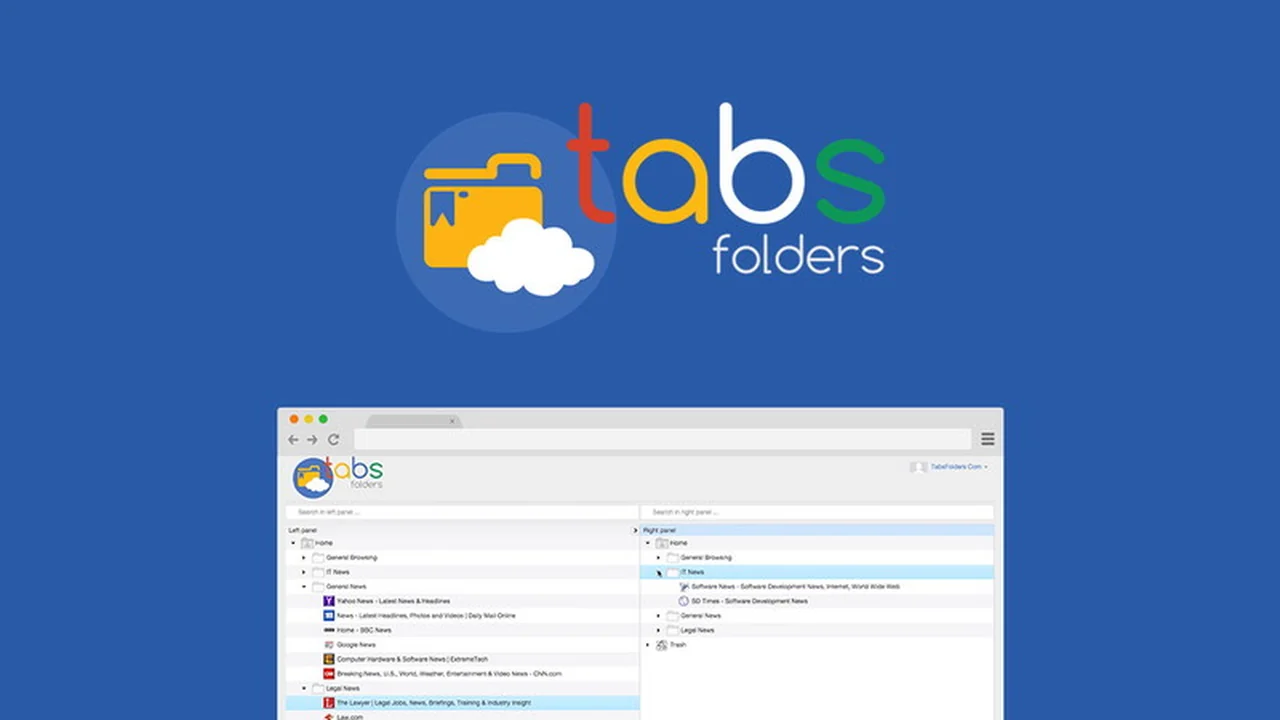
- Side-by-Side Folder View: A visual layout that simplifies the process of dragging and dropping between folders.
- Trash Folder: Recover accidentally deleted folders and their contents.
- Customizable Keyboard Shortcuts: Assign shortcuts to key TabsFolders functions for faster operation.
How It Works
Getting started with TabsFolders is straightforward. Once the extension is installed, users can begin organizing their browsing sessions. The core functionality revolves around creating folders and then dragging open tabs into these folders for storage and organization. Users can also save individual links or entire sets of tabs. When needed, an entire folder’s worth of tabs can be reopened instantly, significantly boosting productivity for research-heavy tasks or project management.
Use Cases
TabsFolders is beneficial for a wide range of users and scenarios:
- Researchers: Keep all links related to a specific research project, paper, or topic in one organized location.
- Students: Manage links for different subjects, assignments, or study materials.
- Content Creators: Store inspiration, reference links, and drafts for blog posts, videos, or social media content.
- Developers: Organize code snippets, documentation links, and project resources.
- Anyone with a Cluttered Browser: Bring order to personal browsing habits, saving time spent searching for previously visited pages.
- Teams: Share curated lists of resources or project links for collaborative efforts.
Integrations & Compatibility
- TabsFolders is designed to work across major web browsers, ensuring your organized links are accessible regardless of your platform
- It is compatible with Chrome and offers functionality for users who also utilize Safari
- The synchronization feature means your saved folders and bookmarks are available across different browser instances.
Pricing & Value
The value proposition of TabsFolders lies in its one-time purchase model, especially when acquired through platforms like AppSumo. This offers lifetime access to the core features, providing a cost-effective solution for long-term tab and bookmark management compared to recurring subscription services.
Deal Details
The TabsFolders deal, often found on AppSumo, typically presents a lifetime access option for a single payment. This provides users with all current and future features included in their purchased plan. A 60-day money-back guarantee is usually provided, allowing ample time to test the tool’s effectiveness.
Quick Take
- Ideal for users who struggle with managing numerous open browser tabs.
- Provides a simple yet powerful way to organize links into structured folders.
- Offers a lifetime access deal, making it a cost-effective solution for long-term organization.
FAQs
Is there a way to recover deleted folders?
Yes, TabsFolders includes a Trash Folder to recover accidentally deleted items.
Does TabsFolders sync across browsers?
Yes, your saved bookmarks and folder structures are synchronized across your installed browsers.
Can I reopen all tabs from a folder at once?
Yes, double-clicking a folder instantly opens all its contained tabs in a new browser window.
How do I add tabs to folders?
You can use the drag-and-drop interface to move open tabs into your created folders.
What is TabsFolders?
TabsFolders is a browser extension that helps you organize and manage thousands of browser tabs and bookmarks.
Final Thoughts
TabsFolders emerges as a practical and efficient solution for anyone feeling overwhelmed by tab overload. Its intuitive design and robust organization capabilities make it a valuable tool for improving online productivity. The ability to store, sort, and quickly access vast numbers of links addresses a common pain point for digital users, offering a tangible benefit for daily browsing and focused work sessions.