
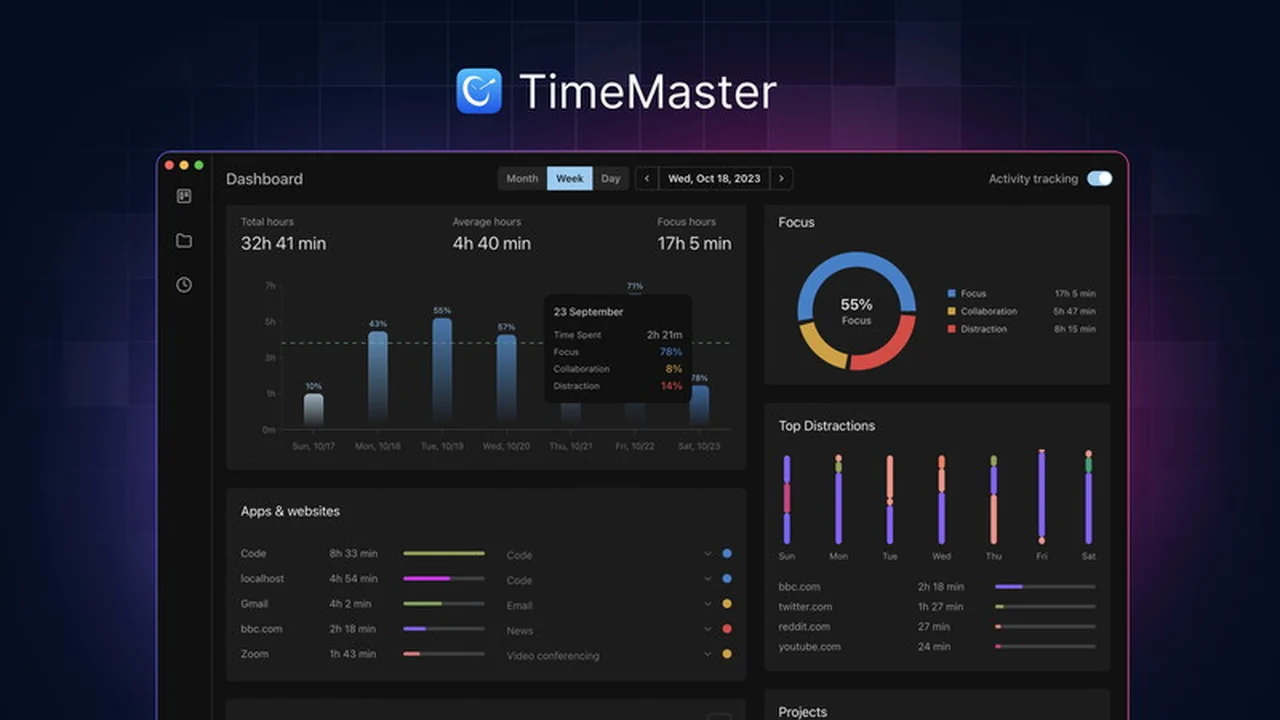
Are you looking to enhance your focus and regain control of your workday? This comprehensive review of timeMaster, available through AppSumo, dives into its capabilities.
We’ll explore how its automated, privacy-first approach can help you understand your work patterns and build more productive habits. Discover if timeMaster is the right tool to help you avoid burnout and achieve a better work-life balance.
What is timeMaster | AppSumo
timeMaster is an automated productivity tool designed to track your daily work activities, offering insights to improve focus and cultivate better work habits. It prioritizes data privacy, ensuring your tracking information remains secure and local.
Key Features
- Automatic Work Categorization: timeMaster identifies and categorizes your daily activities, detailing time spent on focus, distractions, meetings, and messaging.
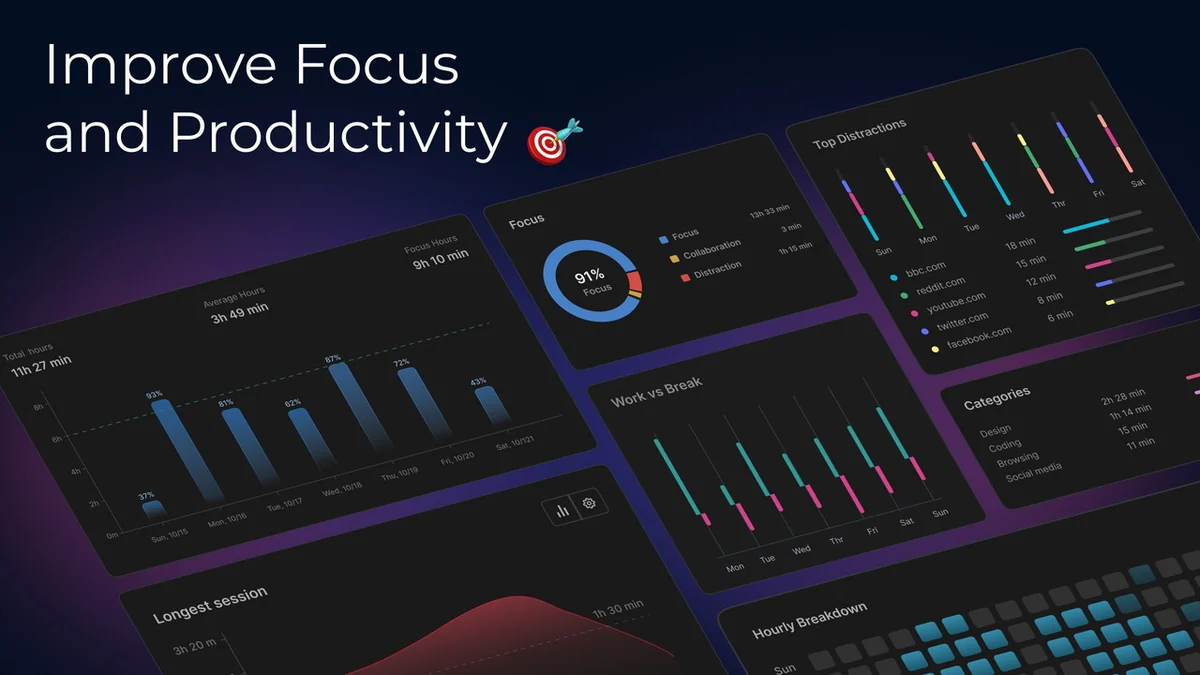
- Productivity Score: A tangible metric derived from focus, distraction, and collaboration metrics to measure your work efficiency.
- Context Switching & Distraction Analysis: Identifies how often you switch between tasks and how much time social media or other distractions consume.
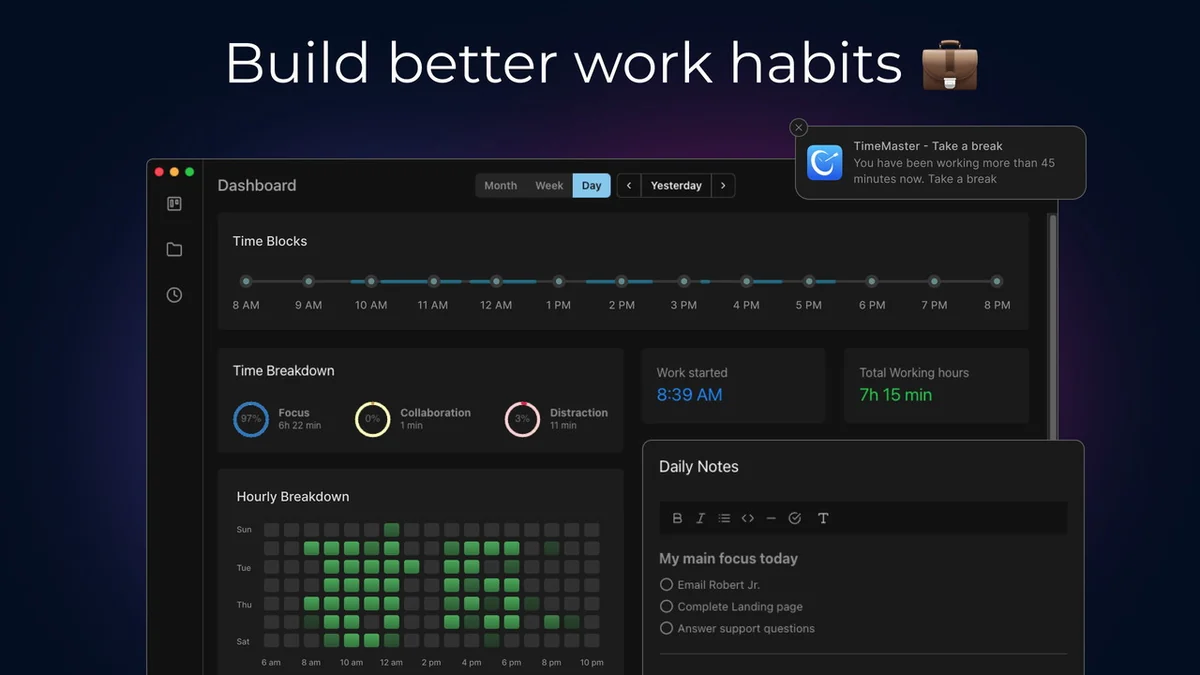
- Burnout Prevention: Features include scheduling automatic breaks and setting/reviewing work goals to prevent overwork.
- Privacy-First Design: All tracking data is encrypted and stored locally on your device, never transmitted elsewhere.
- Automated Project Tracking: Records time spent on projects and tasks without manual entry, detecting task switches automatically.
- AI-Generated Activity Descriptions: Provides intelligent summaries of your workday activities.
- Historical Logging: Maintains detailed logs of every session for in-depth insights and audits.
- Automatic Project Overview: Offers a clear breakdown of time allocation across different projects and tasks, including focus/distraction scores and languages used.
- Overwork & Distraction Notifications: Optional alerts to inform you when you might be overworking or highly distracted.
How It Works
timeMaster operates by automatically monitoring your computer activity, recognizing when you switch between applications or tasks. It intelligently categorizes these activities, distinguishing between productive work, meetings, messaging, and distractions. This process eliminates the need for manual timers or entries, allowing you to concentrate on your work while timeMaster compiles a detailed log of your day.
Use Cases
- Freelancers managing multiple client projects.
- Team leaders aiming to enhance group productivity.
- Individuals seeking to understand and improve personal work habits.
- Professionals looking to identify and reduce distractions.
- Anyone aiming to prevent burnout by balancing work and breaks.
Integrations & Compatibility
- Currently, timeMaster is designed for use on macOS devices
- Specific integrations are not detailed, but the focus is on local, automated tracking.
Pricing & Value
The value proposition of timeMaster lies in its automated, privacy-focused approach to productivity enhancement. By providing detailed insights into time allocation and distraction patterns without requiring manual input, it aims to deliver significant long-term benefits for users looking to optimize their work efficiency and well-being.
Deal Details
The timeMaster | AppSumo deal typically includes lifetime access to the software, offering a cost-effective solution for ongoing productivity improvement. Codes must be redeemed within 60 days of purchase. A 60-day money-back guarantee is provided, allowing ample time to evaluate the software.
Quick Take
- Ideal for macOS users seeking automated time tracking.
- Aims to boost focus and productivity through detailed activity insights.
- Prioritizes user privacy with local data storage.
FAQs
What operating system does timeMaster support?
timeMaster currently utilizes a MacOS operating system.
Can timeMaster help prevent burnout?
It helps by allowing scheduled breaks and providing insights into work patterns to avoid overwork.
Do I need to manually start and stop timers?
No, timeMaster automatically recognizes task switches and logs time without manual intervention.
Is my data secure with timeMaster?
Yes, all tracking data is encrypted and stored locally on your device for maximum privacy.
What is timeMaster?
timeMaster is an automated productivity tool that tracks your work activities and provides insights to enhance focus.
Final Thoughts
timeMaster presents a compelling solution for macOS users aiming to improve their productivity through automated, privacy-conscious time tracking. Its ability to automatically categorize activities, analyze distractions, and offer a clear overview of work habits without manual input is a significant advantage. While it excels in providing granular insights, the current limitation to macOS and the absence of data export might be considerations for some. However, given its robust feature set, privacy focus, and the value offered through the AppSumo deal, timeMaster is a strong contender for anyone looking to gain a deeper understanding of their workday and cultivate more effective work habits.