
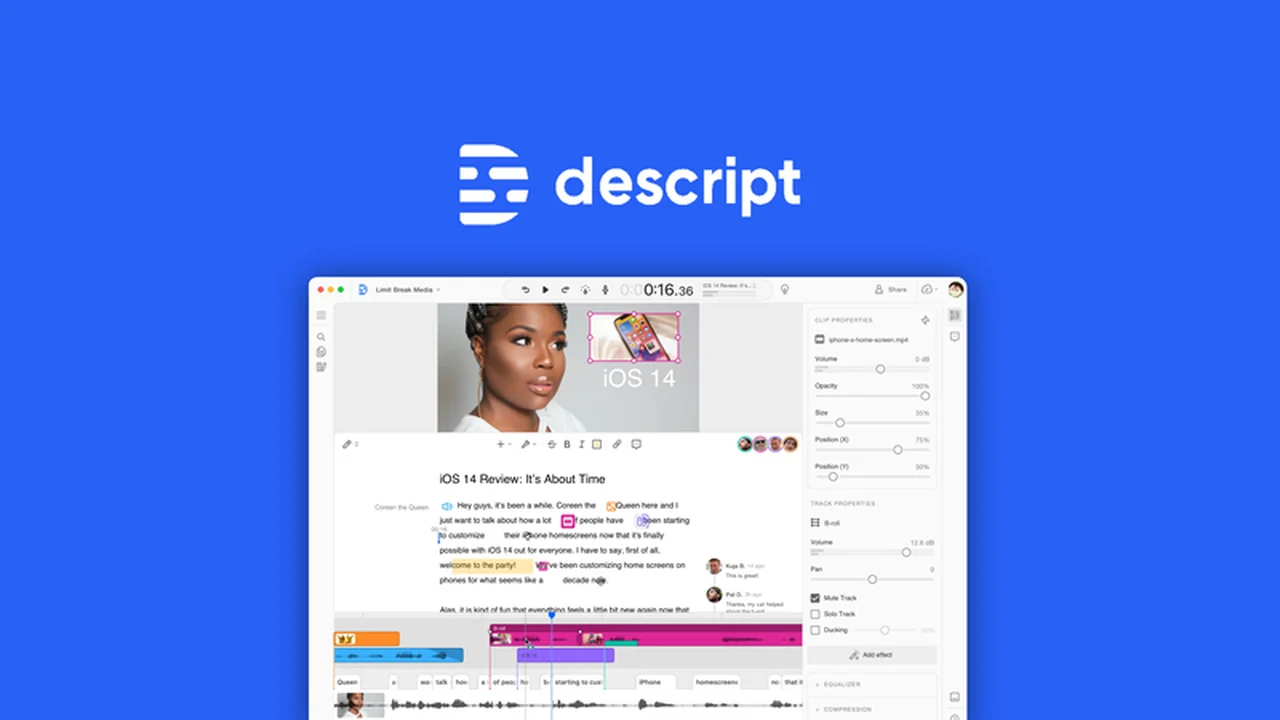
Tired of complex audio and video editing software that requires a steep learning curve? Imagine a world where your media files are as easy to manipulate as a simple text document. This review explores how Descript transforms that vision into reality.
We’ll dive deep into its core functionalities, demonstrate its intuitive workflow, and highlight who can benefit most from this innovative platform. Get ready to discover a new, more efficient way to create and refine your audio and video content.
What is Descript – Edit audio and video like a document | AppSumo
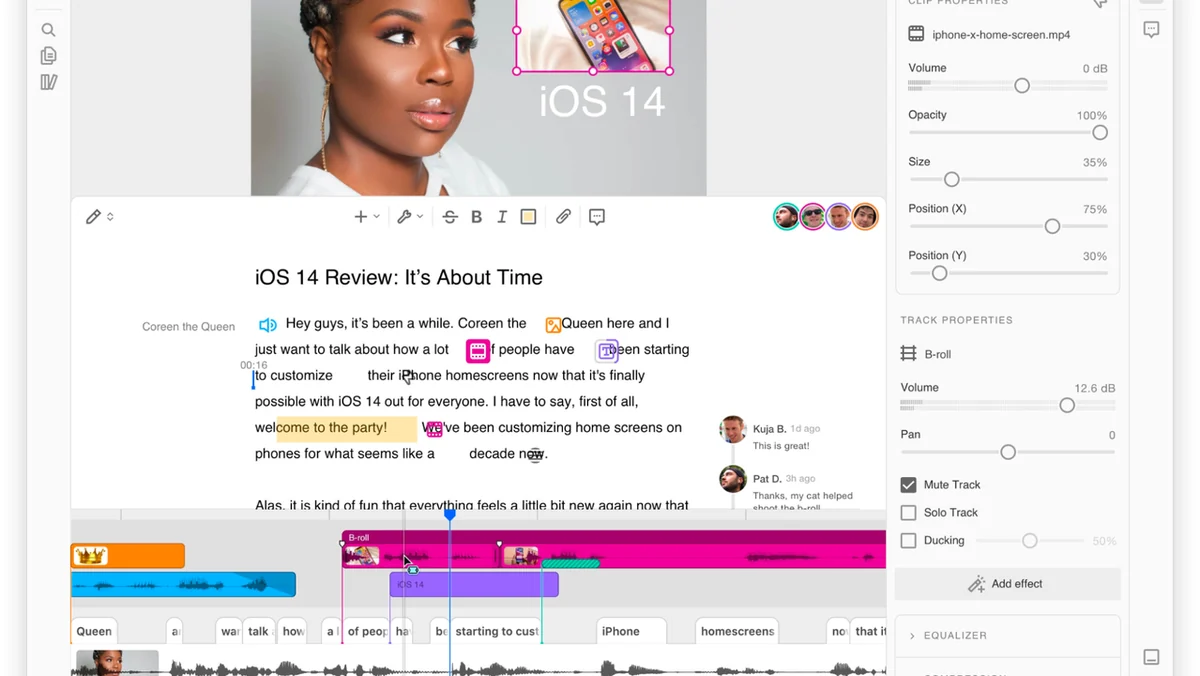
Descript is an all-in-one audio and video editing tool designed to simplify the creation process. It allows users to edit audio and video content by simply editing the automatically generated transcript, mirroring the familiarity of word processing software. This approach removes the need for extensive technical audio engineering knowledge.
Key Features
- Document-Style Editing: Edit your audio and video by typing directly into the transcript. Deleting text removes the corresponding audio or video.
- Overdub: Correct mistakes or add new content using your AI-cloned voice or stock voices, making edits seamless.
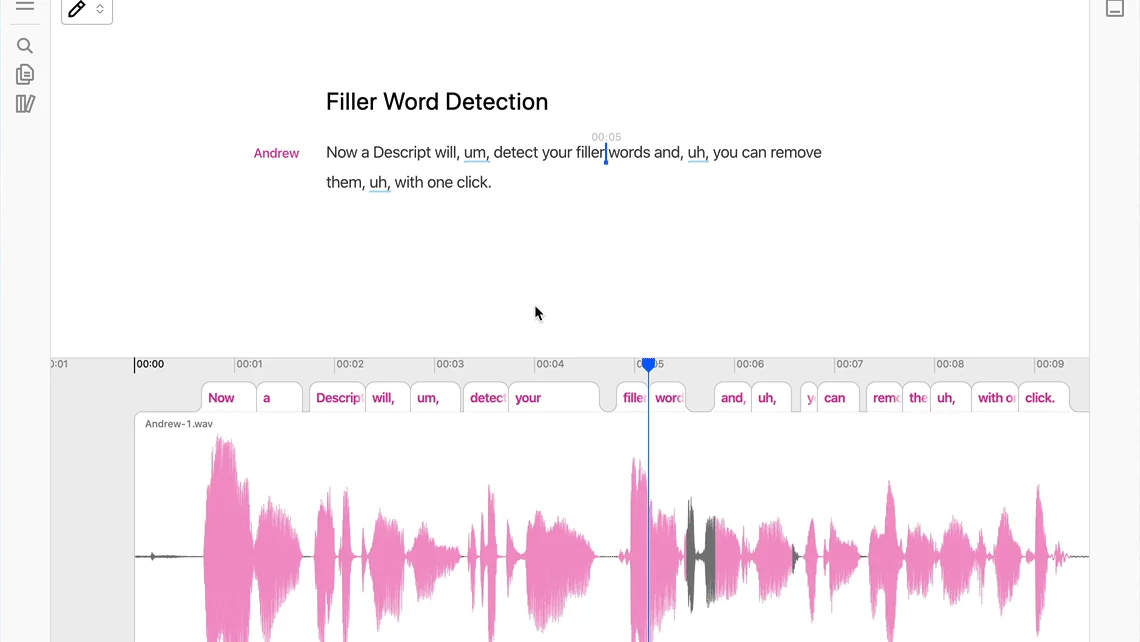
- Filler Word Removal: Automatically detect and remove common filler words like “um” and “uh” with a single click to streamline your content.
- Studio Sound: Enhance audio quality with one-click noise and echo reduction, producing professional-sounding results effortlessly.
- AI-Powered Transcription: Generate accurate transcriptions for your audio and video in 22 languages, facilitating easy editing and subtitle creation.
- Speaker Identification: Quickly label different speakers in your transcript using the Speaker Detective feature.
- Clip Creation: Easily generate short, shareable clips for social media by selecting and exporting specific sections of your content.
- Audiogram Creator: Visualize your podcast audio with animated waveforms to create engaging social media content.
- Searchable Transcripts: Quickly locate specific phrases or topics within your media by searching the transcript.
- Collaborative Feedback: Share your projects with a URL for easy viewing and leave time-stamped comments for collaborators.
How It Works
The core of Descript’s functionality lies in its transcription engine. Upon importing an audio or video file, Descript automatically generates a text transcript. Users can then edit this transcript as they would any document. Deleting words or sentences in the transcript directly removes the corresponding audio or video segments. This revolutionary approach allows for intuitive editing without needing to manipulate complex timelines or audio waveforms.
Use Cases
- Podcasters: Effortlessly edit episodes, remove filler words, and improve audio quality for a professional sound.
- Video Creators: Streamline the video editing process by editing directly from the transcript, making it faster and more accessible.
- Content Marketers: Quickly create engaging social media clips and audiograms from longer-form content.
- Educators: Generate accurate subtitles and captions for online courses and educational videos to improve accessibility.
- Journalists: Transcribe interviews and easily pull out key quotes and soundbites for reporting.
Pricing & Value
Descript offers a tiered pricing structure designed to accommodate various user needs, from individuals to professional teams. The value proposition is particularly strong when considering the all-in-one nature of the tool, combining transcription, editing, and advanced audio enhancement features.
Deal Details
This specific offering provides a lifetime deal, granting you permanent access to the Descript platform. To secure this deal, you must download and save your purchase within 60 days of acquiring it. This ensures long-term usability of the software.
Quick Take
- Ideal for podcasters, video creators, and marketers seeking a faster, more intuitive editing workflow.
- Transforms complex audio and video editing into a simple, document-based process.
- Offers powerful AI features for transcription, overdubbing, and audio enhancement.
FAQs
What happens if I need to correct a spoken word?
You can type the correction, and Descript’s AI will adjust the audio accordingly.
How many languages does transcription support?
Descript’s transcription feature supports 22 different languages.
Does Descript offer AI voice cloning?
Yes, Descript allows you to overdub with an AI clone of your own voice.
Can I create clips for social media with Descript?
Yes, Descript makes creating social media clips quick and easy from your content.
What is the main advantage of Descript?
Its main advantage is editing audio and video by simply editing text transcripts.
Final Thoughts
Descript fundamentally changes the way we approach audio and video editing. By abstracting the complexity and focusing on a familiar text-based interface, it democratizes media creation. Whether you’re a seasoned professional looking for efficiency or a beginner wanting to jump in, Descript offers a compelling and powerful solution.