
Are you looking to add dynamic and engaging animations to your videos but find complex motion graphics software intimidating? This review explores a solution designed to simplify the animation creation process for creatives of all levels.
We’ll delve into the features, functionality, and overall value of this tool, helping you understand if it’s the right fit for your animation needs.
What is Flow – Create beautiful animations for videos | AppSumo
Flow is a powerful motion design solution built to make creating beautiful animations accessible and efficient. It offers a streamlined approach to motion graphics, aiming to bridge the gap between creative vision and technical execution without a steep learning curve.
Key Features
-
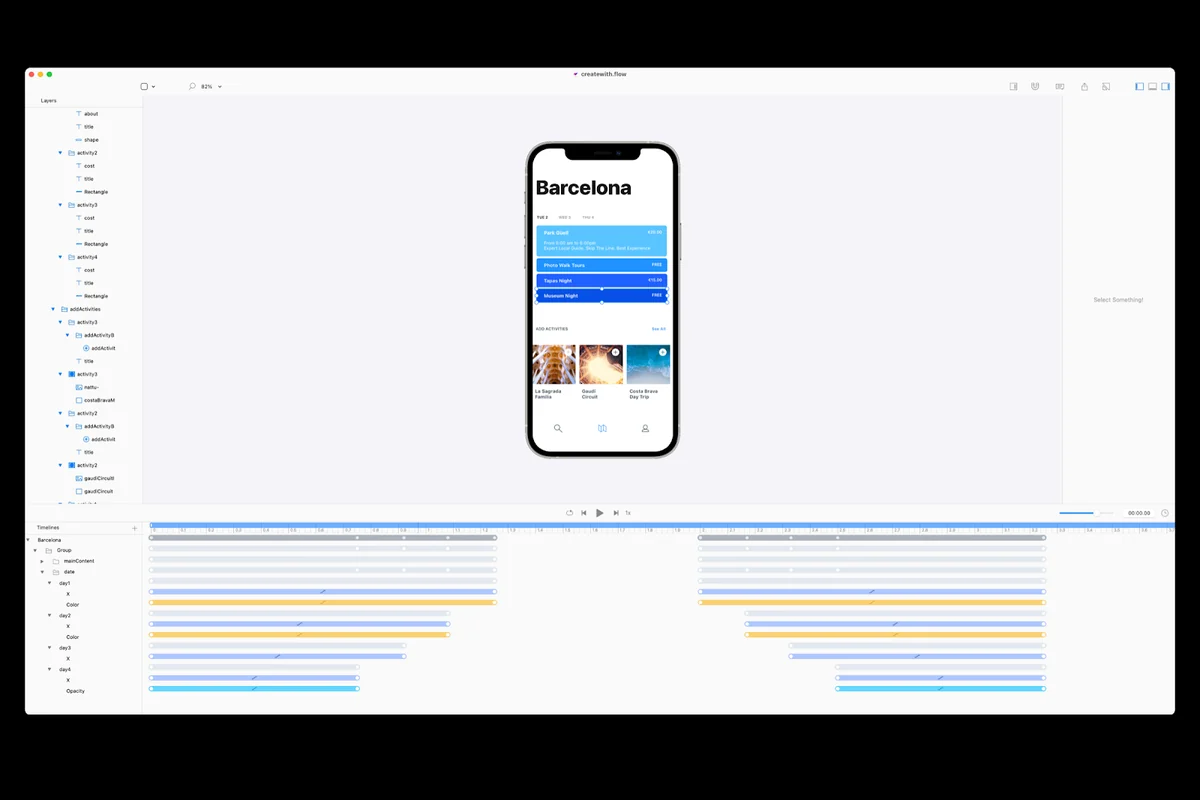
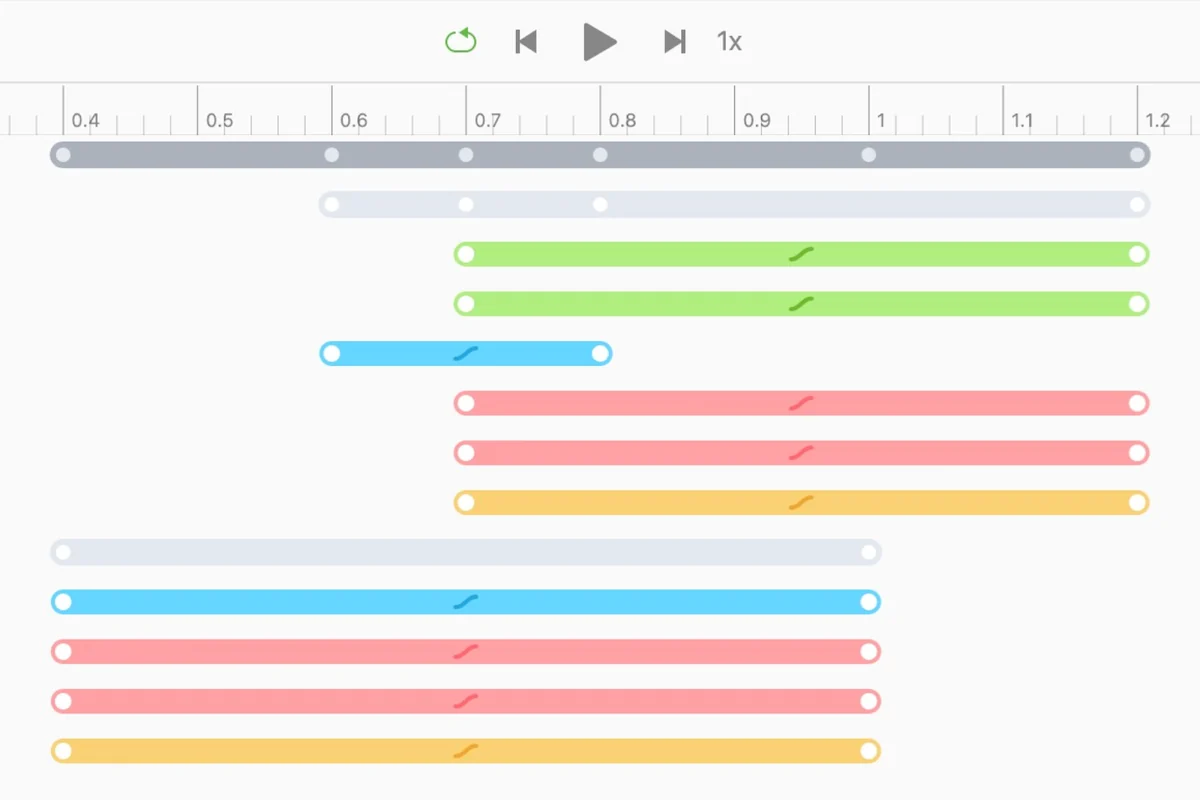
Intuitive Timeline: Flow generates animations on the fly as you move objects on the stage, eliminating the need for complex manual keyframing.
-
Easy Animation Parameter Adjustment: Simply select a layer, position the playhead, and modify properties to adjust animations instantly.
-
Advanced Curve Editor: Tweak animation timing with over 30 default easing curves, or create your own custom curves for precise control.
-
Versatile Export Options: Export single frames, animated PNGs for overlays, or MOV and MP4 files for direct social media or portfolio uploads.
-
Production-Ready Code Generation: Convert animations into various formats, including web (CSS, SVG, JavaScript), iOS (UIKit, Core Animation in Swift), and Lottie.
-
Code Preview Window: Get a real-time preview of the generated code for any design you’re working on.
How It Works
Flow simplifies animation by focusing on an intuitive timeline. As you manipulate elements on the stage, the timeline automatically captures these changes, generating the animation sequence without requiring you to set individual keyframes. This makes the process feel more fluid and natural. Adjusting animation parameters is as simple as selecting the relevant layer, moving the playhead to the desired point in time, and altering a property.
The sophisticated curve editor allows for fine-tuning animation timing. You have access to a library of pre-set easing curves that mimic various motion styles, from smooth linear transitions to energetic bounces. For ultimate control, Flow enables you to design and apply your own custom curves to any animation within your project.
Use Cases
-
Video Enhancements: Add engaging animated elements to marketing videos, explainer videos, or social media content.
-
Website & App Animations: Create dynamic launch sequences, interactive onboarding flows, or subtle button animations for digital products.
-
Product Mockups & Ads: Design compelling animated mockups for products or create standalone animated advertisements.
-
Brand Identity: Develop unique, signature animations that reinforce brand recognition and visual appeal.
-
Developer Handoffs: Generate clean, production-ready code for web and mobile developers, ensuring seamless integration.
Integrations & Compatibility
- Flow is designed with production in mind, allowing you to export your animations in formats compatible with various platforms and development environments
- This includes generating code for web animations using CSS, SVG, and JavaScript
- For iOS development, it produces animations compatible with UIKit and Core Animation in Swift
- The tool also supports Lottie export, a popular format for web and mobile animations.
Pricing & Value
The value proposition of Flow lies in its ability to deliver professional-quality animations without the steep learning curve and high cost often associated with advanced motion graphics software. The availability of lifetime access, particularly through platforms like AppSumo, offers significant long-term savings for individuals and businesses looking to regularly incorporate animation into their projects.
Deal Details
The current deal provides lifetime access to Flow, with no codes or stacking required – you simply select the plan that best suits your needs. It also comes with a 60-day money-back guarantee, allowing ample time to test the software and ensure it meets your expectations.
Quick Take
- Ideal for designers, marketers, and content creators seeking to animate videos without complex software.
- Streamlines the animation process with an intuitive timeline and easy parameter adjustments.
- Offers robust export options for various digital platforms and development needs.
FAQs
Does Flow offer custom animation curves?
Yes, Flow allows you to create and apply your own custom curves for precise animation control.
What kind of export formats are available?
You can export single frames, animated PNGs, MOV, MP4, and code for web, iOS, and Lottie.
Can I export animations for web use?
Absolutely, Flow generates code compatible with web animations, including CSS, SVG, and JavaScript.
Is Flow suitable for beginners?
Yes, Flow is designed with a simplified approach to motion graphics, making it accessible for beginners.
Will there be a Windows version in the future?
The developer is focused on building a powerful, cross-platform solution for creative expression.
Final Thoughts
Flow presents a compelling solution for anyone looking to elevate their video content with professional animations. Its user-friendly interface, combined with powerful features like the intuitive timeline and advanced curve editor, makes it a versatile tool for a wide range of projects. The emphasis on ease of use without sacrificing creative control, coupled with flexible export options, positions Flow as a valuable asset for individuals and teams aiming to create visually stunning animations efficiently.