
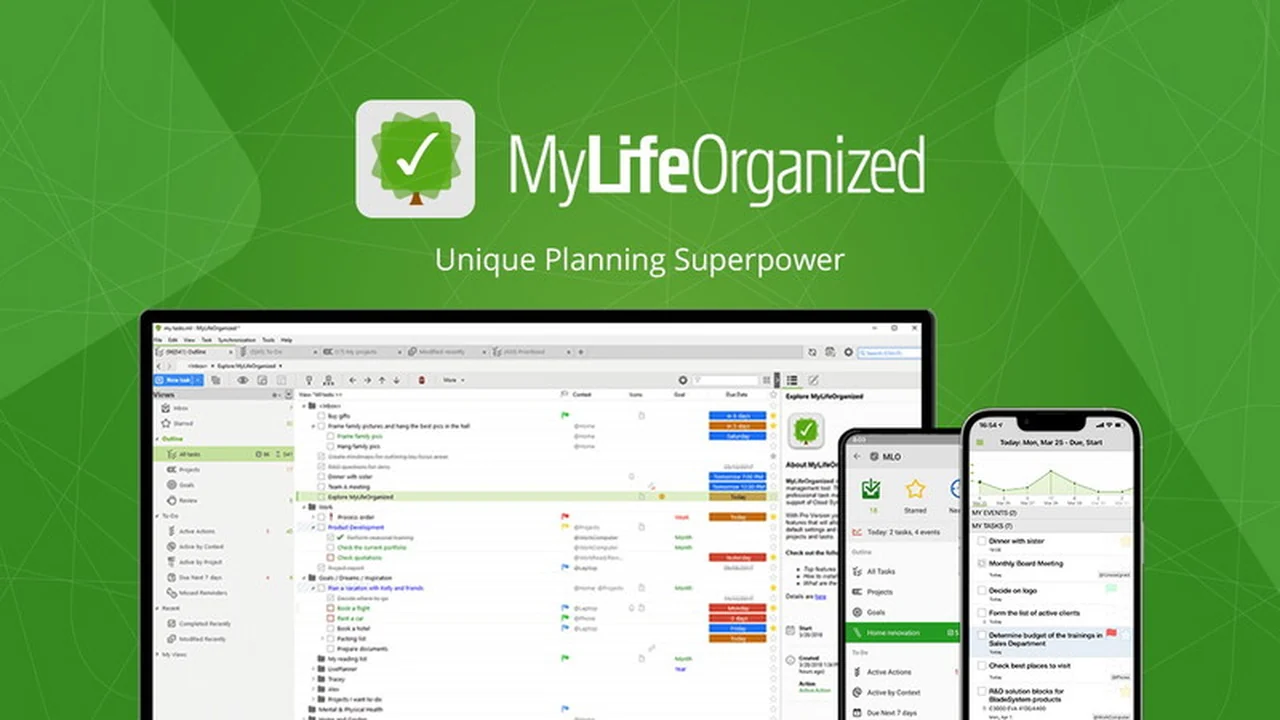
This review delves into MyLifeOrganized (MLO), a robust to-do list application designed for Windows users. We’ll explore its extensive capabilities for task management and how it can help you stay on top of your workload.
You’ll discover the core features that make MLO a powerful tool, understand its flexible operational approach, and learn about its practical applications in daily life and professional settings.
What is MyLifeOrganized: To-Do List for Windows | AppSumo
MyLifeOrganized (MLO) is a comprehensive task management software for Windows, built to offer an unparalleled level of flexibility and power. Its primary aim is to help users effectively manage and complete their to-do lists by breaking down complex tasks into manageable actions while maintaining a clear overview of larger goals. MLO intelligently adapts to your workflow, ensuring you focus on what is most important at any given time.
Key Features
MLO is packed with features designed for both simplicity and depth, catering to various task management preferences.
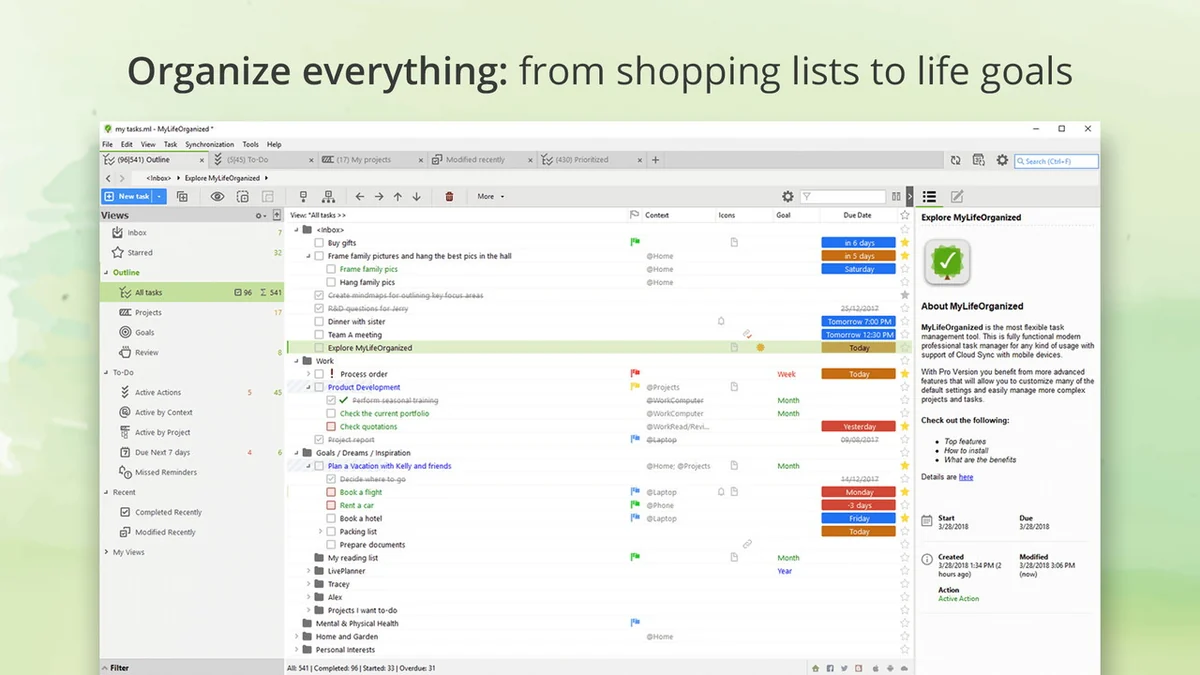
- Unlimited Hierarchy: Break down large projects into an infinite number of sub-tasks, creating a detailed yet organized structure.
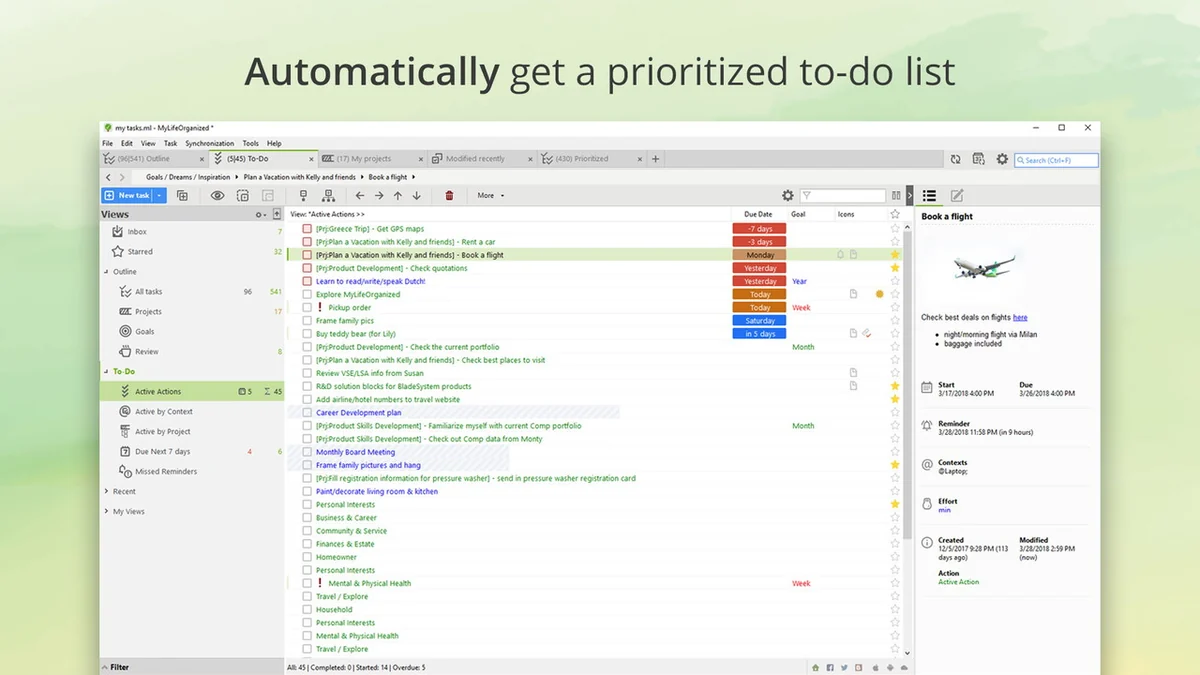
- Dynamic To-Do List: MLO automatically generates a focused list of next actions, updating itself as tasks are completed or based on pre-set criteria.
- Customizable Views and Filters: Tailor your task display with contexts, tags, stars, flags, start/due dates, priorities, dependencies, and highly customizable filters.
- Drag-and-Drop Interface: Easily create and rearrange tasks and checklists with an intuitive drag-and-drop system, organizing information into lists or trees.
- Project Tracking: Designate tasks as Projects and view their progress in a dedicated Projects view, with automatic completion percentage calculation.
- Template Options: Start quickly with pre-built templates based on popular methodologies like GTD® and Franklin-Covey, or customize them to fit your system.
- Time-Based and Location-Based Reminders: Set reminders that trigger at specific times or when you enter or leave certain locations.
How It Works
MLO operates by allowing you to input all your tasks and to-dos, no matter how complex or simple. The software’s core strength lies in its ability to process this information and present you with a clear, actionable list. When you add tasks, you can nest them infinitely, creating a hierarchical structure that mirrors the complexity of your projects. Once populated, MLO intelligently filters and displays only the immediate actions you need to take, ensuring you remain focused and productive. The interface is designed to be straightforward, allowing for easy task creation and reorganization.
Use Cases
MLO’s adaptability makes it suitable for a wide range of users and scenarios.
- Project Management: For individuals and teams needing to manage complex projects with multiple stages and dependencies.
- Personal Productivity: Helping individuals organize daily chores, long-term goals, and personal appointments.
- Students: Managing assignments, study schedules, and project deadlines.
- Professionals: Keeping track of client work, meeting preparation, and ongoing tasks.
- Anyone seeking structure: For those who benefit from a highly organized system to manage life’s various demands.
Integrations & Compatibility
- MLO offers some compatibility options to integrate with your existing tools
- Google Calendar: MLO can mirror your Google Calendar, displaying scheduled MLO tasks visually and allowing new calendar events to be added as MLO subtasks
- Mobile Synchronization: Synchronization with Android devices is possible, especially when using MLO Cloud sync, enabling consistent task lists across platforms
- Operating Systems: MLO is primarily a Windows application
- While there is no native Mac application, workarounds exist using software like Crossover, and the iPad version can run on Macs with M1/M2 processors.
Pricing & Value
MLO offers different versions, with the AppSumo deal providing access to the Professional version. The value proposition is strong given the depth of features for managing complex task structures. Additional subscription costs may apply for cloud sync features, which facilitate seamless data transfer between devices.
Deal Details
This AppSumo deal grants access to the Professional version of MyLifeOrganized for Windows. It provides significant savings compared to the standard pricing, offering a cost-effective way to acquire this powerful task management tool. The deal also comes with a 60-day money-back guarantee, allowing ample time to evaluate its fit for your needs.
Quick Take
- Ideal for Windows users who need a highly structured and customizable task management system.
- Suitable for individuals juggling complex projects or seeking to gain control over their daily to-dos.
- Offers deep hierarchical organization for those who benefit from breaking down large goals into small steps.
FAQs
Can I use this on multiple devices, and how does syncing work?
MLO Cloud sync allows you to sync between unlimited devices across different platforms with a subscription.
Is an additional charge required for Wi-Fi sync, and is this a collaborative tool?
Cloud sync requires an annual subscription; the software is primarily for single-person use, not direct collaboration.
Is this deal the Professional version, and does it support syncing with Android?
Yes, this deal provides the Professional version and MLO Cloud syncs the Android version with Windows.
Will this work with Mac and iOS, and do I need to buy anything else?
An iOS app must be purchased separately; there’s no native Mac app but workarounds exist.
How frequently do major paid updates occur, and what is their typical cost?
Major updates are released every 3-4 years, with an upgrade cost of $39.95 for version 5 to 6.
Final Thoughts
MyLifeOrganized for Windows, particularly through this AppSumo deal, presents a compelling solution for anyone seeking to elevate their task management capabilities. Its strength lies in its unparalleled flexibility, allowing users to build systems that perfectly match their personal or professional workflow. While some users might find the pricing structure for major updates and optional sync features to be a consideration, the core software’s power and longevity since 2004 suggest a well-supported and continuously developed product. For those who need to tame complexity and truly get things done, MLO is a tool worth exploring.