
Are you tired of missing crucial details during online meetings or spending hours transcribing recordings? This review dives deep into Noota, an application designed to transform how you capture and utilize meeting information.
We’ll explore its core functionalities, understand its workflow, and assess its overall value, particularly for those looking for an efficient way to manage their professional conversations.
What is Noota – Convert online meetings into reports | AppSumo
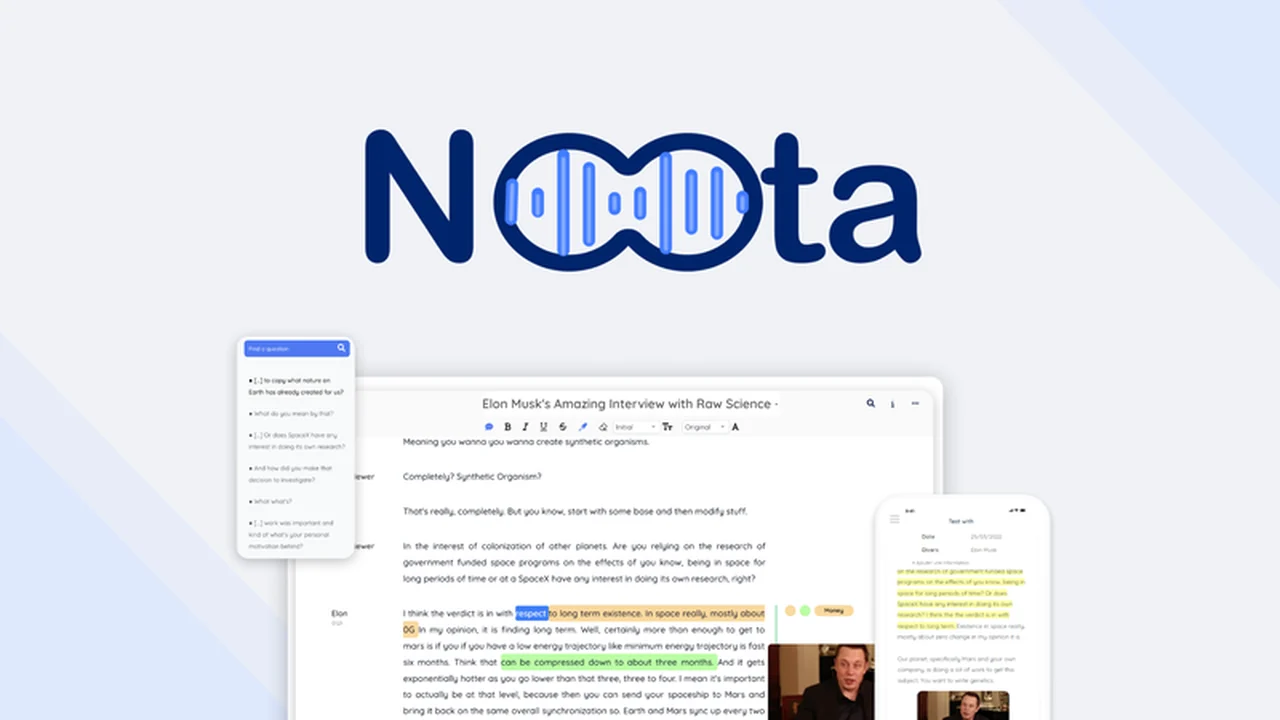
Noota is a comprehensive platform that allows users to transcribe, record, and analyze online meetings. It aims to eliminate the human error associated with manual note-taking and provides a searchable, digital record of all important discussions.
Key Features
- AI-Powered Transcription: Noota’s speech-to-text technology accurately converts audio into text in over 70 languages and accents, ensuring clarity regardless of the speaker’s origin.
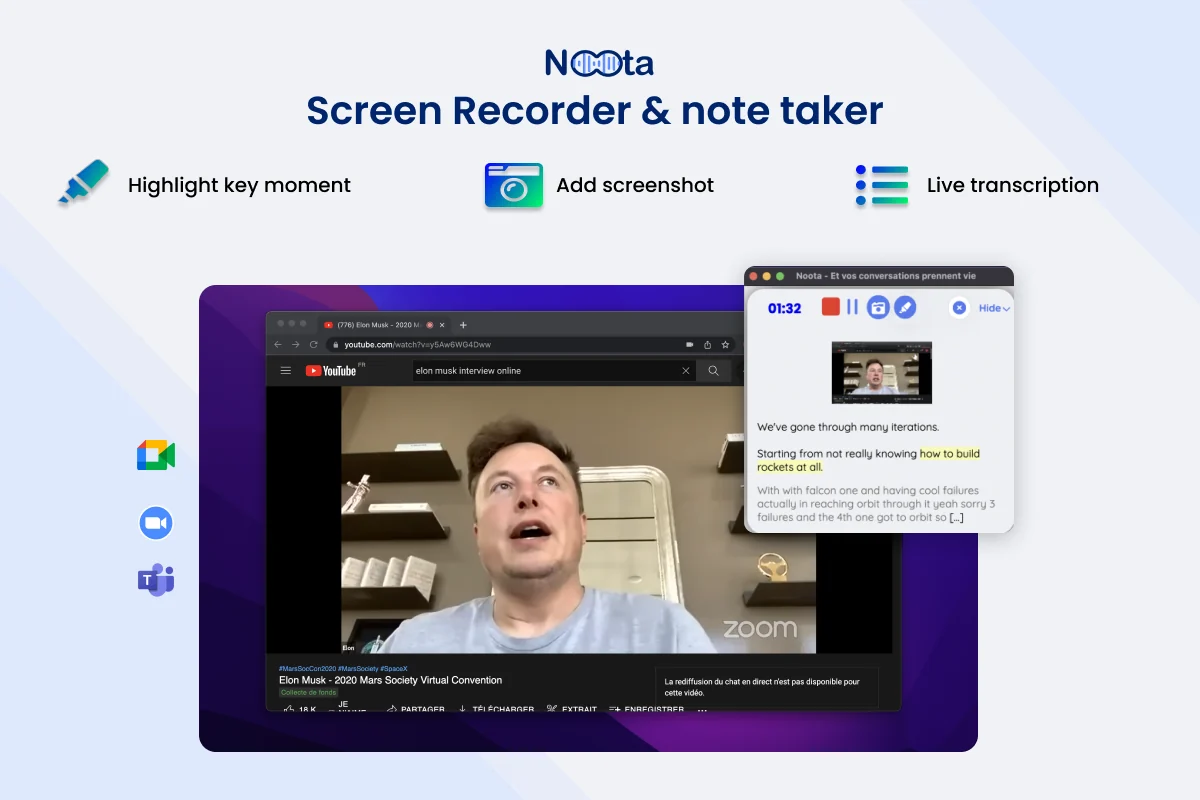
- Multi-Platform Recording: Record virtual meetings directly from Zoom, Microsoft Teams, and Google Meet, or even capture audio from any browser tab.
- Voice Analysis: The platform can differentiate up to 10 distinct speakers within a single meeting, making it easy to identify who said what.
- Real-time Transcription and Translation: Follow a live transcription of your meetings that can be translated into over 70 languages, ideal for global teams.
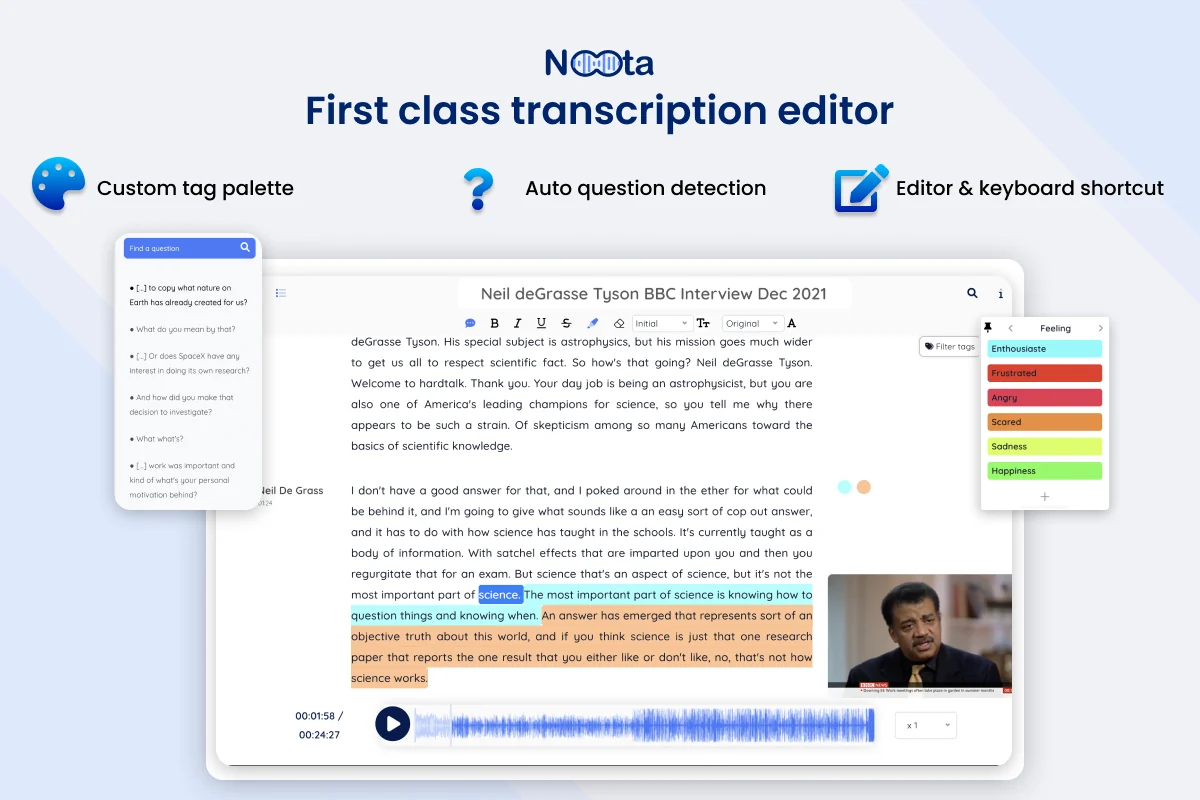
- Interactive Transcript Editor: Make edits to your transcripts, and the audio will remain perfectly synchronized. Keyboard shortcuts allow for quick tagging and exporting of quotes.
- Automated Subtitle Generation: Noota automatically creates subtitles for videos, enhancing accessibility and improving SEO by making content searchable.
- Mobile Accessibility: The NootApp provides full platform access from your mobile device, allowing for recording and transcription on the go.
- Topic Tracking: Upload your agenda and receive real-time alerts if specific topics haven’t been covered, keeping meetings on track.
- Tagging and Highlighting: Easily tag key moments, add screenshots, and highlight important information with a single click during or after a meeting.
- Subtitle Customization: Modify the style of subtitles, including color, font, and background, to align with your brand identity.
How It Works
Getting started with Noota is straightforward. You can either record your online meetings directly through the platform or upload existing audio/video files. Noota’s AI then processes the content, generating a highly accurate transcript.
During a meeting, you can utilize features like tagging and adding screenshots to mark important segments. The interactive transcript editor allows for seamless adjustments, ensuring the text matches the audio perfectly. For video content, subtitles are generated automatically and can be customized to fit your branding. The mobile app extends these capabilities to your smartphone, enabling transcription and recording from anywhere.
Use Cases
- Sales Professionals: Analyze sales calls, identify key customer needs, and improve sales pitches.
- Journalists and Researchers: Transcribe interviews and focus groups for accurate reporting and analysis.
- Podcasters and Content Creators: Generate transcripts and subtitles for audio and video content, increasing reach and accessibility.
- Project Managers: Ensure meeting action items are captured and track discussions for project clarity.
- Educators and Students: Record lectures and study sessions for better comprehension and review.
- Remote Teams: Bridge communication gaps with accurate transcriptions and translations for global collaboration.
Pricing & Value
Noota offers various plans designed to cater to different user needs. The value proposition lies in its ability to save significant time and improve the accuracy of meeting documentation. By converting spoken words into searchable text and visual aids like subtitles, it unlocks deeper insights and facilitates better knowledge sharing.
Deal Details
This product is available through AppSumo, offering lifetime access to Noota. The deal typically includes access to specific tiers of the software, providing a cost-effective way to integrate advanced meeting management tools into your workflow.
Quick Take
- Ideal for professionals who regularly attend online meetings and need to capture information efficiently.
- Saves time by automating transcription and note-taking, allowing focus on the meeting itself.
- Enhances collaboration and accessibility through multilingual transcription and subtitle generation.
FAQs
How accurate is Noota’s transcription?
Noota is known for its high transcription accuracy, often outperforming competitors in benchmarks.
Is there a mobile application for Noota?
Yes, Noota offers a mobile app for recording and transcription on the go.
Does Noota support different meeting platforms?
Noota supports recording from Zoom, Microsoft Teams, and Google Meet, as well as any browser tab.
Can Noota handle multiple languages?
Yes, Noota can transcribe and translate audio into over 70 languages.
What is the primary function of Noota?
Noota’s primary function is to transcribe, record, and analyze online meetings into searchable reports.
Final Thoughts
Noota presents a compelling solution for anyone looking to maximize the value derived from their online meetings. Its robust feature set, from advanced AI transcription to seamless subtitle generation and mobile accessibility, addresses many common pain points in professional communication. For individuals and teams seeking to improve productivity and information retention, Noota is a tool worth considering.