
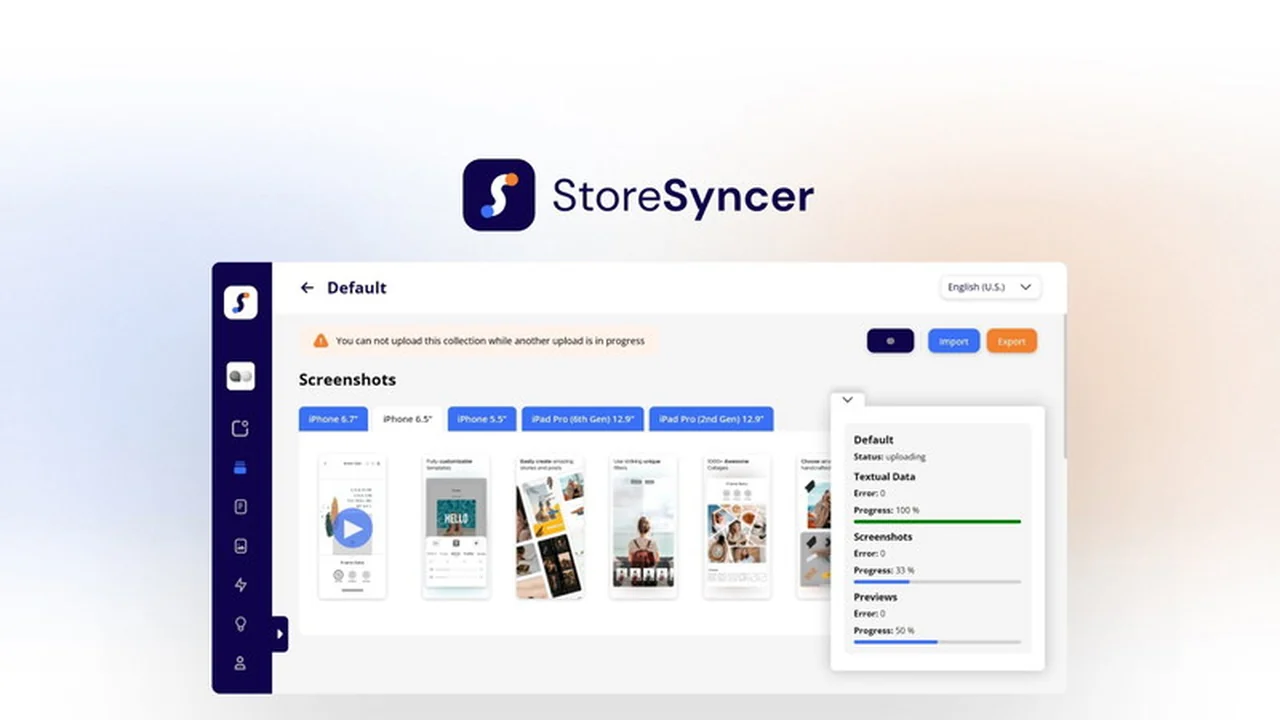
Managing your mobile app’s presence on the App Store can often feel like a repetitive and time-consuming task, especially when dealing with multiple languages and frequent updates. This review dives deep into StoreSyncer, a tool designed to simplify these processes.
We’ll explore its core functionalities, how it operates, and the benefits it brings to app owners looking to enhance their app store listings efficiently. Get ready to discover how to save significant time on app content management.
What is StoreSyncer | AppSumo
StoreSyncer is a comprehensive platform engineered to streamline the management of mobile application content specifically for the App Store Connect. It addresses the common pain points faced by app developers and owners who regularly need to update descriptions, keywords, screenshots, and ‘What’s New’ sections across various localizations.
The tool acts as a centralized hub, allowing users to create, edit, and upload app store assets in a highly efficient manner. This significantly reduces the manual effort typically required when making updates or preparing for new releases on Apple’s platform.
Key Features
- One-Click Updates: Effortlessly change your app’s description, keywords, screenshots, and ‘What’s New’ sections with a single click.
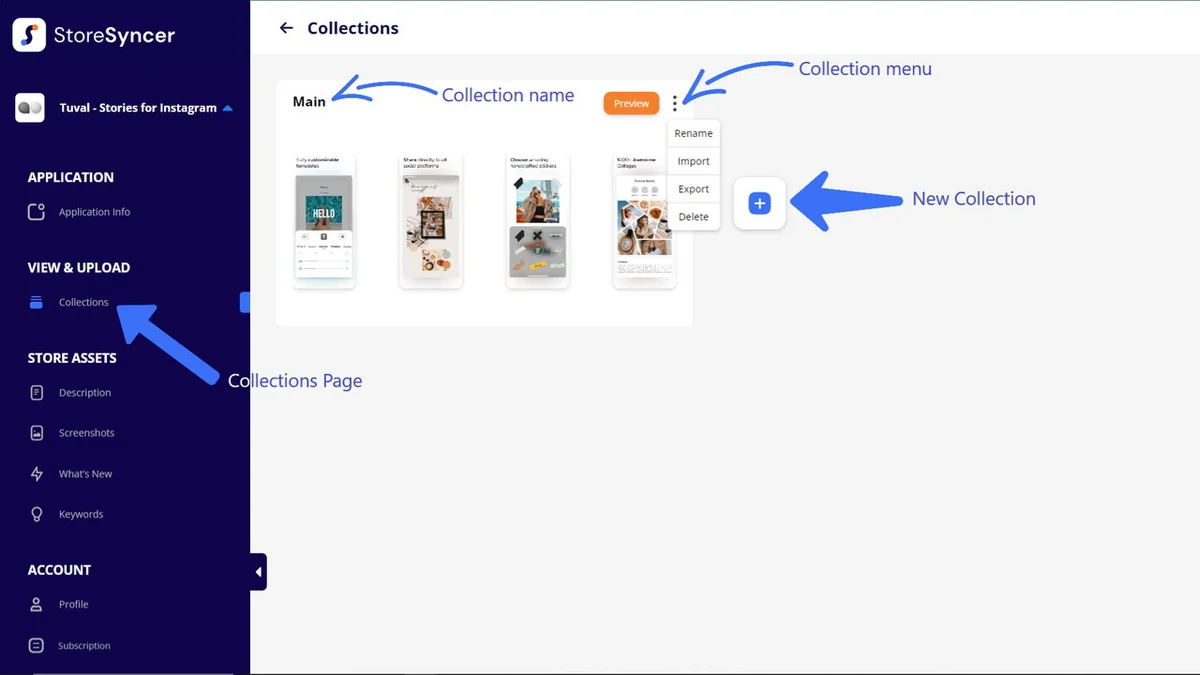
- Collection Management: Organize all your app store assets into distinct ‘Collections,’ making it easy to switch between different sets of metadata for various purposes or updates.
- Asset Editing: Directly edit descriptions, keywords, and ‘What’s New’ text for every supported language within the platform.
- Screenshot & Preview Handling: Upload, import, and export screenshots and previews individually or in bulk.
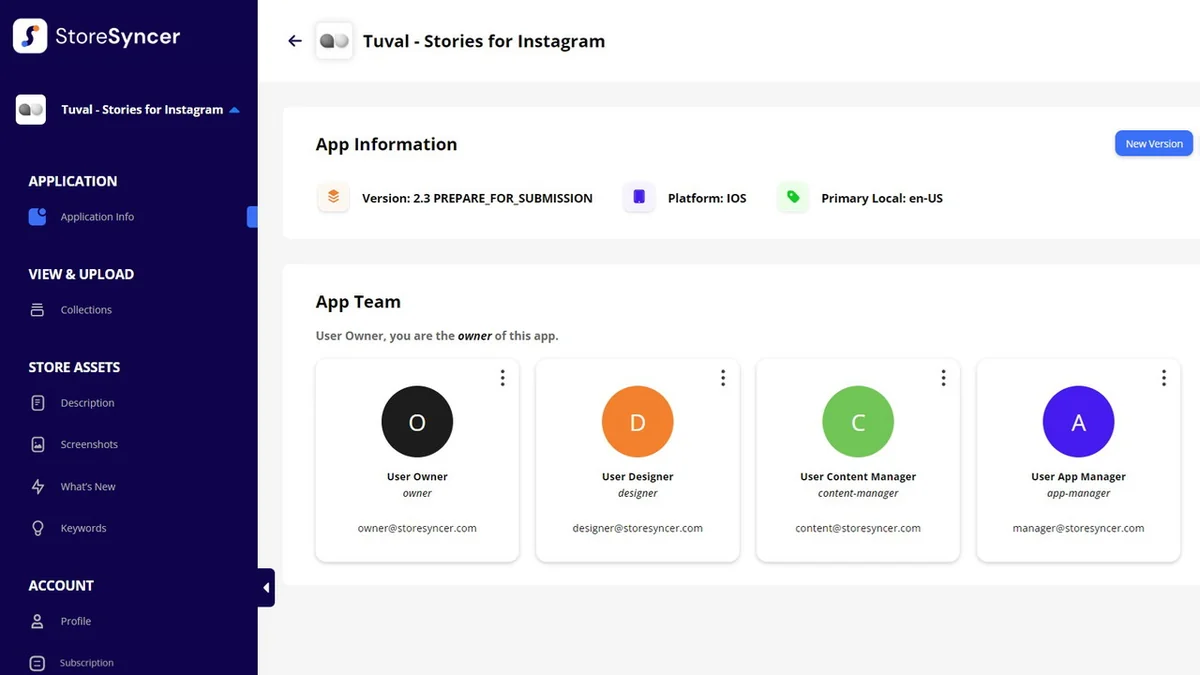
- App Team Functionality: Invite team members to collaborate on app content, assigning roles and managing access within each app’s dedicated team.
- Version Management: Modify your app’s current version number or create new versions, aligning with App Store Connect’s submission statuses.
How It Works
StoreSyncer simplifies app store management through a structured approach. Users begin by adding their applications to the platform, which then creates a mirrored structure of the app’s metadata, including descriptions, keywords, screenshots, previews, and ‘What’s New’ sections for each language.
These sets of metadata are organized into ‘Collections.’ You can create multiple collections, each tailored with specific content. When you’re ready to update your app on the App Store, you simply select the desired collection, preview the changes, and then initiate the upload process directly to App Store Connect with a single click.
Use Cases
- Seasonal Campaigns: Quickly update app descriptions and visuals for holidays like Christmas or Halloween across all localizations to attract new users.
- New Feature Rollouts: Prepare and deploy ‘What’s New’ sections that accurately reflect new functionalities without repetitive manual writing for each language.
- A/B Testing Metadata: Create different collections with varied descriptions or keywords to test their impact on engagement and downloads.
- Team Collaboration: Enable multiple team members to work on app store assets simultaneously, ensuring consistency and efficiency.
- Localization Management: Efficiently manage and update localized content for a global audience.
Integrations & Compatibility
- StoreSyncer is specifically designed to work with App Store Connect for managing Apple applications
- While it currently focuses on the iOS ecosystem, development for the Google Play Store is reportedly in progress.
Pricing & Value
StoreSyncer offers a compelling value proposition, especially for developers and businesses managing multiple applications or extensive localization efforts. The ability to automate and centralize content updates dramatically reduces the time and resources spent on repetitive tasks, freeing up valuable team hours.
By preventing errors and streamlining the upload process, it also contributes to a smoother app submission workflow, potentially reducing delays and improving the overall efficiency of app lifecycle management.
Deal Details
This review is based on the offering available through the AppSumo platform. These deals typically provide lifetime access to the software at a one-time payment. The specific package details, including features and limits, should be reviewed on the AppSumo product page for the most current information.
Additionally, there is a 60-day money-back guarantee, allowing users ample time to evaluate if StoreSyncer meets their needs without risk.
Quick Take
- Ideal for app owners and developers who frequently update their App Store listings.
- A significant time-saver for managing multiple localizations and app assets.
- Simplifies the entire process of preparing and uploading app store content.
FAQs
What is the refund policy?
There is a 60-day money-back guarantee to ensure customer satisfaction.
Is it possible to collaborate with my team?
Yes, StoreSyncer allows you to invite team members and assign them roles for collaborative work.
How are app store assets organized?
App store assets are organized into distinct ‘Collections’ for easy management and selection.
Can I manage multiple apps with this tool?
Yes, you can add and manage multiple applications within your StoreSyncer account.
Does it work on Playstore and Appstore both or just Appstore?
Currently, StoreSyncer is exclusively for the Apple App Store; Google Play Store integration is under development.
Final Thoughts
StoreSyncer presents a robust solution for anyone looking to bring efficiency and order to their app store content management. The platform’s ability to centralize updates, handle multiple localizations seamlessly, and offer one-click uploads directly addresses many common frustrations faced by app publishers.
By reducing manual labor and potential errors, StoreSyncer allows developers to focus more on building great applications and less on the intricate, time-consuming task of updating their store presence. It’s a valuable tool for any serious app owner aiming to optimize their App Store Connect workflow.