
Automating web testing can be a daunting task, especially for those without extensive coding experience. The process of repeatedly checking site functionality across various browsers and screen sizes often demands technical expertise that many business owners and manual testers l…
This review dives into UIlicious, a platform designed to simplify this challenge. We’ll explore its core functionalities, how it streamlines the testing workflow, and who can benefit most from its low-code approach to testing user journeys.
What is UIlicious – Test user journeys without coding | AppSumo
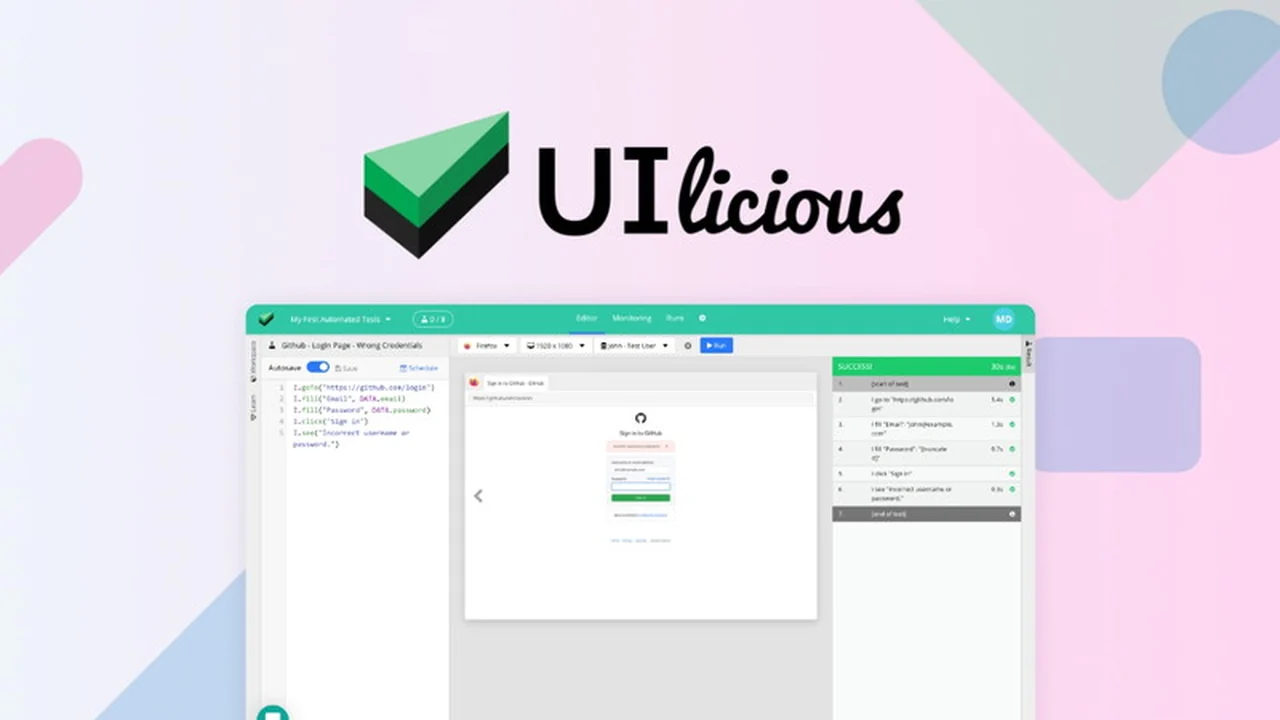
UIlicious is an intuitive, low-code platform built to automate web testing for user journeys. It empowers individuals without programming backgrounds to create and run tests across major browsers and screen resolutions. The platform focuses on testing the experience of a user navigating a website, rather than the underlying code.
Key Features
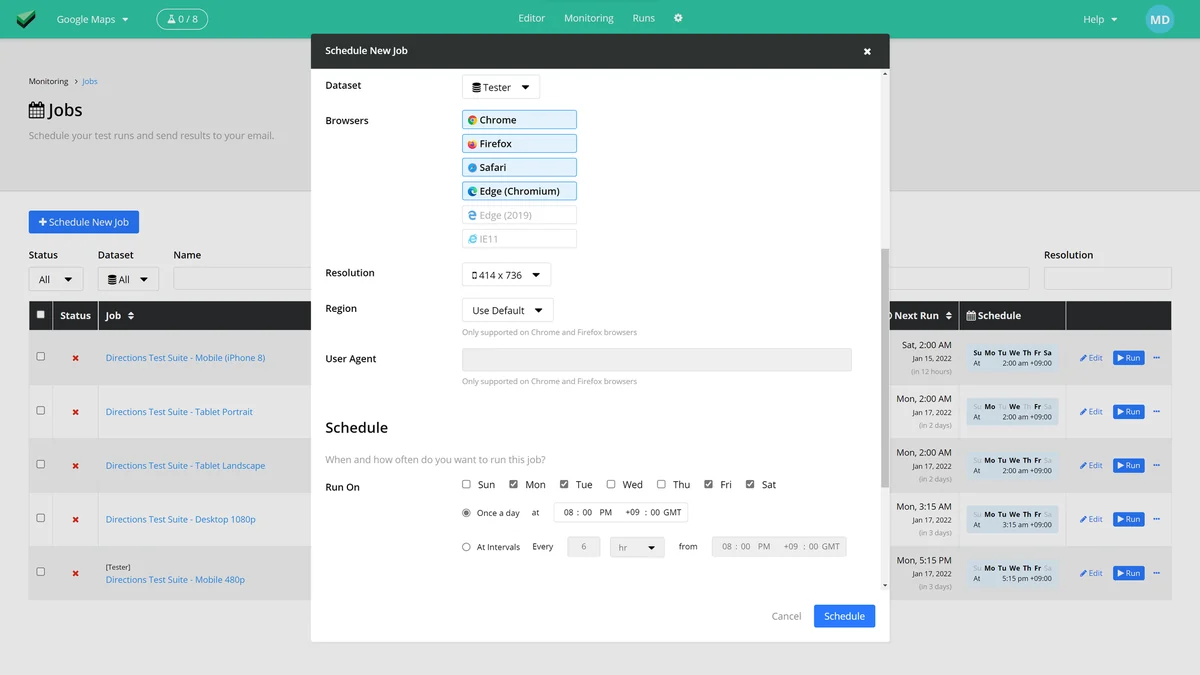
- Automated Test Scheduling: Set up tests to run automatically at desired intervals.
- Cross-Browser & Responsive Testing: Test your website’s functionality on Chrome, Firefox, Edge, and across various screen sizes from desktop to mobile.
- Global Region Testing: Run tests from 11 different regions worldwide to ensure consistent performance across locations.
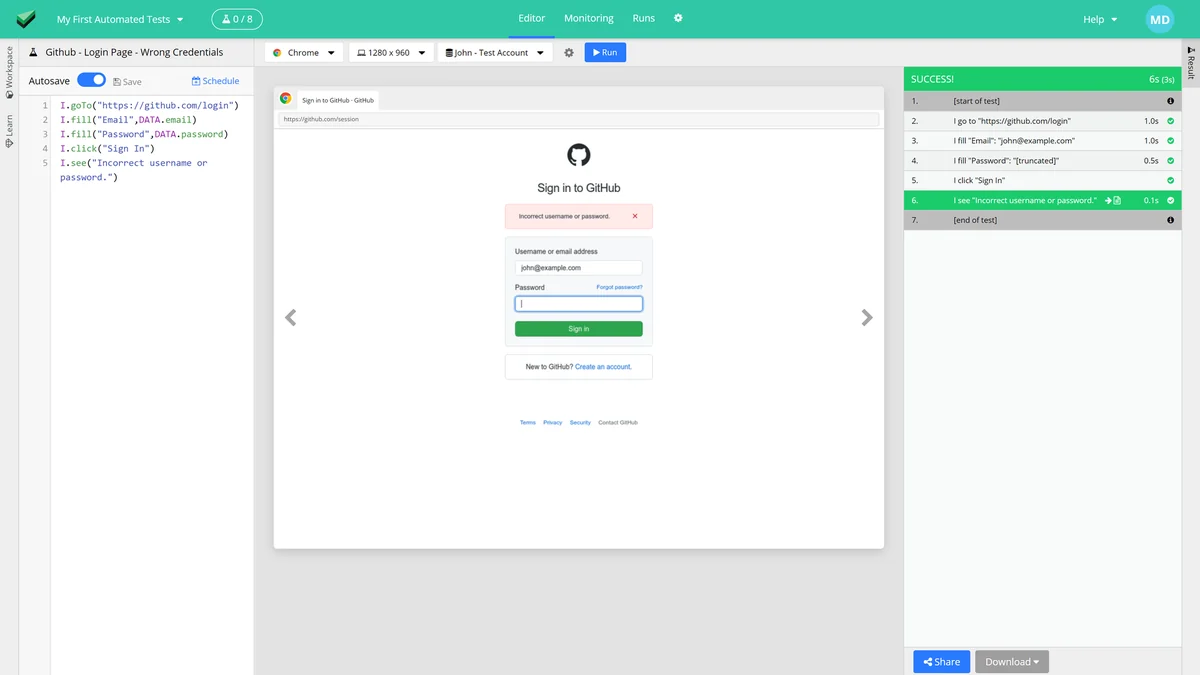
- Intuitive Test Language: Write tests using a natural language that mimics user stories, eliminating the need for complex coding or understanding HTML.
- Dynamic Element Identification: The platform intelligently identifies page elements, such as input fields, even if the underlying HTML structure changes.
- Comprehensive Test Reports: Generate detailed reports with screenshots, test data, and timestamps presented in an annotated player for easy bug analysis.
- Easy Report Sharing: Share unique URLs of failed tests with developers, containing all necessary information for quick bug resolution.
- Exportable Results: Download test reports in various formats including PDF, JSON, CSV, or as ZIP files of PNG images.
- Deployment Pipeline Integration: Hook up tests to your deployment pipeline to catch bugs immediately upon release.
- Alert Notifications: Receive alerts for test failures via email, Slack, Microsoft Teams, or other chat applications through webhooks.
- Monitoring Dashboard: Gain a clear overview of all test statuses and identify potential issues from a central dashboard.
How It Works
UIlicious simplifies the testing process by allowing users to write tests in a human-readable format that resembles user stories. Instead of inspecting HTML or CSS, you describe the actions a user would take. For example, you can instruct UIlicious to ‘fill the “Username” field’, and the platform will dynamically locate and interact with the correct input element on your page. This approach ensures that tests remain functional even when website designs are updated or frontend frameworks are changed.
Use Cases
- Small Business Owners: Ensure their e-commerce or service websites function correctly without hiring dedicated QA teams.
- Marketing Teams: Verify that landing pages and campaign funnels are working as intended before and after launch.
- Manual Testers: Automate repetitive checks, freeing up time for more complex exploratory testing.
- Product Managers: Quickly test new features and user flows to ensure a seamless user experience.
- Development Teams: Integrate automated tests into their CI/CD pipelines for continuous quality assurance.
Integrations & Compatibility
- UIlicious supports testing across major browsers like Chrome, Firefox, and Edge
- It also allows for testing across different screen resolutions, simulating both desktop and mobile views
- For notifications on test failures, UIlicious offers integration with popular communication tools such as Email, Slack, and Microsoft Teams via webhooks.
Pricing & Value
UIlicious is presented as a valuable tool for individuals and teams looking to streamline their web testing efforts. The platform offers a way to automate complex testing processes without requiring significant investment in coding expertise or expensive software licenses that might approach the $1,200 mark annually. The focus on low-code accessibility provides a significant return on investment by saving time and resources.
Deal Details
The AppSumo deal for UIlicious offers lifetime access to the platform. This means a one-time purchase provides ongoing access to its features. The offer is backed by a 60-day money-back guarantee, allowing users to try the platform risk-free for two months to ensure it meets their needs.
Quick Take
- Ideal for non-coders who need to automate website testing.
- Simplifies testing user journeys with a natural language approach.
- Provides comprehensive reports and integrates with essential communication tools for faster bug resolution.
FAQs
Can UIlicious alert me about test failures?
Yes, you can receive alerts through email, Slack, Microsoft Teams, or chat applications via webhooks.
How are test results shared?
Results can be shared via unique URLs, or exported as PDF, JSON, CSV, or PNG files.
Do I need to know how to code to use UIlicious?
No, UIlicious is designed for non-coders with its intuitive, user-story-based test language.
Can I test on mobile devices?
Yes, UIlicious allows testing across different screen sizes, including mobile resolutions.
What browsers does UIlicious support?
UIlicious supports major browsers like Chrome, Firefox, and Edge.
Final Thoughts
UIlicious presents a compelling solution for anyone looking to simplify and automate their web testing. Its low-code approach makes sophisticated testing accessible to a broader audience, saving valuable time and resources. By focusing on user journeys and providing clear, actionable reports, UIlicious empowers teams to ensure a flawless user experience with greater confidence and efficiency.