
Official projects often hinge on timely contract execution. Delays in sending or signing crucial documents can lead to wasted time, reduced productivity, and even lost business opportunities.
This review dives into Eversign, a platform designed to accelerate and simplify your contract processes, ensuring important agreements move forward efficiently and securely.
What is Eversign – Sign important documents online | AppSumo
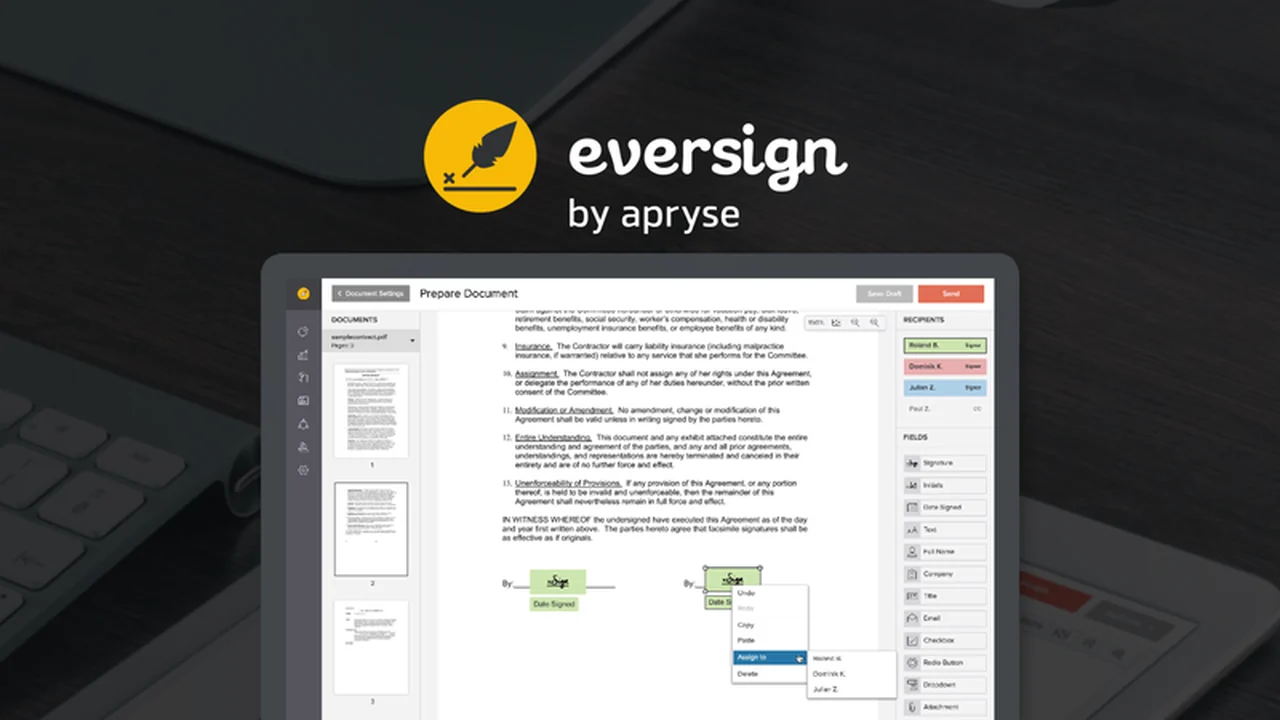
Eversign is a robust electronic signature platform built for professionals. It allows users to sign, send, and approve important documents with ease and convenience, acting as a dedicated assistant for your contract workflows.
Key Features
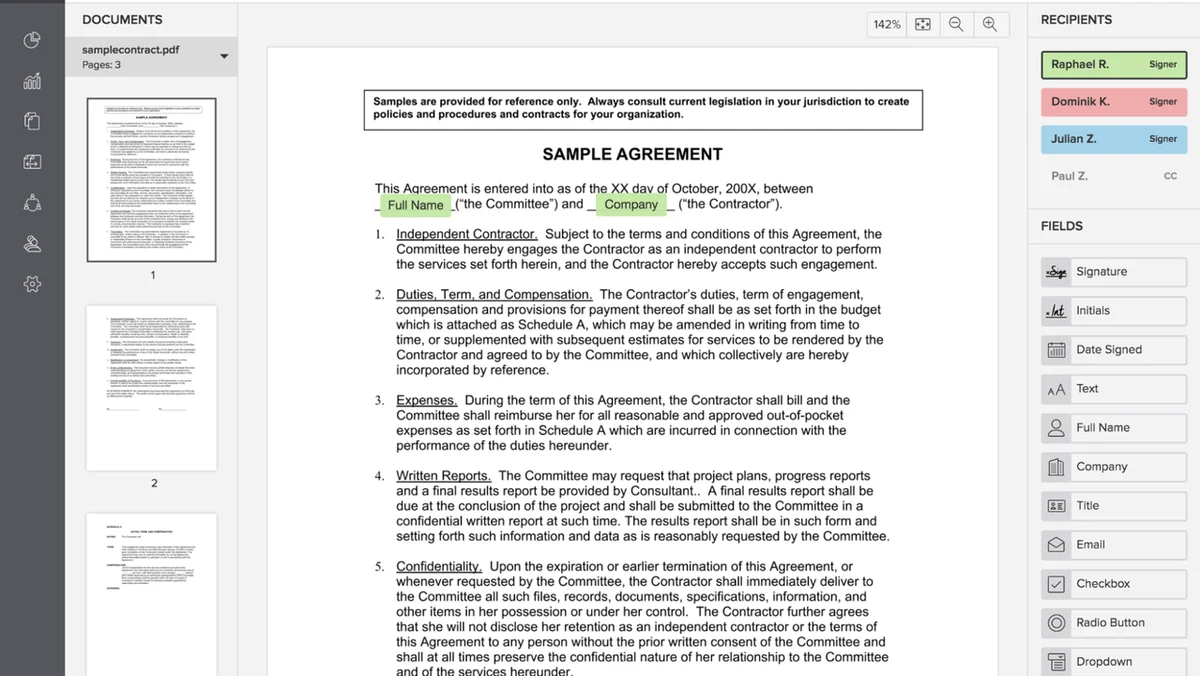
- Fully-featured document editor: Easily upload existing documents and intuitively drag-and-drop fields for names, job titles, and signatures. You can designate fields as required or optional, and even enable signers to upload necessary attachments.
- Multiple signing options: Offers flexibility with self-signing, in-person signing on any device, and remote signing capabilities, catering to diverse signing needs.
- Parallel and sequential signing: Supports adding multiple contacts as signers, allowing for both simultaneous approvals or a predefined signing order.
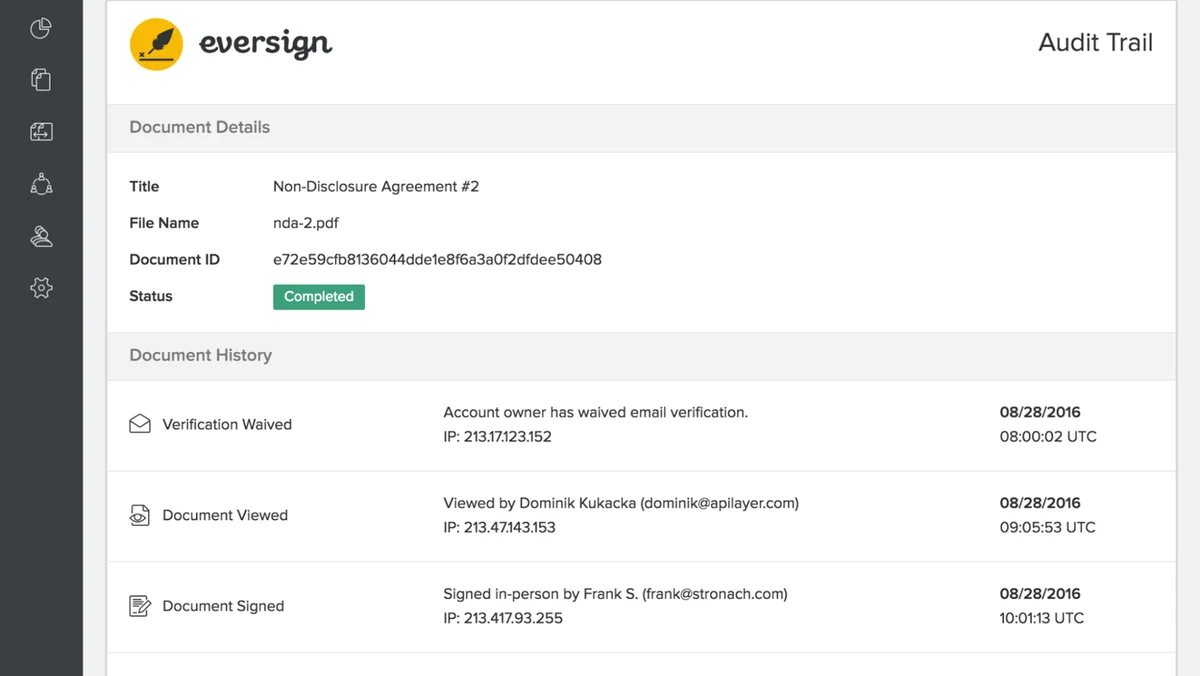
- Comprehensive audit trail: Maintains a detailed record of all documents, including each signer’s name, email, IP address, and timestamps, crucial for compliance and verification.
- Document templates: Enables cloning and reuse of past contracts, pre-filling them with custom text and essential elements to save time on recurring agreements.
- Team management: Facilitates collaboration by allowing teams to invite members, with options to add up to 25 users within your account’s businesses.
- Contact management: Helps manage frequent signers and contract renewals efficiently.
How It Works
Getting started with Eversign is designed to be straightforward. Upload your document to the platform’s clean editor. From there, you can precisely place signature fields, text boxes, and other necessary elements. You can then designate signers, set signing order if needed, and send the document out for electronic approval, all within a few simple steps.
Use Cases
- Sales: Streamline the signing of quotes, proposals, and service agreements.
- Human Resources: Simplify the onboarding process with employment contracts and policy acknowledgments.
- Legal: Expedite the signing of contracts, NDAs, and other legal documents.
- Real Estate: Facilitate the signing of leases, purchase agreements, and rental applications.
- Freelancers: Easily manage client contracts and project agreements.
Integrations & Compatibility
- Eversign integrates with various popular third-party applications to create a seamless workflow
- For example, connecting with Gmail allows you to sign contracts directly from your inbox, helping to prevent information silos and keep your processes moving.
Pricing & Value
Eversign provides a valuable service by significantly reducing the friction associated with document signing. The platform’s ability to automate and secure the signing process offers considerable time savings and improves overall business efficiency, making it a worthwhile investment.
Deal Details
The AppSumo deal for Eversign offers a significant opportunity to acquire this powerful tool. These deals are typically time-sensitive, so it’s advisable to act quickly to take advantage of the limited-time offers.
Quick Take
- Ideal for small businesses and professionals looking to speed up document workflows.
- Simplifies the signing process for contracts, agreements, and other important documents.
- Offers robust features for secure and compliant electronic signatures.
FAQs
How many team members can I add to Eversign?
You can add up to 25 team members across any businesses set up within your Eversign account.
What kind of audit trail does Eversign provide?
Eversign provides a complete audit trail with signer details, IP addresses, and timestamps for compliance.
Does Eversign offer document templates?
Yes, Eversign allows you to create and reuse document templates to streamline repetitive tasks.
Can I use Eversign for in-person signings?
Yes, Eversign supports in-person signing, allowing documents to be signed directly on a device.
What is the primary function of Eversign?
Eversign’s primary function is to enable users to sign, send, and approve important documents online securely and efficiently.
Final Thoughts
Eversign presents a compelling solution for anyone needing to manage document signatures efficiently and securely. Its user-friendly interface, comprehensive features, and integration capabilities make it a valuable asset for professionals and businesses aiming to streamline their contract processes and ensure compliance.