
Navigating audio and video content can often present communication hurdles, especially when dealing with multiple languages or fast-paced discussions.
This review explores a solution designed to streamline the process of capturing spoken words accurately and instantly, providing a clear understanding of what is being communicated.
What is One Transcriber – Transcribe anything in real time | AppSumo
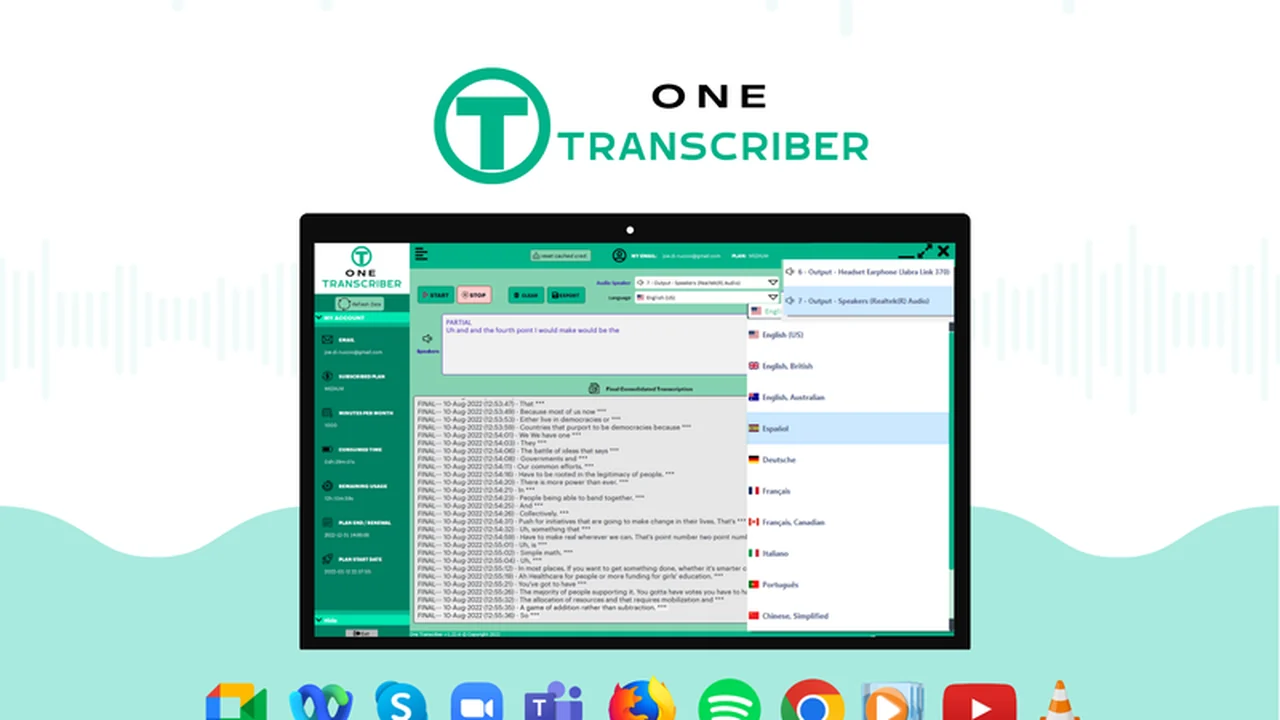
One Transcriber is a software application that offers real-time transcription capabilities for any audio or video playing on your computer. It utilizes AI-powered speech-to-text technology to convert spoken words into written text as they are being heard.
This tool aims to eliminate the delay associated with post-recording transcription, allowing users to immediately access written content from live events, meetings, or any media played through their PC’s audio output.
Key Features
- Real-Time Transcription: Captures and processes audio as it plays, providing live captions.
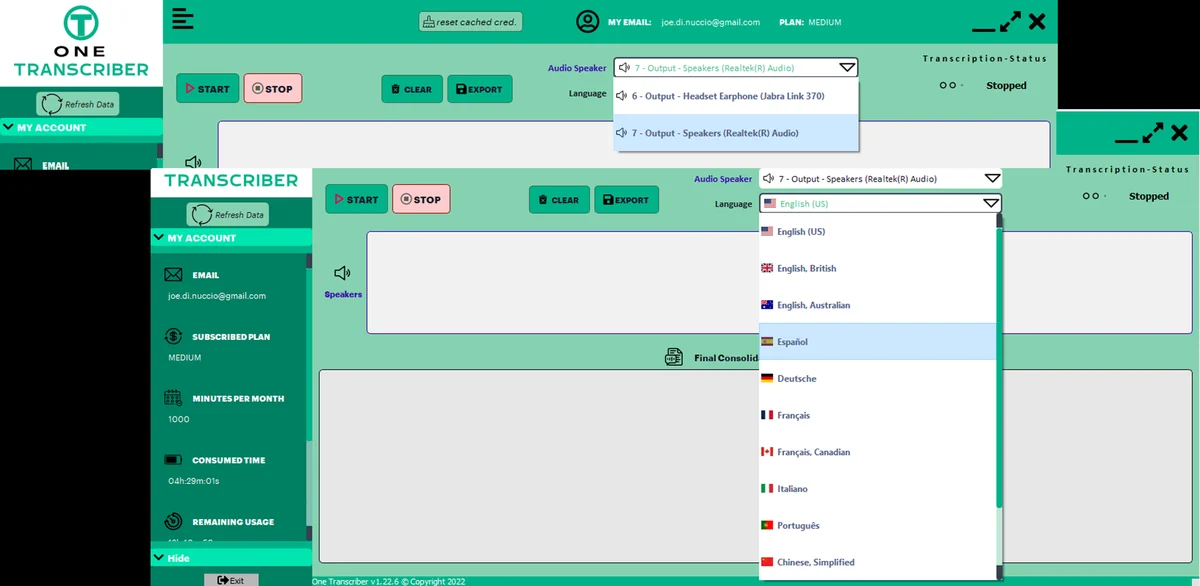
- Multilingual Support: Transcribes in 12 different languages, including French, German, Italian, Spanish, and Chinese.
- AI-Powered Accuracy: Leverages advanced speech-to-text algorithms for reliable transcriptions.
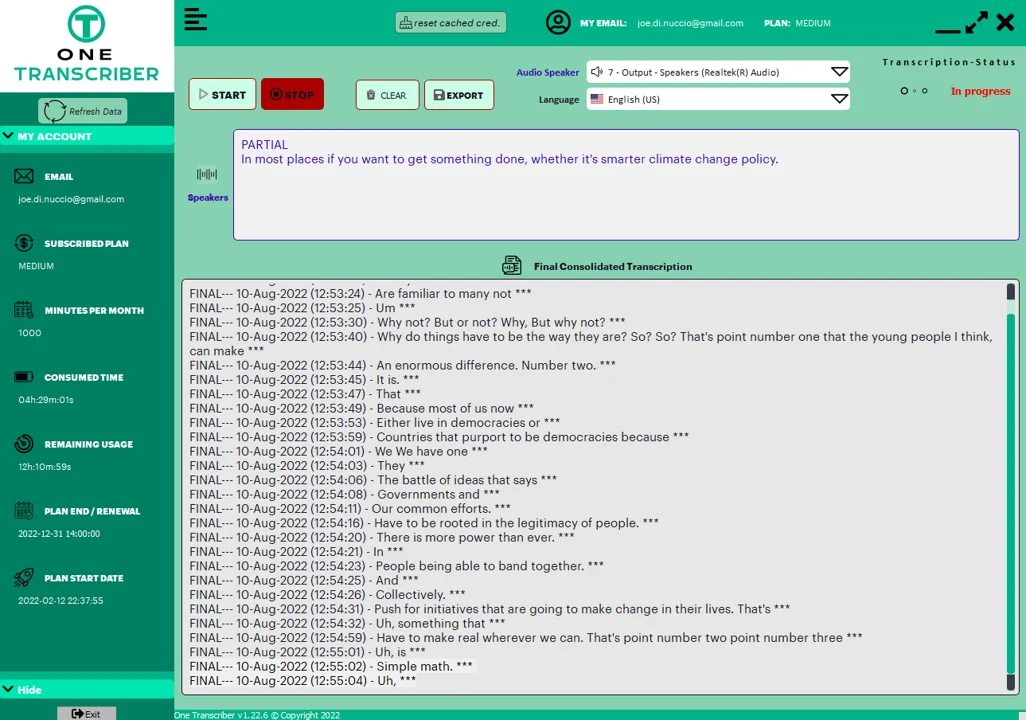
- Timestamp Integration: Final transcripts include accurate timestamps for easy reference.
- In-App Editing: Allows for corrections and modifications to transcripts during or after generation.
- Multiple Export Options: Transcripts can be saved directly or copied, with export options for TXT and DOC files.
- Wide Application Compatibility: Works with any application that outputs audio through the PC’s speakers.
How It Works
Using One Transcriber involves selecting the audio device from which to capture sound. The software then processes this audio in real-time, displaying partial transcripts in a ‘live box’ as they are generated.
Once the audio concludes, the complete transcript, complete with timestamps, appears in the ‘final box’. From this interface, users can edit inaccuracies, save the transcript, or copy it for use in other documents.
Use Cases
- Online Meetings: Generate live captions for virtual conferences and team discussions, ensuring no detail is missed.
- Language Learning: Transcribe lectures, dialogues, or lessons in foreign languages for improved comprehension and study.
- Content Creation: Capture dialogue from streaming videos, interviews, or online lessons for repurposing into articles or notes.
- International Communication: Facilitate understanding in calls or meetings with international clients or colleagues by transcribing in their native language.
- Accessibility: Provide a written record of audio content for those who are deaf or hard of hearing.
Integrations & Compatibility
- One Transcriber is designed to work with any application that plays audio through your PC’s output speakers
- This broad compatibility extends to web browsers like Chrome and Firefox, as well as communication platforms such as Skype, Microsoft Teams, and Zoom.
Pricing & Value
The value proposition of One Transcriber lies in its lifetime access offering, typically available through platforms like AppSumo. This model allows users to acquire the software with a single payment, providing ongoing access to its real-time transcription features.
Deal Details
The AppSumo deal for One Transcriber provides lifetime access to the software. This typically includes all features across all plans, offering continuous use without recurring subscription fees. A 60-day money-back guarantee is generally included, allowing users to test the software thoroughly.
Quick Take
- Ideal for professionals and students needing instant, accurate transcriptions of any PC audio.
- Beneficial for those working in multilingual environments or requiring easy note-taking from meetings and videos.
- Offers a cost-effective solution with a lifetime access model.
FAQs
Can I edit the transcripts?
Yes, you can edit transcripts both while they are being generated and after they are finalized.
How accurate are the transcriptions?
The software uses AI speech-to-text algorithms for accurate real-time transcriptions.
Does One Transcriber support multiple languages?
Yes, it supports transcription in 12 different languages.
Can One Transcriber transcribe live video calls?
Yes, it provides live captions for online meetings and video calls.
What is the primary function of One Transcriber?
It transcribes any audio playing on your PC in real time, even in multiple languages.
Final Thoughts
One Transcriber presents a compelling solution for individuals and businesses seeking efficient and accurate real-time transcription. Its ability to capture audio directly from PC output, coupled with multilingual support and user-friendly editing features, makes it a valuable tool for enhancing productivity and comprehension.
The lifetime access deal further solidifies its appeal, offering a long-term, cost-effective way to overcome audio transcription challenges across various applications and scenarios.