

Discover a powerful tool designed to streamline how you capture, organize, and utilize information from the web and PDF documents. This review delves into the capabilities of Snippet, exploring how it can elevate your research and reading workflow.
We’ll guide you through its core functionalities, practical applications, and the overall value it offers, particularly through its availability on AppSumo.
What is Snippet | AppSumo
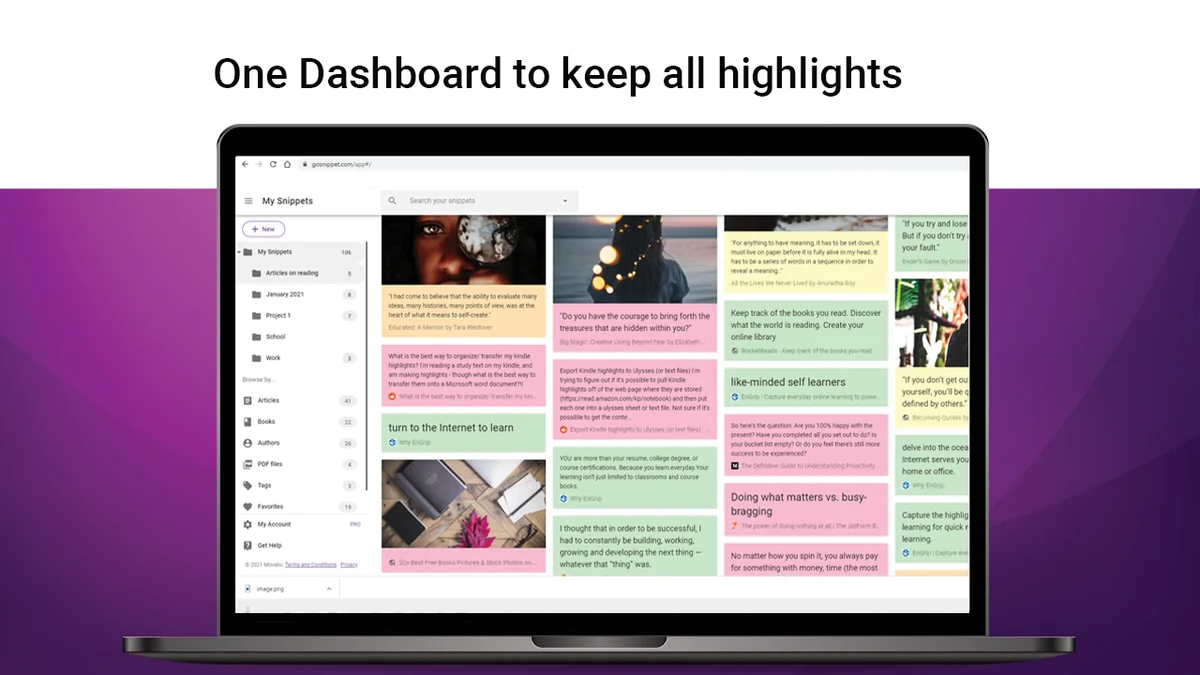
Snippet is a versatile annotation tool that allows users to highlight text and images across websites and PDF files. It acts as a central repository for all your captured snippets, making them instantly searchable and accessible from any device. The platform is built to support readers, researchers, and anyone who needs to keep track of important information.
Key Features
Snippet offers a robust set of features designed for efficient information management:
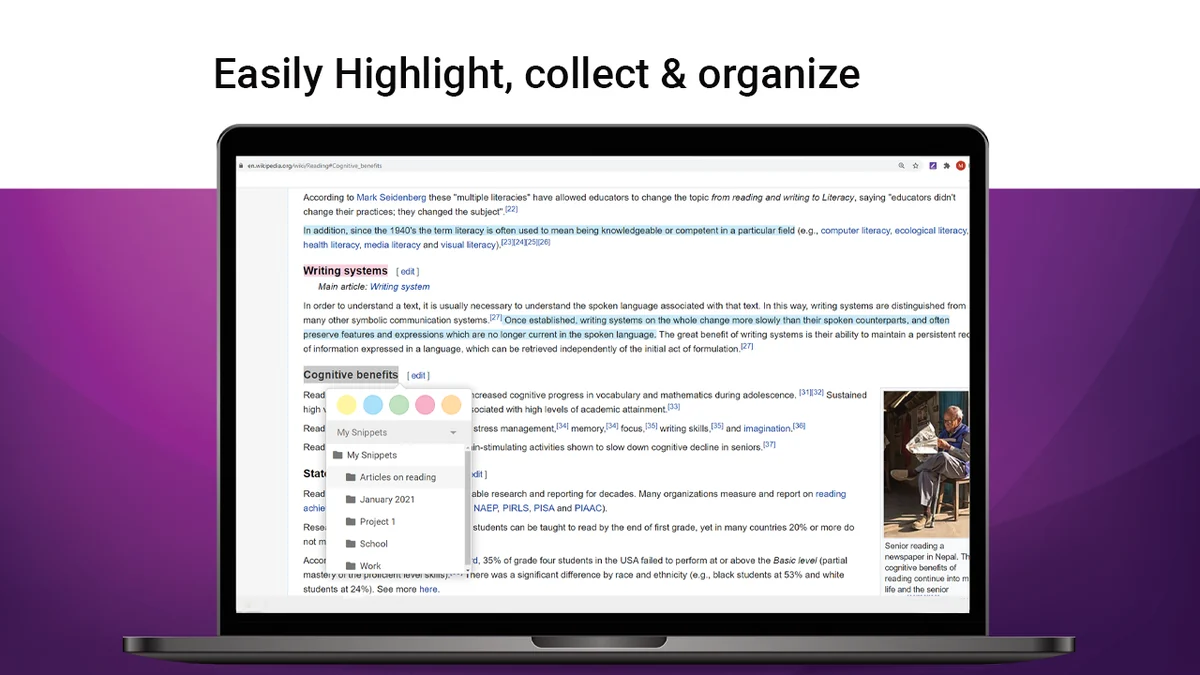
- Web Highlighting: Capture text and images directly from any webpage using the web extension.
- PDF Annotation: Select and highlight text within PDF documents, keeping your annotations in one place.
- Image Highlighting: Easily highlight and save important images, charts, or graphs from the web. You can also capture screen regions with screenshots.
- Tagging and Notes: Organize your highlights with custom tags and add detailed notes for context and structure.
- Kindle Integration: Import all your Kindle highlights and notes directly into Snippet for easy review and management.
- Cloud Synchronization: All your highlights are securely stored and synced in the cloud, ensuring accessibility and backup.
- Mobile App: Access and manage your snippets on the go with the available iOS mobile application.
- Export and Sharing: Download your highlights and notes in various formats like PDF, editable text files, and soon Word or Excel. You can also share individual snippets or collections via email or social media.
How It Works
Using Snippet is straightforward and intuitive. For web content, simply use your mouse to select text you wish to highlight. For images, you can click an “Add” button that appears or right-click and select “Add to Snippet.” For PDFs, the process is similar to web highlighting. Once captured, your snippets are automatically saved and organized within the Snippet platform, ready to be tagged, noted, and later searched or exported.
Use Cases
Snippet is ideal for a variety of users and scenarios:
- Students and Academics: Easily capture research material from online journals, articles, and e-books.
- Professional Researchers: Collect and organize data, insights, and key information for reports and projects.
- Book Lovers: Keep all your favorite passages and insights from physical books and Kindles in one accessible library.
- Content Creators: Gather inspiration, reference material, and key quotes for articles, presentations, or social media.
- Anyone who reads and learns online: A convenient way to save and revisit important information encountered daily.
Integrations & Compatibility
- Snippet supports seamless integration with your existing workflow
- The web extension works across major browsers
- Additionally, the platform is designed to connect with other productivity applications, with planned future integrations to services like Evernote and OneNote, enhancing its utility as a central information hub.
Pricing & Value
Snippet offers a compelling value proposition, especially through its AppSumo deal. The platform provides unlimited folders and subfolders for organization. Beyond the AppSumo offering, the tool is committed to continuous improvement based on user feedback, indicating a long-term vision for its development and feature set.
Deal Details
The Snippet | AppSumo deal provides access to the tool’s full capabilities. Codes must be redeemed within 60 days of purchase, and this particular deal is not stackable. This offers a cost-effective way to acquire a powerful annotation and organization system.
Quick Take
- Ideal for students, researchers, and avid readers who frequently extract information.
- Simplifies the process of saving, organizing, and retrieving highlights from web pages and PDFs.
- Offers a centralized and searchable knowledge base accessible from multiple devices.
FAQs
Is there a mobile version of Snippet?
Yes, Snippet offers a mobile app for iOS devices to access your annotations on the go.
What export options are available for my highlights?
Highlights can be downloaded as PDF or editable text files, with Word and Excel formats coming soon.
How are my highlights stored and backed up?
All your highlights are synchronized and backed up securely in the cloud.
Can I highlight images with Snippet?
Yes, you can highlight images by clicking an “Add” button or using the right-click context menu.
What is the main purpose of Snippet?
Snippet serves as a tool to annotate websites and PDFs, store Kindle highlights, and organize all captured information.
Final Thoughts
Snippet | AppSumo presents a robust and user-friendly solution for anyone looking to manage digital annotations effectively. Its ability to consolidate highlights from various sources into a single, searchable database is a significant advantage for productivity. The straightforward interface, coupled with powerful organization and export features, makes it a valuable asset for students, researchers, and information-savvy individuals. The AppSumo deal further enhances its appeal, offering substantial value for a comprehensive annotation tool.