
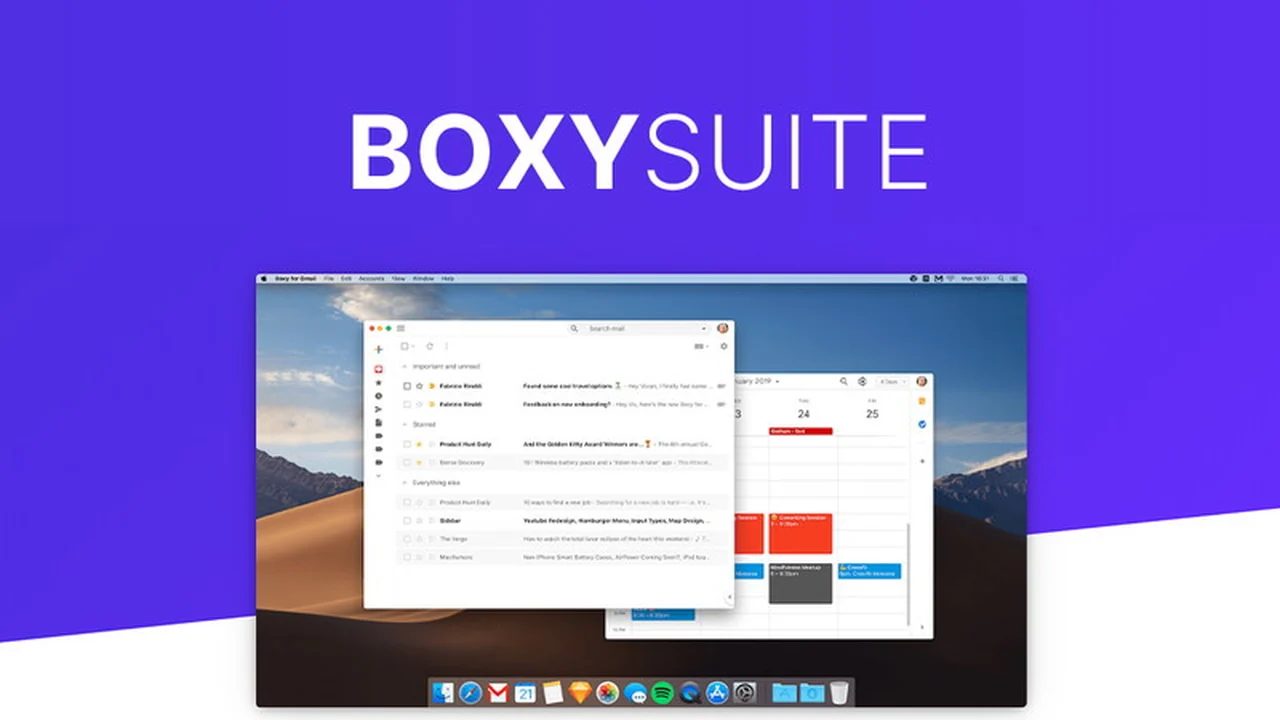
Are you constantly battling browser tab distractions when trying to manage your email and calendar? Staying focused on essential tasks can be a significant challenge in today’s digital world, often leading to decreased productivity.
This review delves into the Boxy Suite, a macOS application designed to provide a focused and efficient environment for your Gmail and Google Calendar activities, allowing you to reclaim your attention and optimize your workflow.
What is Boxy Suite | AppSumo
Boxy Suite is a collection of two dedicated macOS applications: one for Gmail and one for Google Calendar. It aims to replicate the familiar functionality and features of these Google services in a streamlined, distraction-free desktop environment. The goal is to offer a superior user experience compared to managing these services within a web browser, which often comes with numerous other tabs and potential interruptions.
Key Features
Boxy Suite distinguishes itself with several features designed to enhance user productivity:
- Dedicated Apps: Separate, single-purpose applications for Gmail and Google Calendar allow for quick launching and switching between tasks using native macOS shortcuts.
- Refined User Interface: Boxy Suite offers a clean and compact UI, with options for a ‘Dark Mode’ that complements macOS Mojave’s aesthetic, and a ‘Minimal Mode’ for an even cleaner look.
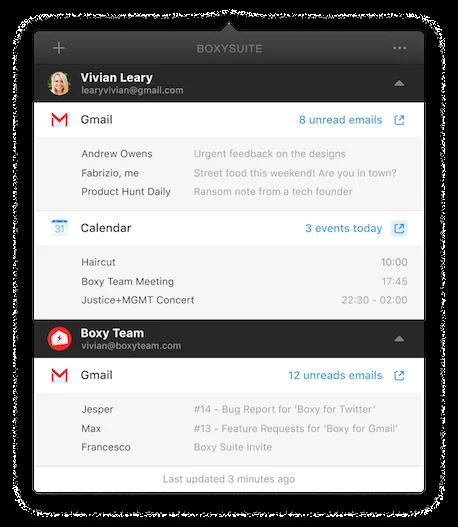
- Notification Hub/Dashboard: With a single click, users can access a consolidated view of their Gmail inbox and Google Calendar events across multiple linked accounts without needing to be logged into the web interface.
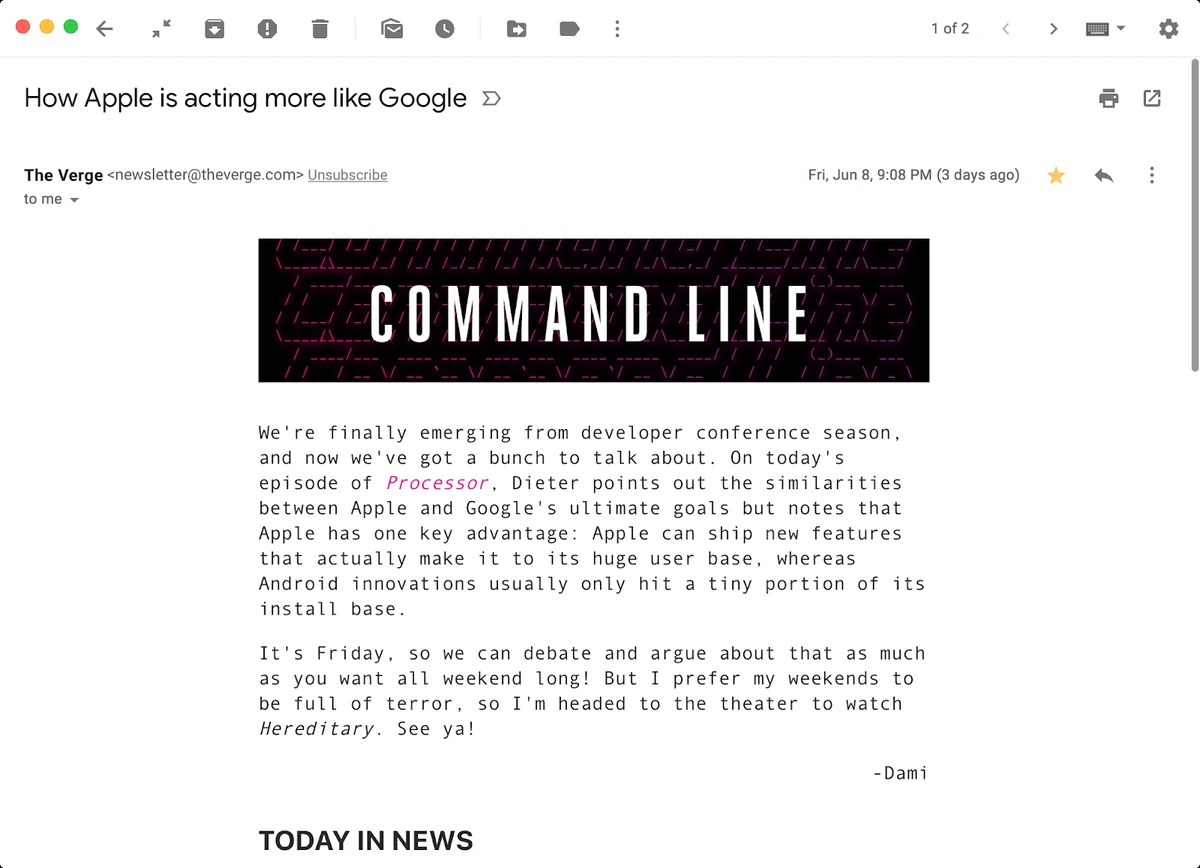
- Reader Mode: This feature provides a clutter-free interface specifically designed for reading newsletters and long-form emails, removing unnecessary visual noise.
- Attachment Handling: Users can quickly download or print email attachments directly from the application.
- Traditional Shortcuts: All your favorite Gmail keyboard shortcuts are supported within the Boxy Suite app, maintaining a familiar workflow.
- Lightweight Performance: Built on a custom native tech stack, these applications are designed to be memory-efficient, using less system resources than web-based alternatives.
How It Works
Upon installation, Boxy Suite prompts you to link your Google accounts. The applications then provide a dedicated interface for Gmail and Google Calendar, mirroring their core functionalities. You can manage emails, view your schedule, and interact with notifications as you would in the browser, but within a focused app. The integration of a notification hub allows for at-a-glance updates without needing to open the full applications, further minimizing context switching.
Use Cases
Boxy Suite is particularly beneficial for:
- Individuals seeking distraction-free work: Professionals and students who need to minimize interruptions from social media and other web content.
- Heavy Gmail and Google Calendar users: Those who rely on these Google services daily and want a more optimized and efficient desktop experience.
- Mac users who value native applications: Individuals who prefer the performance and integration of native macOS applications over web-based tools.
- Users managing multiple email accounts: The ability to quickly switch and view notifications from several accounts in one place streamlines management.
Integrations & Compatibility
- Boxy Suite is designed to work seamlessly with Gmail and Google Calendar
- While it aims to replicate the core functionality, users should verify specific integration support for third-party Gmail plugins or extensions directly within the Boxy Suite application, as some functionalities might operate differently than in a web browser environment.
Pricing & Value
The standard offering for Boxy Suite typically provides lifetime access to these dedicated applications. Considering the productivity gains from reduced distractions and a streamlined interface, the value proposition is centered on long-term efficiency for users of Gmail and Google Calendar.
Deal Details
The Boxy Suite is often available through special offers, such as on AppSumo. These deals typically provide a one-time purchase for lifetime access to the software, presenting a significant cost saving compared to ongoing subscription models. The current AppSumo deal is priced at $29.
Quick Take
- Ideal for Mac users wanting a focused Gmail and Google Calendar experience.
- Streamlines workflow by minimizing browser distractions.
- Offers a native, efficient alternative to web-based management.
FAQs
Is Boxy Suite available for Windows users?
Boxy Suite is exclusively designed for macOS users.
Can I view multiple Gmail accounts simultaneously in one view?
Boxy Suite allows linking multiple accounts for notification access, but a unified inbox view needs verification.
Are Gmail’s standard plugins compatible with Boxy Suite?
Users should confirm the compatibility of specific Gmail plugins within the Boxy Suite application.
Can I use the send later feature in Boxy Suite?
The availability of a ‘send later’ feature depends on its implementation within Boxy Suite.
Does Boxy Suite support Gmail plugins like Boomerang?
Specific integration with third-party plugins like Boomerang should be verified with the vendor.
Final Thoughts
Boxy Suite | AppSumo offers a compelling solution for Mac users looking to enhance their productivity by isolating Gmail and Google Calendar from the typical clutter of web browsers. Its native approach, combined with a clean interface and efficient performance, makes it a valuable tool for those who rely heavily on Google’s communication and scheduling services. The lifetime deal further solidifies its appeal as a long-term productivity investment.