
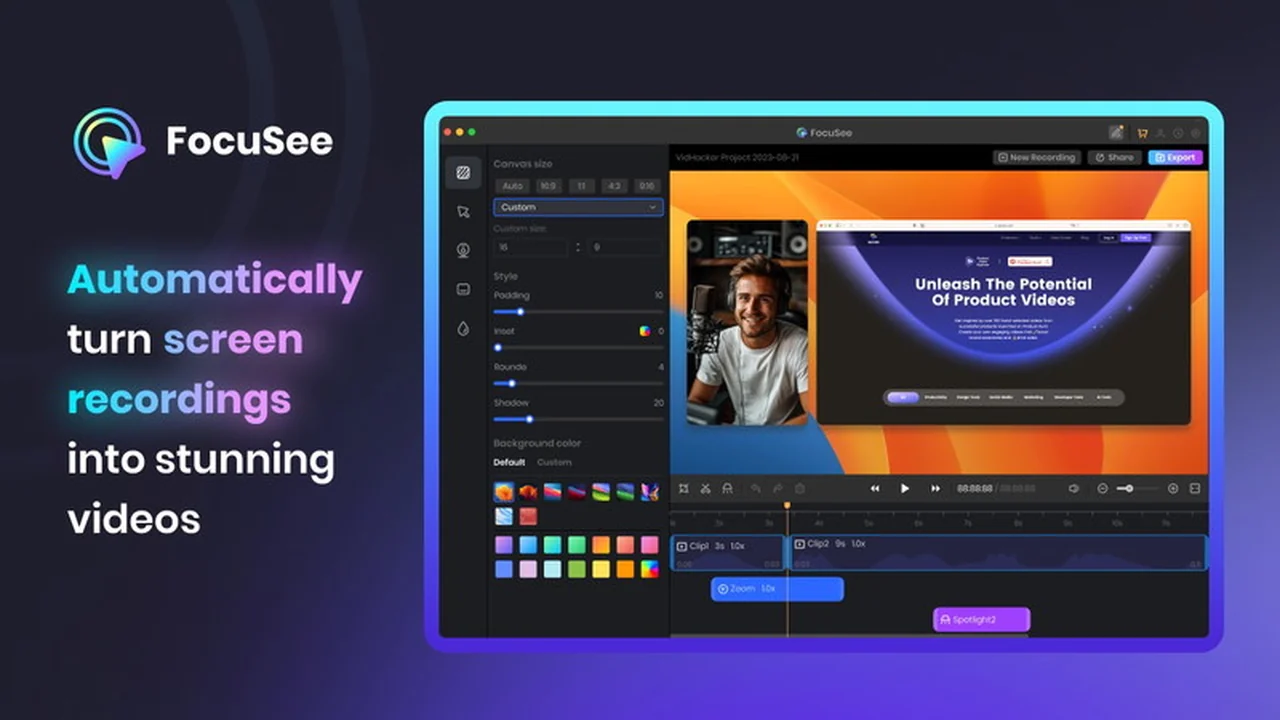
Struggling to turn your raw screen recordings into engaging videos? Many creators find themselves spending excessive time editing to make their content pop.
This review explores how FocuSee, available on AppSumo, automates this tedious process, helping you produce professional-looking videos quickly and efficiently. Discover if it’s the right tool for your content creation needs.
What is FocuSee | AppSumo
FocuSee is a powerful screen recording tool designed to simplify video creation. It transforms standard screen recordings into dynamic and visually appealing videos with minimal effort. The platform is built to assist individuals and businesses who may not have extensive video editing experience or the budget to hire professionals.
Its core functionality lies in its ability to automatically add engaging effects, such as pan and zoom, to your recordings. This ensures that viewers’ attention is drawn to the important elements on your screen, making your tutorials, demos, or promotional content more impactful.
Key Features
FocuSee offers a suite of features aimed at streamlining the video creation process and enhancing viewer engagement:
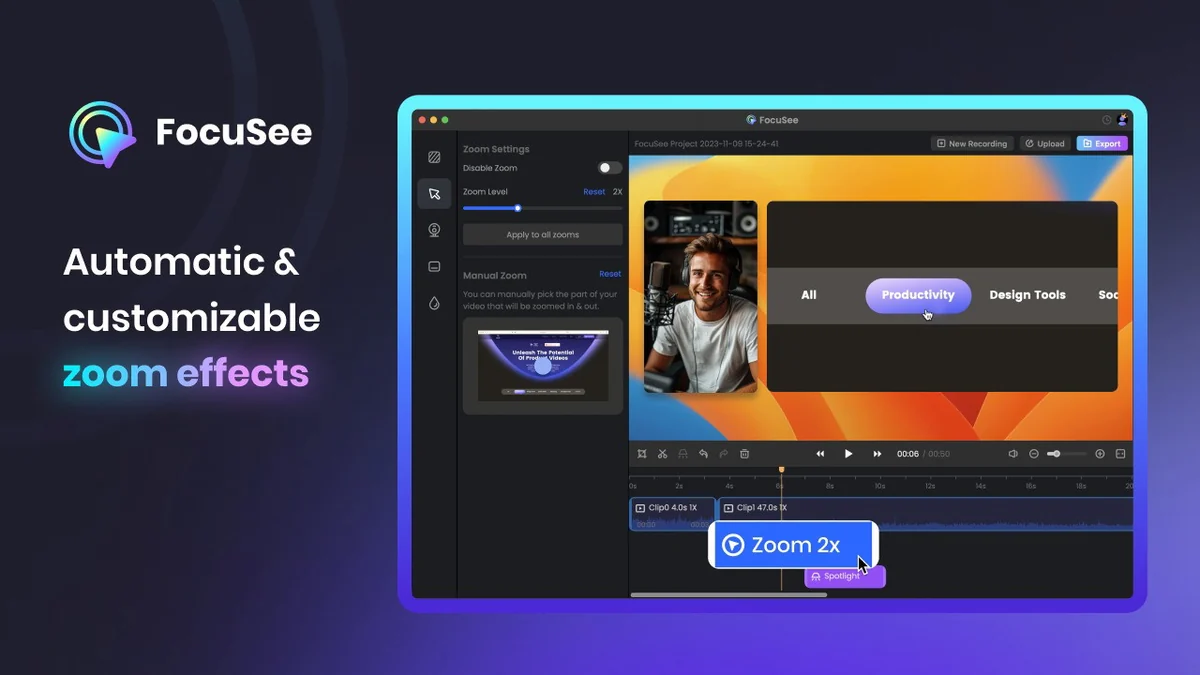
- Automatic Pan & Zoom: The software intelligently tracks mouse clicks during recording, automatically applying dynamic pan and zoom effects to highlight actions and keep viewers engaged. This effect can be customized or disabled as needed.
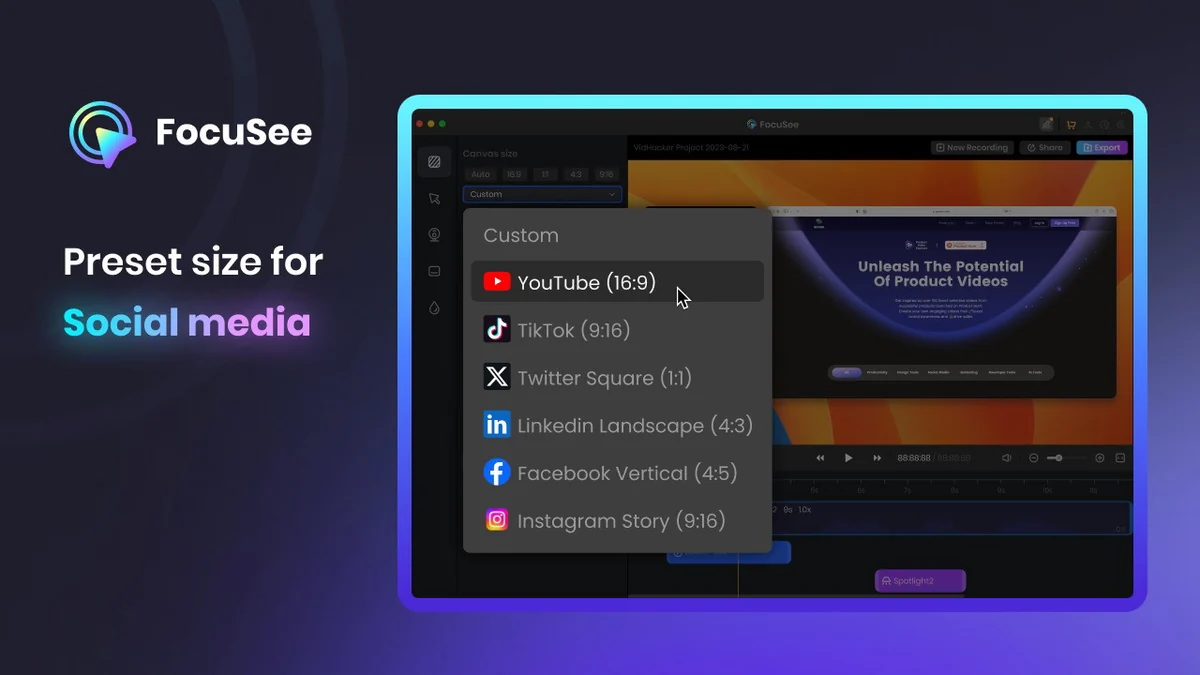
- Pre-set Canvas Sizes: Save time with a selection of canvas sizes optimized for various social media platforms, ensuring your videos are perfectly formatted for sharing on channels like YouTube, Facebook, or Instagram.
- Diverse Export Options: Export your finished videos in popular formats such as MP4 or GIF, with support for resolutions up to 4K, offering flexibility for different platforms and needs.
- Interactive Elements: Boost engagement by adding interactive elements directly into your videos, including quizzes and calls-to-action, encouraging viewer participation and driving desired outcomes.
- AI-Generated Auto-Captions: Enhance accessibility and comprehension with AI-powered captions that can be easily generated and edited, ensuring your content reaches a wider audience.
- Customization Options: Personalize your videos further by adding custom backgrounds and watermarks to maintain brand consistency and professional appearance.
How It Works
Using FocuSee is straightforward. Begin by recording your screen as you normally would. Once the recording is complete, FocuSee takes over the post-production by automatically analyzing the footage.
The software applies its signature automatic pan and zoom effects, focusing on areas where you clicked or interacted on the screen. You can then further refine the video by selecting appropriate canvas sizes for social media, adding captions, or integrating interactive elements before exporting it in your desired format.
Use Cases
FocuSee is versatile and can be a valuable asset for a wide range of users and purposes:
- Software Demonstrations: Clearly show users how to navigate and utilize software features with automatically highlighted actions.
- Educational Tutorials: Create engaging step-by-step guides for courses or training programs, ensuring all important steps are visible.
- Product Demos: Showcase product features and benefits in an attractive and easy-to-follow manner for sales and marketing efforts.
- Promotional Videos: Quickly produce dynamic videos for advertising campaigns or social media announcements.
- Online Course Creation: Streamline the process of creating video content for e-learning platforms, saving significant editing time.
Integrations & Compatibility
- FocuSee is designed for broad accessibility and works seamlessly on both Mac and Windows operating systems
- This cross-platform compatibility ensures that users on either major operating system can leverage its features without issue
- While specific third-party software integrations are not detailed, its export options in standard formats like MP4 and GIF allow for easy import into most video editing suites or content management systems if further customization is desired.
Pricing & Value
The value proposition of FocuSee is significantly amplified when considering its availability through AppSumo. Typically, video editing software with these automated features can come with a substantial recurring cost.
By offering a lifetime deal, FocuSee provides an opportunity to acquire a powerful video creation tool at a one-time price, making it an exceptionally cost-effective solution for individuals and small businesses looking to enhance their video content strategy without ongoing subscription fees.
Deal Details
The FocuSee deal on AppSumo offers a lifetime license to the software. This means you pay once and gain access to the core features and any future updates included in the purchased tier for as long as the product is supported.
As is standard with AppSumo offers, a 60-day money-back guarantee is typically provided. This allows ample time to test the software thoroughly and ensure it meets your expectations before the return period expires.
Quick Take
- Ideal for marketers, educators, and creators who need to produce polished screen recording videos quickly.
- Perfect for those who lack advanced video editing skills or want to save significant time on post-production.
- A valuable tool for creating tutorials, demos, and promotional content without the high cost of professional editing.
FAQs
Is FocuSee suitable for beginners?
FocuSee is designed for ease of use, making it suitable for beginners with minimal video editing experience.
What video formats can FocuSee export to?
FocuSee can export videos in MP4 and GIF formats, supporting up to 4K resolution.
Does FocuSee automatically add effects?
Yes, it automatically applies dynamic pan and zoom effects based on mouse clicks.
Can I use FocuSee on both Mac and Windows?
Yes, FocuSee is compatible with both Mac and Windows operating systems.
What is the primary benefit of using FocuSee?
FocuSee automatically transforms screen recordings into engaging videos, saving editing time.
Final Thoughts
FocuSee | AppSumo presents a compelling solution for anyone looking to elevate their screen recording content without a steep learning curve or significant financial investment. Its automated features, particularly the dynamic pan and zoom, are designed to captivate viewers and highlight key information effectively.
The combination of user-friendly operation, essential customization options, and broad compatibility makes it a practical choice for a variety of content creation needs. For those seeking to produce professional-quality screen-based videos efficiently, FocuSee is definitely worth considering.