
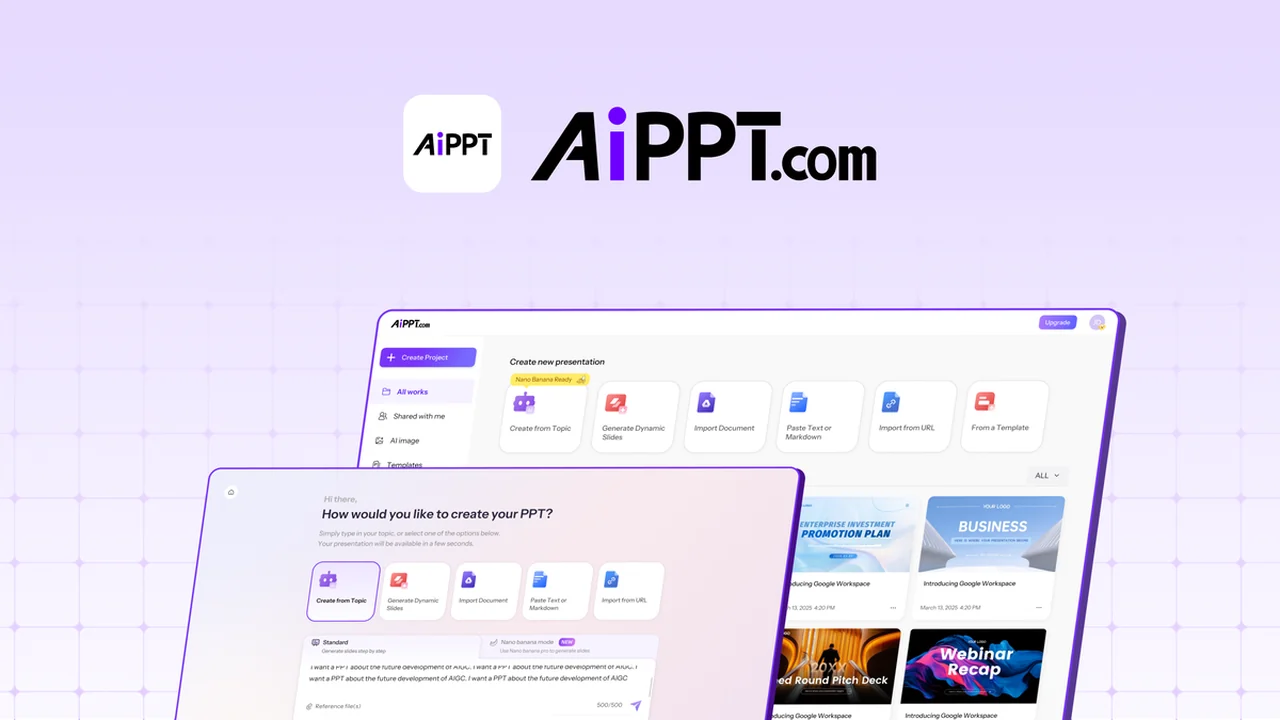
Building a presentation from scratch can often feel like a time-consuming hurdle, consuming valuable hours that could be better spent refining your message.
This review will explore how AiPPT addresses these challenges, offering a streamlined approach to transforming various content types into polished, ready-to-present slide decks.
What is AiPPT – Turn any content into polished slides | AppSumo
AiPPT is an AI-driven platform designed to automate the creation of professional slide decks. It aims to significantly reduce the time and effort required to build presentations by converting existing content, such as text, documents, or web URLs, into structured and editable slides. The tool focuses on providing an efficient solution for users who need to generate presentations quickly without sacrificing quality or design.
Key Features
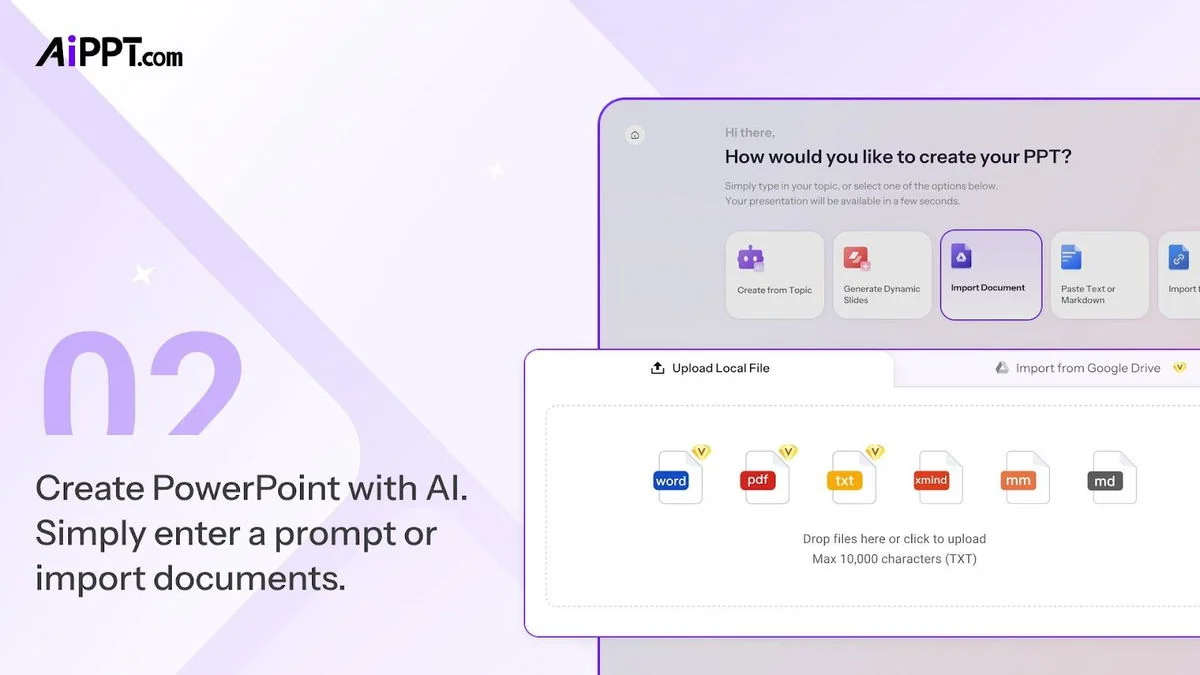
- Generate polished slides from content: Quickly create presentations from text, Word documents, PDFs, URLs, or Google Drive files.
- Editable slide decks: Modify layouts, swap templates, and refine content directly within the platform.
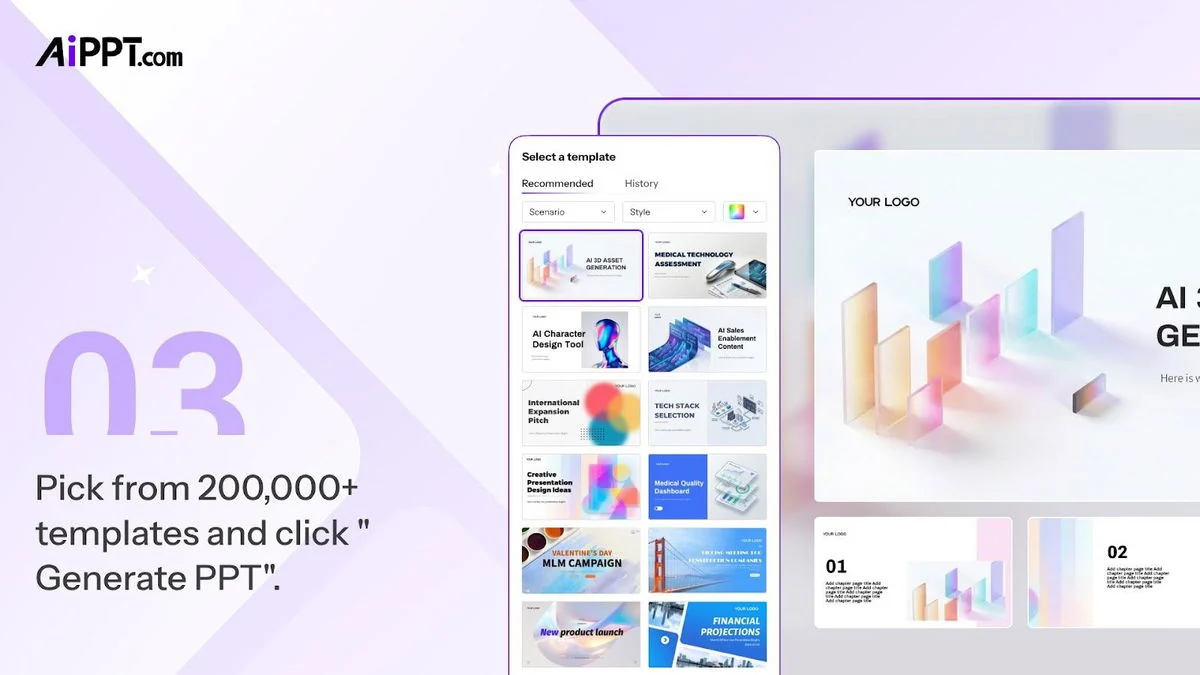
- Extensive template library: Access over 200,000 designer-made templates organized by various categories.
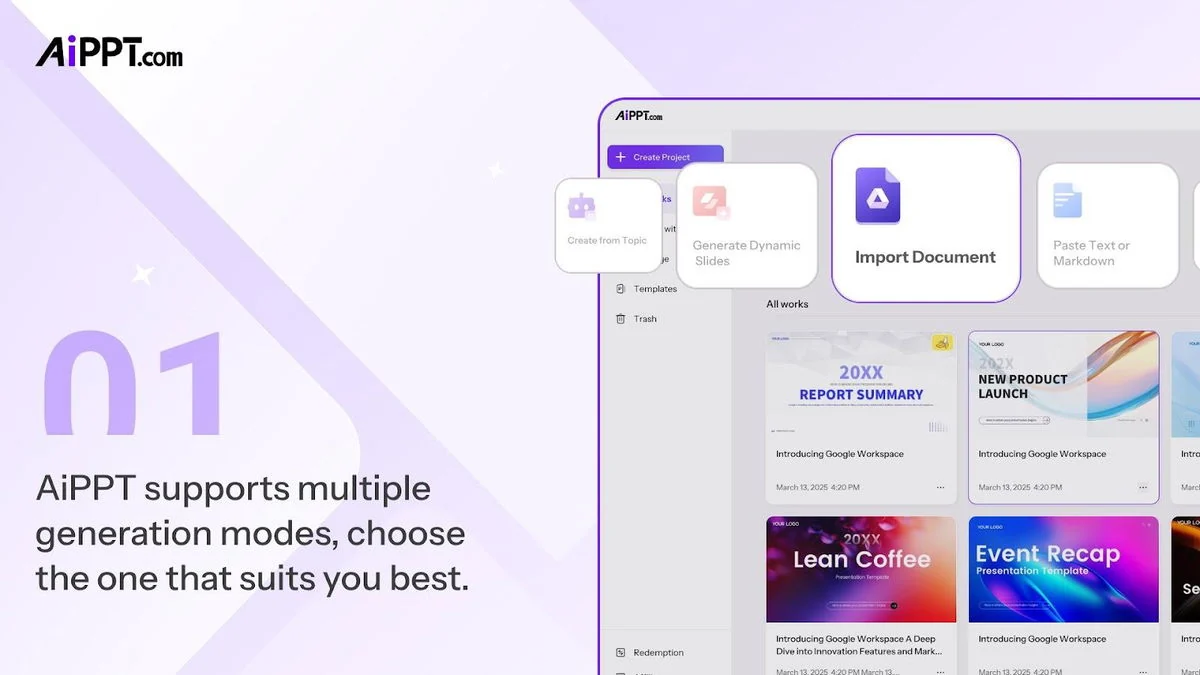
- Multiple generation modes: Choose to create presentations from text prompts, imported documents, or Markdown.
- Direct URL conversion: Turn any webpage into a structured presentation in mere seconds.
- Flexible editing tools: Edit text, layouts, backgrounds, images, tables, and charts with ease.
- Easy template swapping: Change templates with a single click after generation without needing to rebuild your deck.
How It Works
Using AiPPT is designed to be straightforward. Users can begin by selecting their preferred input method, whether it’s typing a topic for AI to generate an outline and slides, uploading a document (Word, PDF, TXT), pasting Markdown, or providing a URL. The AI then processes this input, structuring the information into individual slides. Following the initial generation, users have the flexibility to edit text, adjust layouts, swap out templates from a vast library, and modify visual elements like images and charts. The platform also allows for the addition of more AI-generated slides or the replacement of existing ones using the built-in editing tools.
Use Cases
- Business presentations: Quickly create sales pitches, financial reports, or internal company updates.
- Consultant deliverables: Generate client-ready presentations and analysis decks efficiently.
- Marketing materials: Develop product showcases, campaign summaries, or strategy overviews.
- Educational content: Build lecture slides, study guides, or research presentations.
- Project proposals: Formulate clear and visually appealing proposals for new initiatives.
Integrations & Compatibility
- AiPPT allows direct import from Google Drive, enabling users to pull content from Google Docs and Slides
- The platform supports exporting presentations in common formats, including PPTX, PDF, and various image files, ensuring compatibility with most presentation software and workflows.
Pricing & Value
AiPPT offers various tiers that cater to different user needs, with pricing typically ranging from options around $99 to $399 for lifetime access or substantial feature sets. These plans often include access to all future updates, providing ongoing value. The AppSumo deal, in particular, presents an opportunity to acquire a lifetime license or extended access at a significantly reduced one-time cost compared to standard subscription models.
Deal Details
The AppSumo deal for AiPPT is exclusively for new users, meaning individuals who have not previously created an account, participated in a trial, or made a paid purchase with the partner. Licenses should be activated within 60 days of purchase. While upgrades are permissible during the deal period, downgrades can only be processed within 60 days of the initial purchase. It’s important to note that access to future AI models might come at a discounted rate or require an additional add-on.
Quick Take
- Ideal for busy professionals, consultants, and marketers seeking to save time on presentation creation.
- Streamlines the process of turning raw content into visually appealing slide decks with AI assistance.
- Offers a comprehensive solution for rapid, high-quality presentation development.
FAQs
Is this deal available for existing AiPPT users?
No, this deal is exclusively for brand-new AiPPT users.
What file formats can I export my presentation in?
Presentations can be exported as PPTX, PDF, or image files.
How many templates does AiPPT offer?
AiPPT provides access to over 200,000 designer-made templates.
Can I edit the slides generated by AiPPT?
Yes, you can edit text, layouts, images, and other elements within the AiPPT editor.
What types of content can AiPPT convert into slides?
AiPPT can convert text, Word documents, PDFs, URLs, and Google Drive files into slides.
Final Thoughts
AiPPT presents a compelling solution for anyone looking to accelerate their presentation creation process. By leveraging AI to transform various forms of content into structured, editable slides, it effectively removes many of the common bottlenecks associated with presentation design. The extensive template library and flexible editing tools further enhance its utility, allowing users to tailor their decks to specific needs and brand aesthetics. For individuals and teams aiming to produce professional presentations efficiently, AiPPT offers a significant advantage, enabling a greater focus on delivering impactful messages rather than getting bogged down in formatting.