
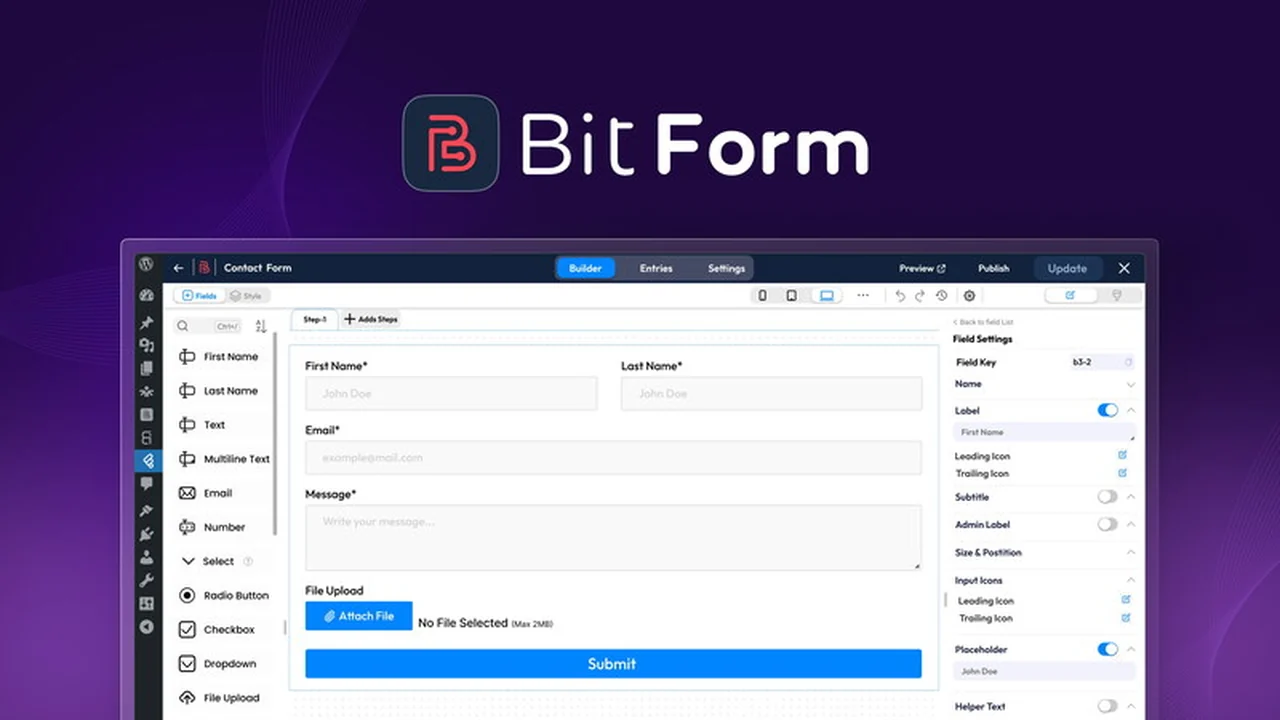
Creating forms for your WordPress website can often feel like a technical hurdle. Navigating complex options and wrestling with clunky interfaces shouldn’t be the norm.
This review explores Bit Form – WordPress Form Builder Plugin, a solution designed to simplify form creation, offering robust functionality without requiring developer expertise, and examines its value as presented on AppSumo.
What is Bit Form – WordPress Form Builder Plugin | AppSumo
Bit Form is presented as a powerful yet user-friendly WordPress form builder plugin. Its core promise is to enable users to create professional, highly customizable forms with a simple drag-and-drop interface. The aim is to eliminate the common frustrations associated with form creation, such as formatting issues and the need for coding knowledge, making it accessible to a wide range of WordPress users.
Key Features
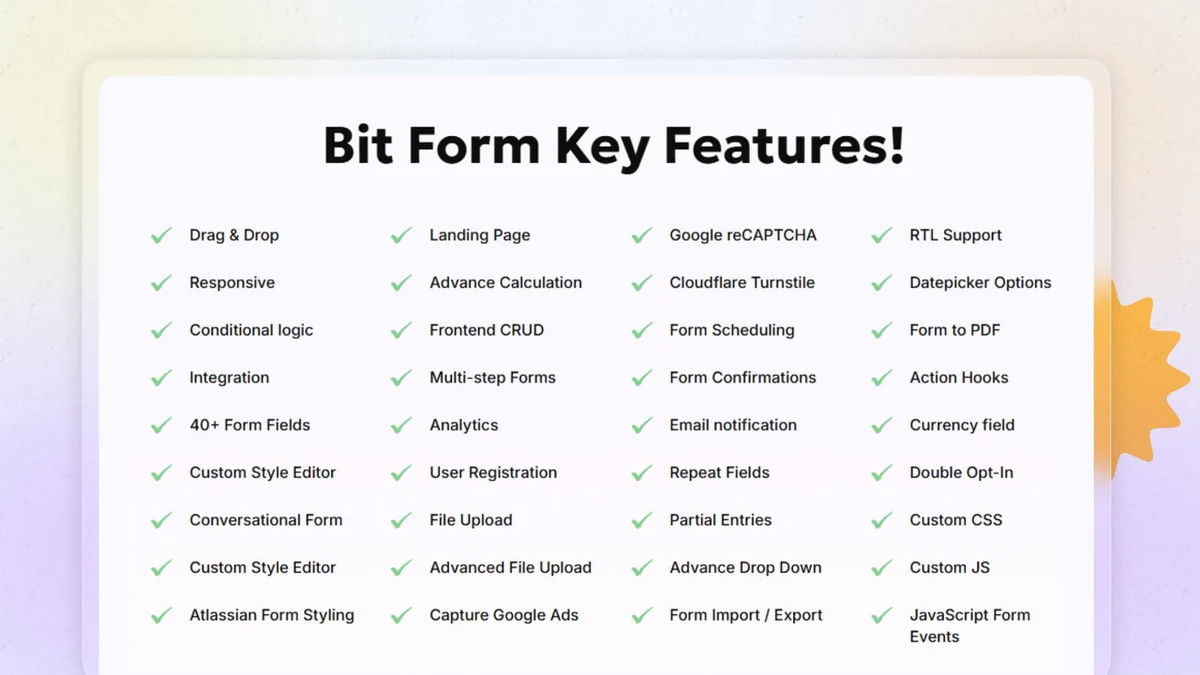
Bit Form offers a comprehensive suite of features designed for both ease of use and advanced functionality:
- Drag & Drop Form Builder: An intuitive and rapid interface for designing forms visually.
- 30+ Integrations: Connects with popular services like Mailchimp, Google Sheets, and Discord, among others.
- Conditional Logic: Build dynamic and intelligent forms that adapt based on user input.
- Multi-step Forms: Break down longer submissions into manageable steps for a better user experience.
- Conversational Forms: Engage users with a chat-like form interface.
- Calculations: Implement dynamic calculations within your forms.
- Built-in SMTP: Manage email sending directly from the plugin.
- Frontend CRUD: Allows for creation, reading, updating, and deletion of data directly from the frontend.
- Analytics: Gain insights into form performance and submissions.
- IP Control: Manage access and submissions based on IP addresses.
- Visual Style Editor: Customize the appearance of your forms with ease, from button colors to field spacing.
How It Works
Using Bit Form involves a straightforward process. You start by selecting a template or creating a new form from scratch. The drag-and-drop interface allows you to add various field types, such as text inputs, dropdowns, checkboxes, and more, directly onto your form canvas. You can then configure each field, set validation rules, and implement conditional logic to control which fields appear based on user selections. The plugin also provides options for styling your forms using a visual editor, ensuring they match your website’s design. Finally, you can integrate the form with other services and embed it on your WordPress pages.
Use Cases
Bit Form is versatile and can be used for a wide array of purposes on a WordPress website:
- Lead generation forms to capture visitor contact information.
- Contact forms for customer inquiries.
- Survey forms to gather feedback from your audience.
- Order forms for simple product sales.
- Application forms for jobs or programs.
- Event registration forms.
- Feedback and suggestion boxes.
- Quizzes and assessments.
Integrations & Compatibility
- Bit Form boasts over 30 integrations, aiming to connect seamlessly with your existing workflow
- This includes popular marketing automation tools, CRM systems, and productivity suites
- The plugin also offers built-in compatibility with all popular WordPress page builders, allowing it to fit effortlessly into your current website setup without causing conflicts.
Pricing & Value
The value proposition of Bit Form is significantly enhanced by its availability on AppSumo. Traditionally, advanced form builder features can come with substantial recurring costs, often ranging from hundreds to thousands of dollars annually for premium plans with extensive functionality. AppSumo offers lifetime deals for Bit Form, providing access to its features for a one-time payment. While specific pricing on AppSumo fluctuates, past deals have been seen in the range of $79 to $499 for various tiers of lifetime access, representing a substantial saving compared to subscription models that can cost $251 or $158 annually for comparable features from other providers.
Deal Details
The Bit Form – WordPress Form Builder Plugin deal on AppSumo typically provides lifetime access to the plugin, often including future updates. These deals are time-sensitive and are part of AppSumo’s model of offering limited-time opportunities. A 60-day money-back guarantee is usually included, allowing users to test the plugin risk-free to ensure it meets their needs.
Quick Take
- Ideal for WordPress users seeking a no-code, intuitive form building solution.
- Perfect for those who need a wide range of integrations and advanced features like conditional logic.
- A strong value proposition for individuals and businesses looking for a cost-effective lifetime license.

FAQs
What kind of support does Bit Form offer?
Bit Form provides support to assist users with their queries.
Is there a money-back guarantee for Bit Form?
Yes, a 60-day money-back guarantee is typically provided.
Can I integrate Bit Form with Google Sheets?
Yes, Google Sheets is one of the 30+ integrations offered.
Does Bit Form support multi-step forms?
Yes, the plugin allows for the creation of multi-step forms.
Is Bit Form easy to use for beginners?
Yes, Bit Form features a drag-and-drop interface designed for ease of use.
Final Thoughts
Bit Form – WordPress Form Builder Plugin | AppSumo presents a compelling case for anyone looking to enhance their WordPress site with powerful, yet easy-to-manage forms. The combination of a user-friendly drag-and-drop builder, extensive features, and a wide array of integrations addresses many common pain points in form creation. The AppSumo deal further amplifies its appeal, offering significant value through a lifetime license. While minor styling or submission issues might arise for some users, the overall sentiment points to a robust and reliable solution, especially with the added benefit of a money-back guarantee for testing.