
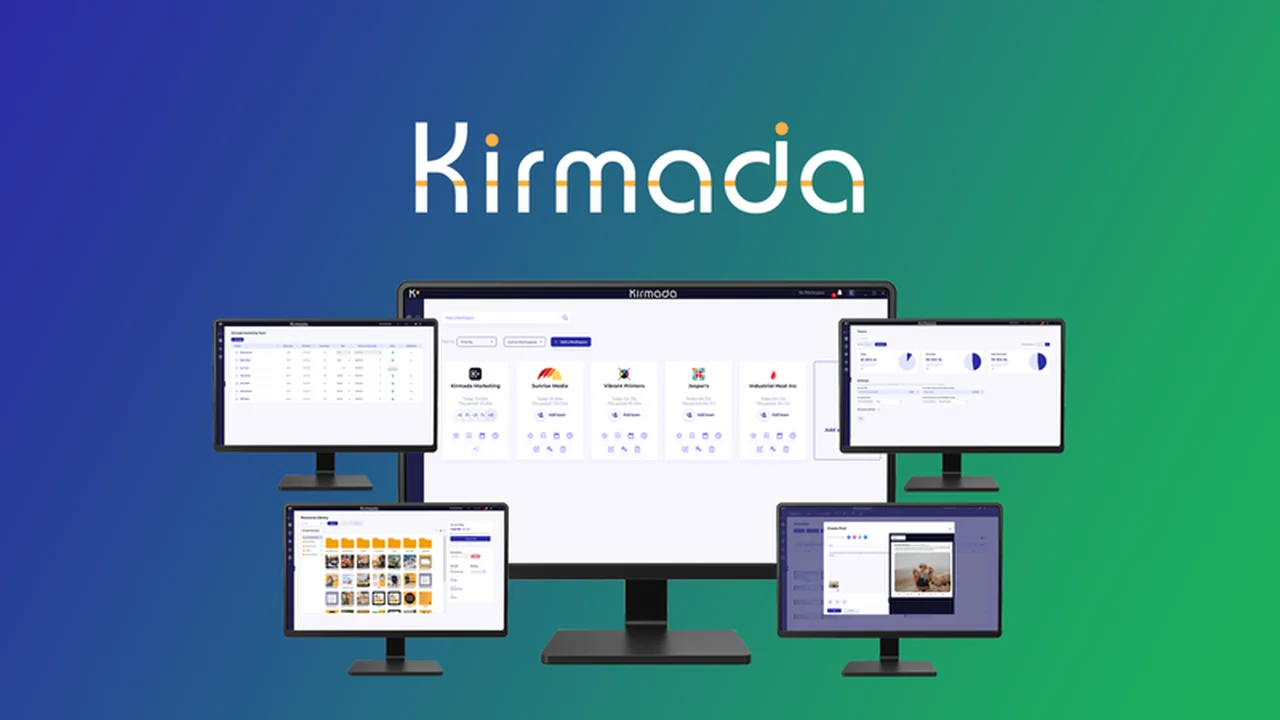
Managing multiple projects and accurately tracking billable hours can be a constant challenge, especially when juggling numerous browser tabs and applications. This review dives deep into a solution designed to bring order and efficiency to your workflow.
Discover how Kirmada can help you stay focused, improve billing accuracy, and keep all your project-related assets organized in one centralized platform.
What is Kirmada – Organize projects and track timesheets | AppSumo
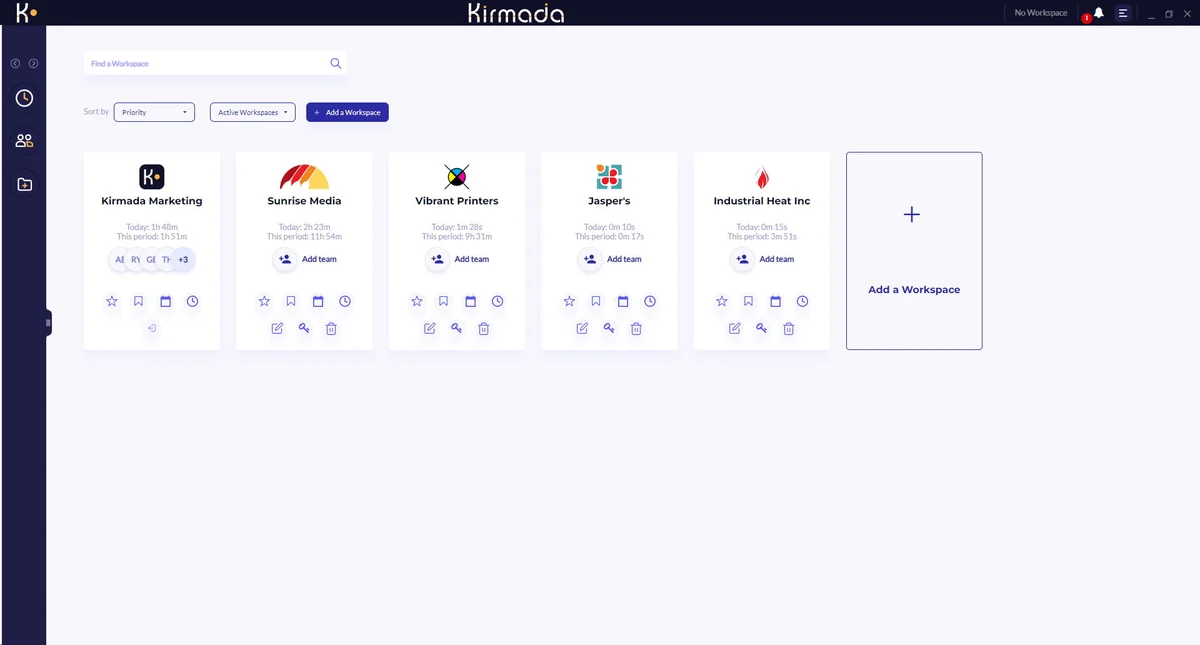
Kirmada is a browser-based productivity tool aimed at freelancers and small agencies looking to enhance their project management and time tracking capabilities. It provides dedicated environments, called Workspaces, for each client or project, allowing users to keep all relevant tabs, files, and tasks contained and easily accessible.
Key Features
- Dedicated Workspaces: Organize clients and projects into separate browser environments, ensuring only relevant tabs and information are visible for focused work.
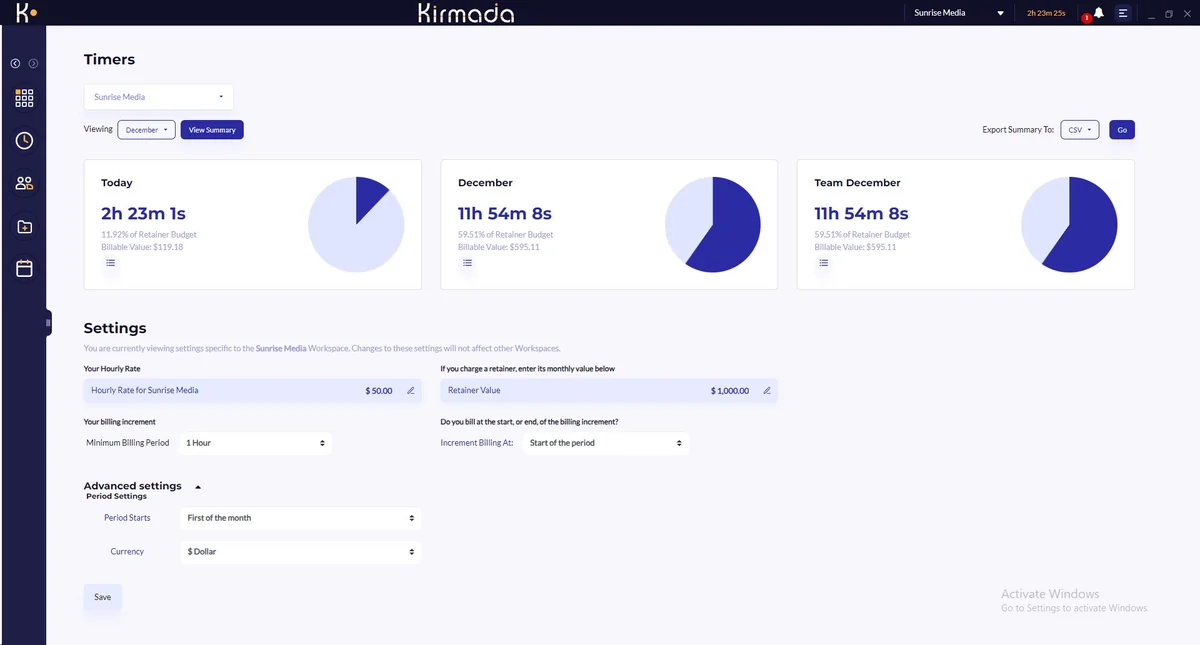
- Automatic Timesheets: Kirmada automatically starts and stops timers within Workspaces to accurately track billable hours, reducing the risk of lost revenue.
- Notes and Session Tracking: Add notes to time sessions for detailed record-keeping, useful for client reporting or internal review.
- Cloud Storage: Each user account includes dedicated cloud storage for Workspaces, keeping project assets organized and accessible.
- Calendar and Task Management: Integrated calendar allows for adding tasks and notes, ensuring important deadlines and activities are not missed.
- Social Media Scheduler: A built-in tool for creating and scheduling social media posts, beneficial for digital marketing tasks.
- Team Sharing: Workspaces can be shared with team members or contractors, providing controlled access to files, accounts, and calendar entries.
- Basic Image Editor: Includes a simple image editing tool directly within the Workspace.
How It Works
Kirmada functions by creating distinct Workspaces for each of your clients or projects. When you open a Workspace, it populates your browser with only the necessary tabs, links, and files pertinent to that specific client. The tool then automatically begins tracking the time spent within that Workspace. Switching between clients or projects is streamlined, requiring just a couple of clicks, and the timer adjusts accordingly to reflect the change in billable activity.
Use Cases
- Freelancers managing multiple client projects simultaneously.
- Small agencies needing to organize workflows for different clients or internal departments.
- Digital marketers who require a centralized hub for social media scheduling, content creation, and client communication.
- Anyone looking to improve focus by minimizing browser tab clutter and distractions.
- Businesses that bill clients hourly and need precise time tracking without manual input.
Pricing & Value
Kirmada is presented as a lifetime deal on AppSumo, offering significant value compared to traditional subscription models. The bundle provides access to all features typically found in various subscription tiers, which for similar tools could amount to hundreds of dollars annually or even exceed $500 for comprehensive enterprise solutions. This lifetime access model suggests a one-time investment for ongoing use of the platform’s core functionalities.
Deal Details
The current offering on AppSumo provides lifetime access to Kirmada. This typically includes all future updates to the core product. A 60-day money-back guarantee is also included, allowing users ample time to evaluate the software and ensure it meets their needs before the return period expires.
Quick Take
- Ideal for freelancers and small agencies seeking better project organization.
- Automates timesheet tracking to prevent billable hours from slipping through the cracks.
- Offers a streamlined way to manage multiple clients and projects without overwhelming browser tab usage.
FAQs
What kind of support is available for Kirmada?
Support is typically provided via email or through a dedicated support portal.
Is there any storage included with Kirmada?
Yes, each user account includes 10GB of dedicated cloud storage.
Can I share project information with team members using Kirmada?
Yes, you can share Workspaces with your team or contractors.
Does Kirmada require manual starting and stopping of timers?
No, Kirmada automatically tracks your time within each project Workspace.
What is the primary benefit of Kirmada’s Workspaces?
Workspaces help you focus by isolating all necessary tabs and resources for a single project.
Final Thoughts
For professionals and teams struggling with the disorganization and time loss associated with managing multiple projects in a standard browser, Kirmada presents a compelling solution. Its focus on dedicated Workspaces, automatic timesheet generation, and integrated task management addresses key pain points in productivity and billing. The lifetime deal structure further enhances its appeal, offering a cost-effective way to implement a robust project organization and time-tracking system.