
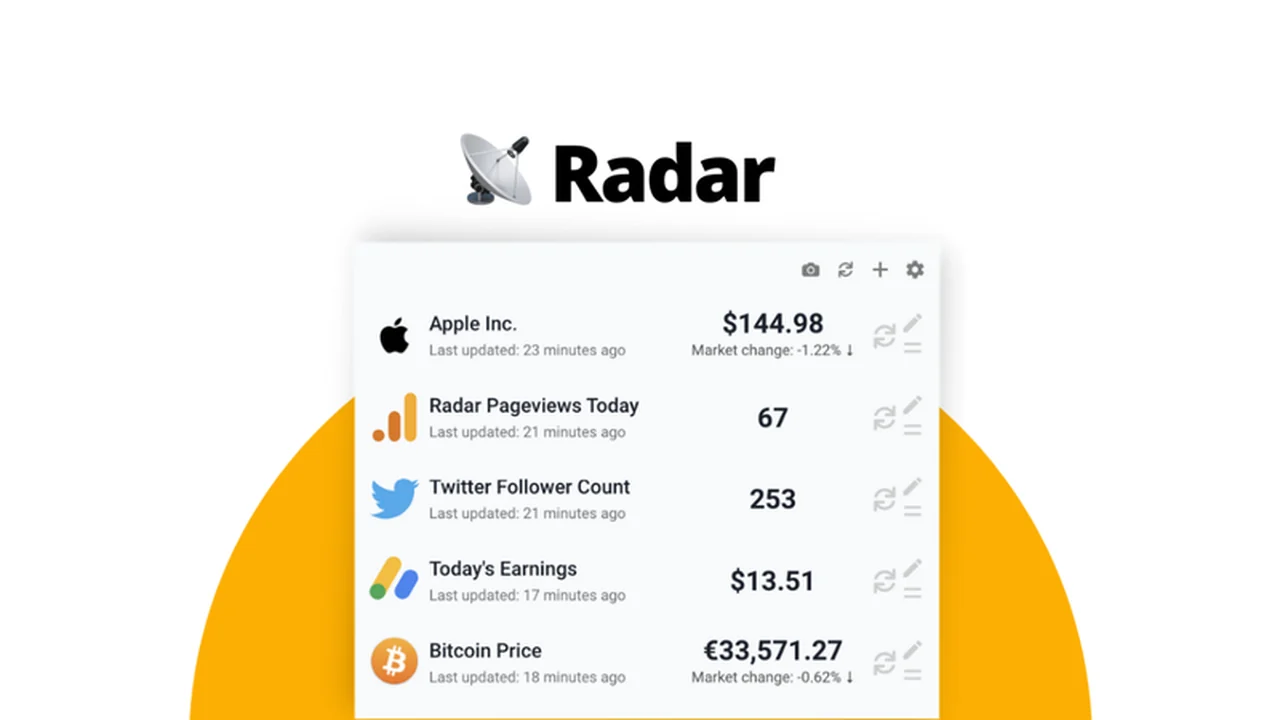
Tired of constantly switching between browser tabs to check essential metrics? Keeping up with crucial data across multiple applications can be a drain on productivity.
This review dives deep into Radar, a powerful tool designed to bring your most important information directly to your menubar, offering real-time analytics and customizable alerts without the constant context switching.
What is Radar | AppSumo
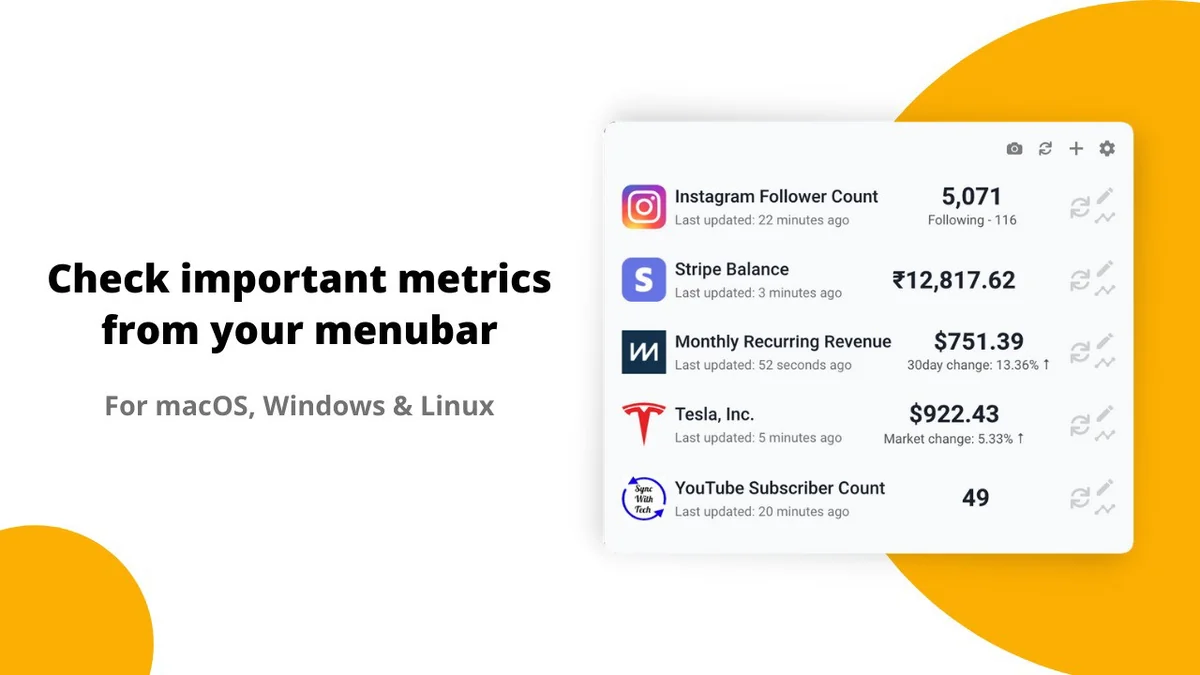
Radar is a desktop application for macOS, Windows, and Linux that allows users to track vital metrics and receive timely alerts directly from their menubar. It’s built with privacy in mind, ensuring your data stays on your device and eliminating the need for external accounts or cloud services.
Key Features
Radar offers a robust set of features designed to keep you informed at a glance:
- Menubar Analytics: Display key metrics directly in your system’s menubar for immediate visibility.
- Customizable Alerts: Set specific thresholds to receive desktop notifications when your data reaches important values.
- Historical Data: View line charts for all tracked metrics to analyze trends and historical performance.
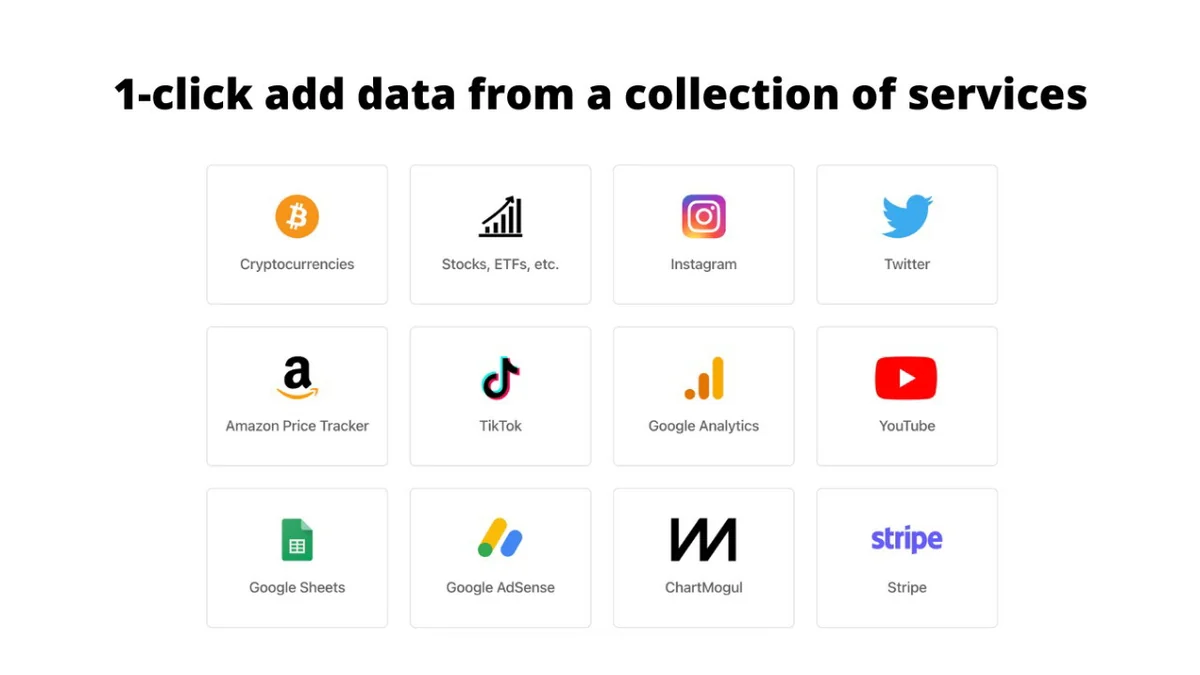
- Flexible Data Integration: Easily add data from a growing list of pre-built installers or connect to any API.
- JavaScript Customization: Further tailor displayed data and notification logic using JavaScript for advanced users.
- Privacy-Focused: Your data never leaves your device, ensuring a secure and private user experience.
How It Works
Getting started with Radar is straightforward. After installation on your operating system (macOS, Windows, or Linux), you can begin adding data sources. Radar provides a selection of ready-made installers for popular services, making integration simple. For more unique requirements, you can connect to any API or even request a 1-click installer for your specific needs. Advanced users can leverage JavaScript to fine-tune data presentation and alert conditions.
Use Cases
Radar is incredibly versatile and can be beneficial for a wide range of professionals:
- Developers: Monitor server uptime, API response times, or deployment statuses.
- Marketers: Keep an eye on website traffic, social media engagement, or campaign performance.
- Sales Professionals: Track lead generation, deal progress, or revenue figures.
- Project Managers: Monitor task completion rates, resource allocation, or project deadlines.
- Anyone needing quick insights: Streamline the monitoring of any quantifiable metric relevant to your daily work.
Integrations & Compatibility
- Radar is designed to be highly compatible
- It runs on macOS, Windows, and Linux
- The application supports integration with a growing list of services through easy-to-use 1-click installers
- For ultimate flexibility, users can connect to any API, allowing for a vast array of potential data sources
- If a specific service doesn’t have a pre-built installer, users can request one or integrate it themselves via API.
Pricing & Value
The AppSumo deal for Radar offers lifetime access to the PRO PLUS plan, which includes all current and future features. This provides significant value for individuals and businesses looking for a long-term solution to menubar analytics. The 60-day money-back guarantee further enhances the value proposition, allowing ample time to test the application’s suitability for your workflow.
Deal Details
This offer provides lifetime access to the Radar PRO PLUS plan. The license is for a single device, but it can be deactivated and reactivated on another device if needed. It’s important to redeem your code within 60 days of purchase. This deal is not stackable.
Quick Take
- Ideal for individuals and teams who frequently monitor multiple data points.
- A privacy-first solution that keeps your data secure on your device.
- Offers flexible integration options for both technical and non-technical users.
FAQs
Can I add a custom source of data?
Yes, you can integrate any API or webpage as a custom data source.
I’m not familiar with APIs can you make a 1-click installer for me?
Yes, you can make a request for a 1-click installer for your specific requirement.
What services are available as 1-click installers?
New 1-click installers are frequently added based on user requests for various services.
On how many devices I can use the code?
The code is for a single-device license, which can be moved between devices.
What plan the deal is for?
The deal is for the PRO PLUS plan which has all features of Radar and future updates.
Final Thoughts
Radar presents a compelling solution for anyone looking to simplify their data monitoring. By consolidating essential metrics into the menubar and offering customizable alerts, it significantly reduces the need for constant tab switching, thereby boosting productivity. The privacy-focused approach and flexible integration options, including API support and custom installer requests, make it a robust and adaptable tool. For its current price point on AppSumo, Radar offers considerable value, making it a worthwhile consideration for professionals across various industries.