
Missing out on potential deals due to forgotten follow-up emails can be frustrating for any professional. Imagine a system that handles these crucial touchpoints automatically, ensuring you never let an opportunity slip through your fingers.
This review dives deep into Rebump, a powerful tool designed to streamline your email communication and significantly boost your reply rates. We’ll explore its capabilities, how it operates, and the value it brings to professionals looking to optimize their outreach.
What is Rebump – Automate follow-up emails on Gmail | AppSumo
Rebump is an email automation system specifically built for Gmail users. It automates the process of sending follow-up emails, ensuring that your messages reach your contacts at predetermined intervals until a response is received. This helps users save time, avoid manual tracking, and prevent crucial communications from being overlooked.
Key Features
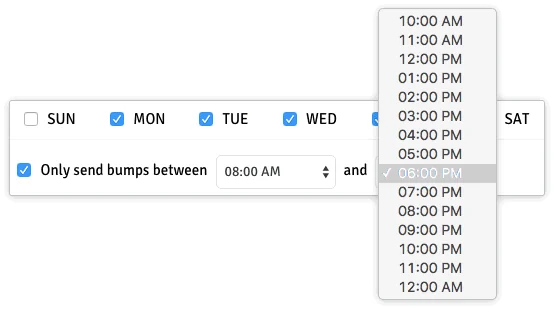
- Automated Follow-Ups: Schedule follow-up emails (bumps) to be sent at custom intervals.
- Automatic Stop on Reply: The system intelligently stops sending follow-ups as soon as the recipient replies to any message in the sequence.
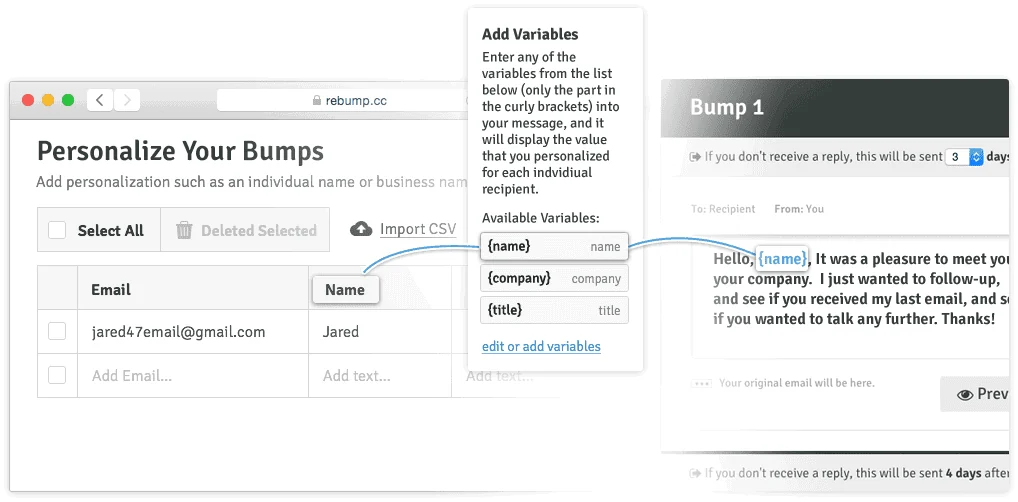
- Personalized Bumps: Tailor your follow-up messages to maintain a personal touch with your contacts.
- Centralized Dashboard: Monitor all your email correspondences, track the status of each communication, and view opened bumps.
- Analytics and Tracking: Gain insights into message performance, response rates, and identify opportunities for optimization.
- Cancel Bumps: Easily cancel a follow-up sequence if it’s no longer needed.
- Expiration Notifications: Receive alerts when a bump expires without receiving a response.
How It Works
Rebump integrates with your Gmail account to track outgoing emails. You can set up specific follow-up sequences for different contacts or types of communications. These sequences are triggered by sending an email and specifying the desired bump routine, often through the BCC field. Rebump then monitors for replies and automatically stops the sequence once a response is detected. The user-friendly dashboard provides a clear overview of all active sequences, allowing for management and performance tracking.
Use Cases
- Sales Outreach: Ensure potential clients receive timely reminders about your product or service after initial contact.
- Lead Nurturing: Keep leads engaged by sending a series of informative emails over time.
- Post-Proposal Follow-Ups: Gently nudge prospects to review and respond to proposals sent out.
- Networking: Maintain connections by automating follow-ups with new contacts.
- Customer Service: Schedule check-ins with customers to ensure satisfaction and gather feedback.
Pricing & Value
Rebump offers a practical solution for enhancing email productivity. The value lies in its ability to automate repetitive tasks, reduce the risk of missed opportunities, and provide insights into communication effectiveness. By saving significant time and potentially closing more deals, Rebump proves to be a cost-effective tool for individuals and businesses.
Deal Details
The current offering provides one year of access to Rebump Unlimited Plus, representing an opportunity to leverage its full capabilities at a discounted rate. This annual plan is presented as a way to achieve the tool’s lowest price ever, with the assurance that lifetime deals remain available.
Quick Take
- For sales professionals and anyone who relies on email outreach.
- Ideal for users who want to automate follow-ups directly within their Gmail workflow.
- A practical solution to ensure no leads or opportunities are missed due to manual oversight.
FAQs
Will there be another deal for Rebump in the future?
Currently, there are no plans for another deal, making this offering a significant opportunity.
Has Rebump stopped development?
While new functionalities are not always immediately apparent, the core functionality remains robust and supported.
Can I schedule email sequences for days in advance?
Yes, you can schedule follow-up sequences to be sent out at custom intervals over several days or weeks.
Is Rebump an autoresponder?
Rebump functions similarly to an autoresponder but specifically focuses on follow-up sequences based on initial outreach.
What is Rebump?
Rebump is a Gmail-integrated tool that automates the sending of follow-up emails until a reply is received.
Final Thoughts
Rebump offers a straightforward yet effective approach to managing email follow-ups within Gmail. Its automation capabilities free up valuable time, allowing professionals to focus on other critical aspects of their work. The system’s ability to track communications and stop sequences upon reply ensures efficiency and a more professional interaction with contacts. For those looking to boost their email reply rates and never miss a lead, Rebump presents a compelling and practical solution.