
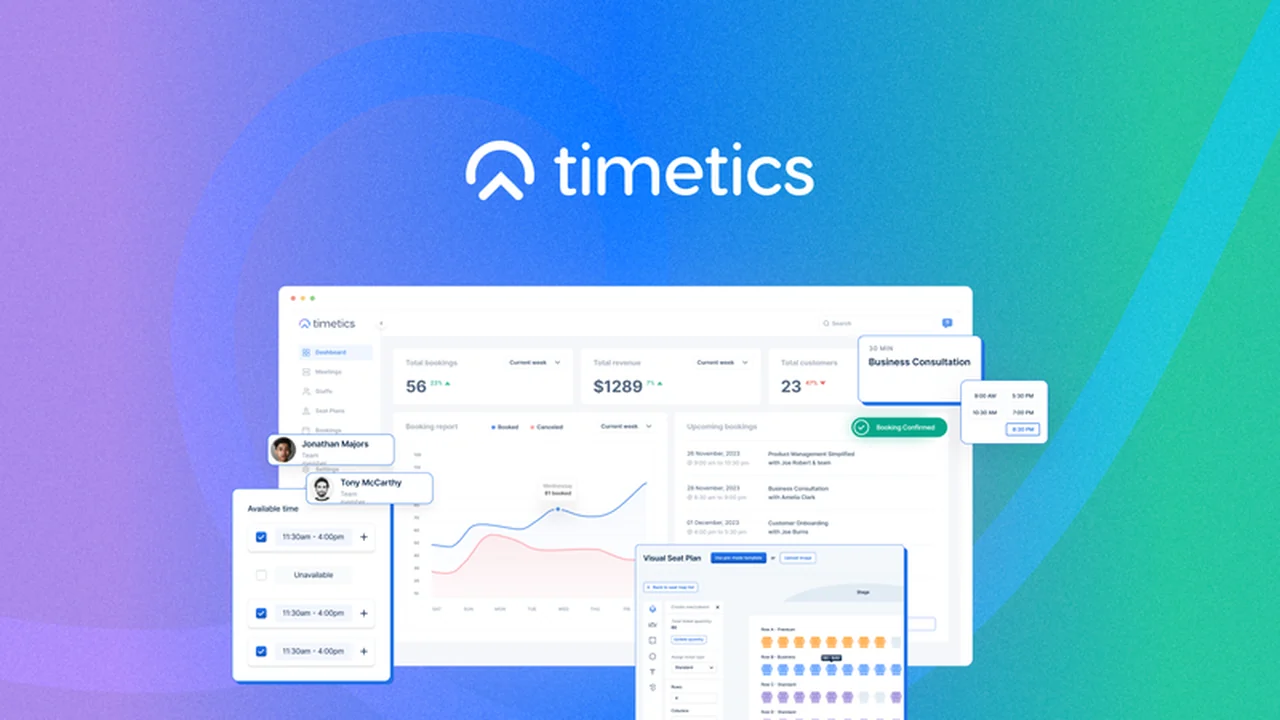
Planning any event, whether virtual or in-person, can quickly become a logistical puzzle. From managing attendee lists to ensuring smooth transitions, the details can be overwhelming.
This review dives deep into Timetics, an AI-powered scheduling tool designed to streamline these complexities, offering a comprehensive solution for event organizers seeking efficiency and precision.
What is Timetics – Organize any kind of event with AI | AppSumo
Timetics is an innovative AI-powered scheduling tool focused on simplifying the organization of both virtual and in-person events. It goes beyond basic appointment setting by offering advanced features like custom seating plans, multi-tier ticketing, and automated reminders.
This platform aims to address the common challenges faced by event planners, such as managing chaos, optimizing space for physical gatherings, and minimizing no-shows. It provides a robust solution for a variety of event types, from conferences and seminars to one-on-one consultations and webinars.
Key Features
- AI-Powered Scheduling: Automates the process of booking meetings and events, saving significant time.
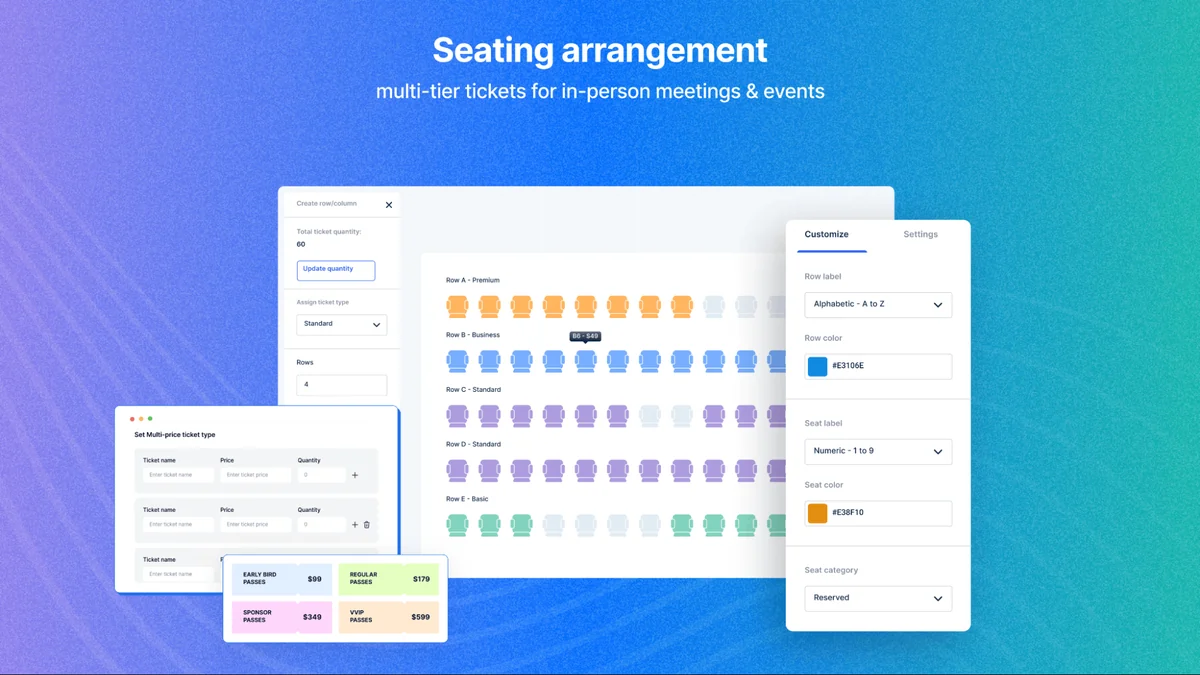
- Custom Seating Plans: Enables the creation of visual seating arrangements with customizable elements like chairs and tables, including color-coding for clarity. This feature is available for both in-person and virtual event layouts.
- Multi-Tier Tickets: Allows for the creation of different ticket types with assigned seating, offering flexibility in pricing and package options.
- Virtual Event Capabilities: Supports visual seating arrangements for one-to-one and one-to-many virtual sessions, ideal for sales calls, consultations, and webinars.
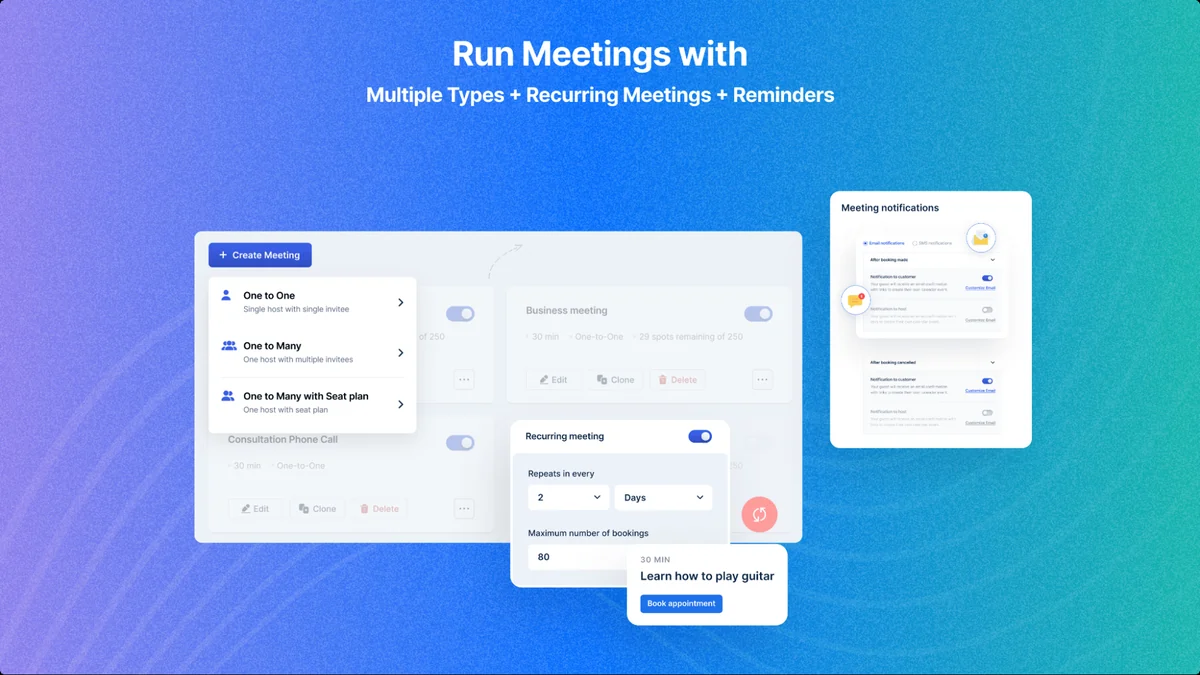
- Recurring Meetings: Simplifies the scheduling of routine appointments like daily stand-ups or weekly calls by setting them up once.
- Automated Reminders: Integrates with email and WhatsApp to send out timely reminders to attendees, helping to reduce no-shows.
- Calendar View: Provides a clear overview of all upcoming bookings for the day, week, or month, with quick access to essential details within each entry.
- White Labeling: Offers the ability to customize the scheduling interface with your own domain, branding, and colors, creating a cohesive and professional experience for clients. Options for dark and light logo versions are also available.
- Event Management Updates: Includes features like custom event schedules, enhanced speaker selection, improved ticket type display, remaining ticket quantity display, ticket tier date options, attendee tracking, an event descriptions editor with image uploads, and customizable booking questions.
How It Works
Timetics simplifies event organization through a series of intuitive steps. Users begin by defining the type of event they are planning, whether it’s a virtual conference, an in-person seminar, or a series of client meetings.
The platform then guides users through setting up key details, such as dates, times, and attendee capacities. For in-person events, the visual seating plan editor allows for the arrangement of tables and chairs. For virtual events, options for one-on-one or group sessions are configured.
With the AI integration, Timetics assists in optimizing schedules and attendee assignments. Features like multi-tier ticketing allow organizers to set up different price points and benefits, while automated reminders ensure attendees are informed. Calendar syncing with popular services like Google Calendar, Outlook, and Apple Calendar keeps everything in one place.
Use Cases
- Conferences and Seminars: Efficiently manage attendee registration, seating arrangements, and communication for large-scale events.
- Workshops and Training Sessions: Schedule multiple sessions, manage participant numbers, and provide clear instructions and reminders.
- Sales and Client Meetings: Streamline the booking process for one-on-one consultations, ensuring a professional and organized experience.
- Webinars and Online Presentations: Create engaging virtual events with clear session structures and attendee management.
- Networking Events: Facilitate introductions and manage attendee flow with custom layouts and attendee tracking.
- Internal Team Meetings: Schedule recurring team stand-ups or project meetings with ease, ensuring consistent communication.
Integrations & Compatibility
Timetics offers robust integration capabilities to ensure seamless workflow management. It connects with popular calendar applications, synchronizing bookings automatically.
The platform also supports integrations with communication tools for sending out reminders and payment gateways for processing transactions.
- Calendar Sync: Google Calendar, Outlook Calendar, Apple Calendar.
- Communication: Email, WhatsApp for automated reminders.
- Payment Processing: Pabbly Payment Gateway.
- Automation: Zapier for connecting with a wide range of other applications.
Pricing & Value
Timetics offers a compelling value proposition, especially through its availability on AppSumo. The platform aims to provide a comprehensive suite of tools that would typically require multiple subscriptions.
The ability to handle both the intricate details of in-person seating and the logistical challenges of virtual events, combined with AI-driven automation and branding options, positions Timetics as a cost-effective solution for diverse event planning needs.
Deal Details
The AppSumo deal for Timetics provides lifetime access to the platform, allowing users to benefit from its features indefinitely. This often includes all current and future updates, offering continuous value.
Typically, such deals come with a 60-day money-back guarantee, enabling users to test the software thoroughly and ensure it meets their requirements without risk.
Quick Take
- Ideal for small to medium-sized businesses and independent event planners looking to automate and professionalize their scheduling.
- Offers a unique combination of AI scheduling, visual seating arrangements for both physical and virtual spaces, and customizable branding.
- A valuable tool for reducing no-shows, enhancing attendee experience, and saving significant administrative time.
FAQs
Can I use my own branding with Timetics?
Yes, you can white label the scheduling interface with your custom domain, branding, and colors.
Is it possible to sell tickets at different price points?
Yes, Timetics supports multi-tier tickets with assigned seats and various price options.
Does Timetics help reduce no-shows?
Yes, automated reminders via email and WhatsApp are sent to attendees.
Can I customize seating arrangements for physical events?
Yes, you can create visual seating plans with customizable elements like chairs and tables.
What kind of events can Timetics organize?
Timetics can organize both in-person and virtual events, including conferences, seminars, workshops, and client meetings.
Final Thoughts
Timetics presents a robust and user-friendly solution for anyone grappling with the complexities of event organization. Its AI capabilities, coupled with intuitive features for both virtual and in-person events, make it a standout tool.
The ability to create custom seating plans, manage multi-tier ticketing, and leverage automated communication directly addresses common pain points for event planners, offering a streamlined path to successful event execution.
For those seeking to elevate their event planning process, save time, and enhance the attendee experience, Timetics, especially through the AppSumo offering, represents a significant opportunity to acquire a powerful and versatile platform.